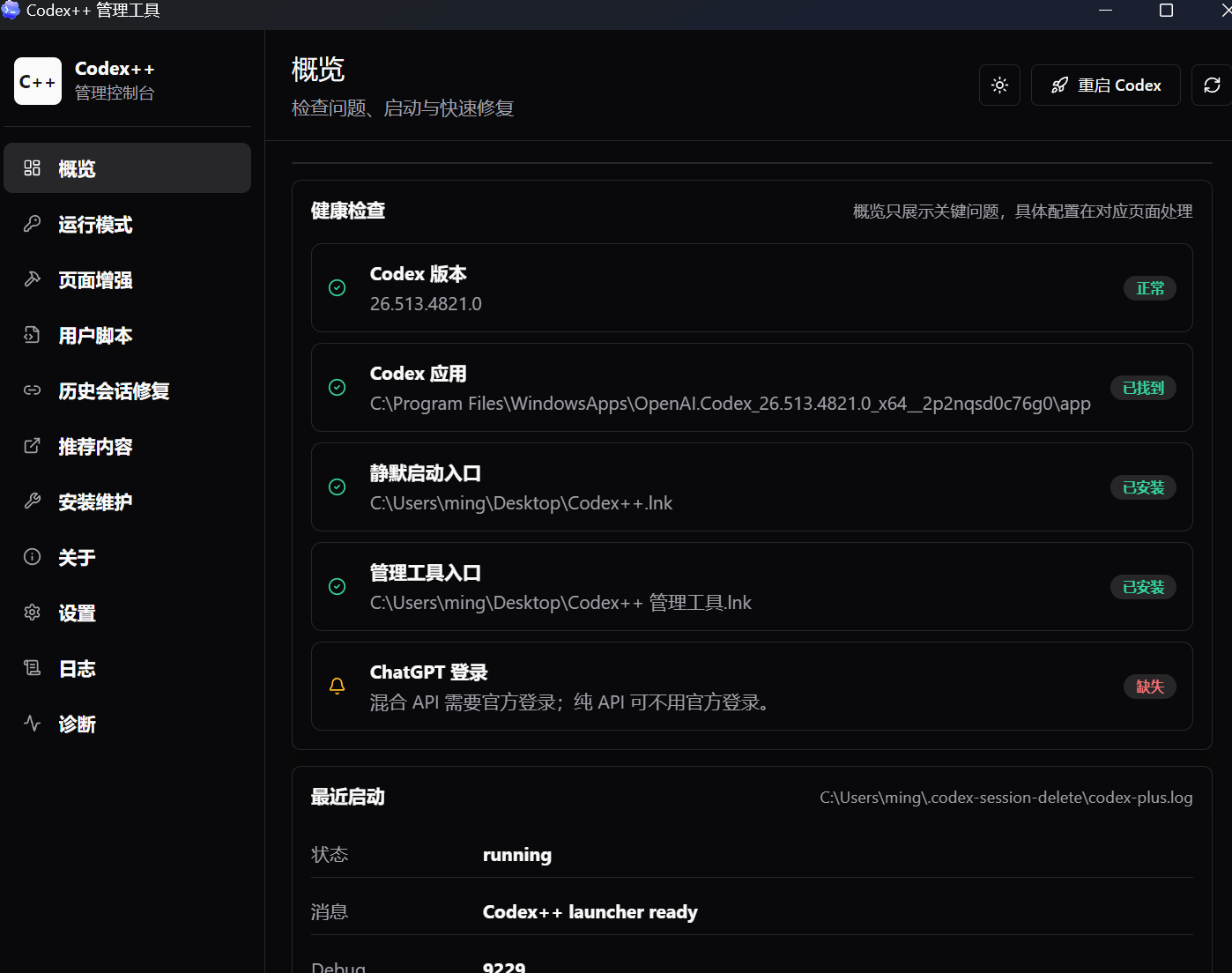
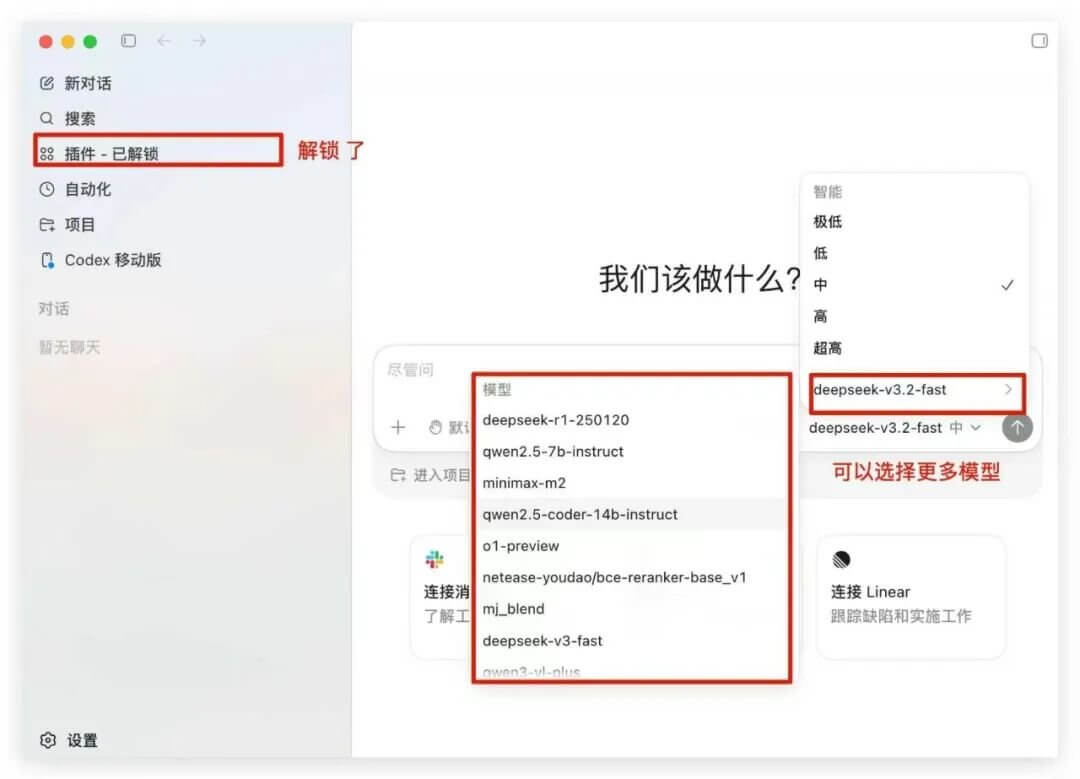
Codex++ can be thought of as an external enhancement launcher for the Codex App. It unlocks the greyed-out plugin entry after logging into Codex with an API Key, allows you to manage and delete conversations, and most importantly, it can route model requests to a custom API proxy. This means Codex can directly use DeepSeek and other large language models~
Instead of modifying Codex’s installation files, it uses its own launcher to start Codex and then injects enhancement scripts via CDP.
Core Features
Simply put, it focuses on fixing a few issues that the official Codex team hasn’t addressed but drive users crazy:
Unlock Plugin Entry
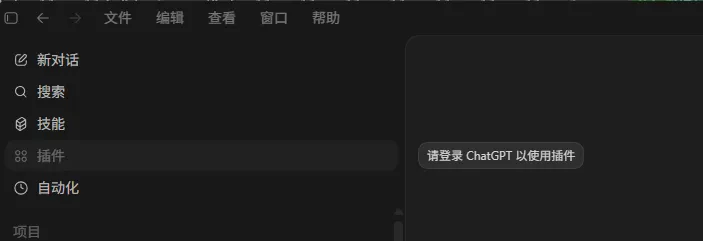
In native Codex, logging in with an API Key greys out the plugin entry, prompting “ChatGPT login required.” Codex++ bypasses this check logic, allowing you to install plugins and use Skills normally in API Key mode.
Permanent Conversation Deletion
The original conversation list only has an “Archive” option, with no actual delete button. When conversations pile up, finding anything becomes a hassle. With Codex++ injected, hovering over a conversation in the list reveals a delete button—just click and it’s gone.

API Proxy Injection (The Highlight)
This is its most popular feature,routing Codex’s model requests to your specified API proxy, meaning your Codex can directly use other LLMs like DeepSeek, Claude, and Gemini. It frees you from token worries. Plus, the configuration is saved to ~/.codex/config.toml, so you can switch back to the official login state anytime.
Markdown Export / Timeline / Project Migration
Conversations can be exported as Markdown archives, you can view conversation timelines for backtracking, and projects can be migrated across directories—those little features that make you wonder “why doesn’t the official app have this?”
User Scripts
Supports injecting custom JS, similar to Tampermonkey, so advanced users who can write scripts can extend functionality themselves.
Provider Sync
After switching model providers, old conversation metadata is retained, so you won’t lose access to them just because you changed your API key.
Usage Tutorial:
I’ll use my M3 MacBook as an example. The process is basically the same for Windows users, just with a different package.
Step 1: Install Codex
If you haven’t installed it yet, download it from the official OpenAI website first. Codex++ does not provide Codex itself.
Step 2: Download Codex++
Go to the GitHub Releases page and download the package for your OS:
- macOS Apple Silicon →
CodexPlusPlus-*-macos-arm64.dmg - macOS Intel →
CodexPlusPlus-*-macos-x64.dmg - Windows →
CodexPlusPlus-*-windows-x64-setup.exe
The latest version is currently v1.2.3(released June 5, 2026).
Step 3: Installation
For macOS, just drag the DMG to Applications. For Windows, click through the exe installer,which will create desktop and start menu shortcuts.
Step 4: Configure API Proxy (Optional but Recommended)
Open the “Codex++ Admin Tool” → Provider Configuration → Add Provider, and fill in your Base URL and Key.
Here are two common examples:
- DeepSeek: Set Base URL to
https://api.deepseek.com/v1, and select Chat Completions(do NOT select Responses) - Agnes: Set Base URL to
https://apihub.agnes-ai.com/v1, and select modelagnes-2.0-flash
After saving, click “Use”, then click the restart button in the top right corner. Once Codex++ relaunches Codex, the settings will take effect.
Step 5: Daily Usage
From now on,launch from the Codex++ icon(not the original Codex). The Codex++ status light will appear in the top menu bar, letting you check the backend connection status, switch configurations, and view logs.
💸 Troubleshooting Heads-Up (Important):
- Unsigned macOS packagesmay show an “damaged and cannot be opened” error. Run these two commands in the terminal to unlock: bashbash
sudo xattr -rd com.apple.quarantine "/Applications/Codex++.app" sudo xattr -rd com.apple.quarantine "/Applications/Codex++ 管理工具.app"The latest v1.2.3 has already fixed this issue.- Port in use on Windowscan cause launch failures. The latest version has also fixed the abnormal port occupation issue for single instances.
- Occasionally, the launcher may freeze. Just kill the Codex and Codex++ processes from the Task Manager and restart them—this is a minor bug frequently reported in the community.