Sweet Home 3D - Latest Version
An interior design software that allows you to quickly draw floor plans, arrange furniture, and view the results in 3D.

A cross-platform, open-source bitmap editor for drawing, layers, selections, adjustments, and effects.
57.91 MiB0 Already downloaded Mobile view
Pinta is a free, open-source drawing and bitmap editing software that supports Windows, macOS, Linux and some BSD systems. It places brushes, constituencies, shears, layers, colour adjustments and common features in a clear set of desktop interfaces, suitable for a picture, simple illustrations, pixels and less complex photographs.
I ran the Pinta official network, the user guide and the 3.1.2 release record over and over again. Its strengths are clear and it can start painting once installed, without the need to understand the full working area of the professional image software. The functional depth also has boundaries. Large-scale layout, pre-professional printing, complex RAW photo processing and long multi-layer projects are still more suitable for delivery to specialized software.
Pinta provides brushes, pencils, rubber, paint buckets, gradients, text, cloned stamps, magic sticks and a variety of electoral tools. Users can create new canvass, and can open common images, and then finish tailoring, rotating, flipping, scaling and resizeing. When the tool is selected, the top will show the options associated with the current operation, and no starter will need to search for settings between many panels.
Layer functions separate text, draft, colour and background. Each layer can be sequenced, transparent and mixed, with complete historical records and unlimited revocations in case of error. This structure is enough when you make an icon, a screenshot or a small piece of text for a photograph.
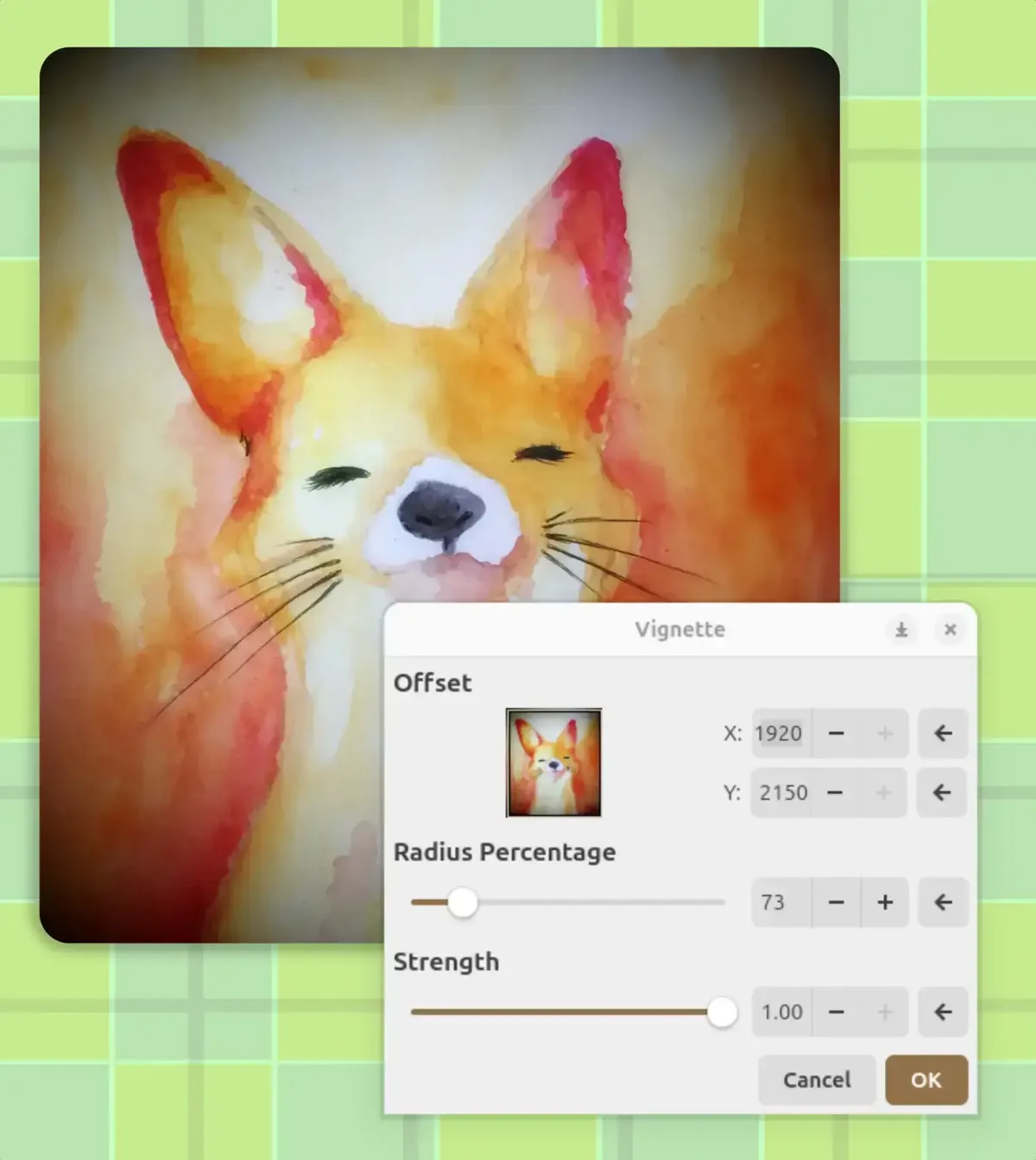
The adjustment menu contains items such as brightness, contrast, curve, colour, colour and saturation. The Effect Menu provides fuzzy, sharpening, noise-mitigating, oil painting, pencil sketches, pixelization, dark angles, etc., and shows previews before application. Pinta also supports the extension component, which can be built-in for ordinary users, meet specific needs and consider additional extensions.
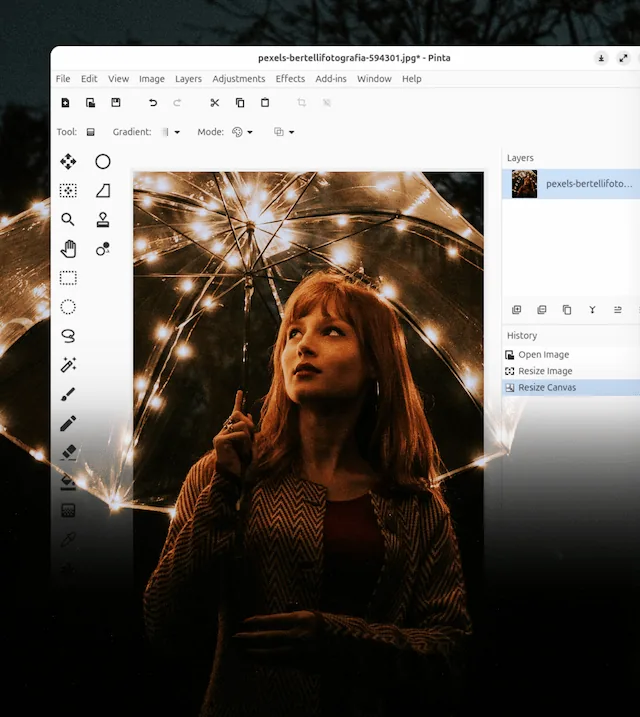
Pinta’s interface remains tight. The left is a drawing tool, with a canvas in the middle, and the right is a layer and an operating history. Those who are familiar with drawing software will soon be able to find access, and users of the first contact layer will be able to see at what level each step falls. The official network locates it as an easy-to-use drawing and image editing programme, which is more accurate than a professional design package.
Software covers Intel and ARM devices. 3.1.2 The official distribution page provides both Windows x86_64 and arm64 installation programs, as well as macOS mirrors for Intel and Apple chips. Linux users can access Flatpak or Snap installation channels from the official network. The project repository contains documents translated into Chinese, menus and common tools are available in Chinese, and a few extension notes and community information remain mainly in English.
It is easy to edit ordinary pictures, and professional work is limited. Pinta does not use vector layout, page design, RAW graphics and print colour management as core competencies. When the canvas is large and there are many layers, memory and operating fluidity are also affected by image size and computer configuration. Important documents should be retained and copies should be stored at the stage.
The day-to-day descriptors, simple cover and social platforms are suitable for Pinta. The number of tools will not be filled with a single window, cutting, drawing arrows, adding text and lighting. It can also be used to understand the basic processes that are edited by beginners in the layers and basic constituencies.
Pixels, small size icons and simple illustrations are equally appropriate. Brushes, pencils, palettes and layers already cover common operations, and historical records make repeated attempts more reassuring. People who occasionally fix photographs can use it to handle exposure, colour and a small number of defects, and to save time by using the Photo Workstream software when a large number of photographs or fine-tune images are managed in bulk.
Pinta can download free of charge. Source code uses MIT license. The official network does not list subscriptions or pay professional versions, Windows and macOS official installation documents are available on the project distribution page, and Linux’s Fletpak and Snap can also download from the official web page. Community-maintained software packages may have a different pace of renewal, and such packages have been identified separately from official support channels.
MIT licences permit the use, modification and redistribution of source codes, and it is sufficient to retain the original copyright and licence statements. The advertising status of the software is not separately described. When using third-party extensions, fonts and materials, the corresponding licences are followed separately, and the open-source licences for Pinta do not automatically cover imported content.
Pinta is for someone who wants a desktop drawing tool without taking a long time to organize the interface. The electoral districts, layers, historical records, adjustments and effects are all in a familiar position, and after a cut-and-marking exercise, the next learning route is more natural. The documents were fully installed across the platform and the threshold for first use was lowered in Chinese.
It did not pursue all design tasks. Complex projects will require greater text layout, colour management and document compatibility, and Pinta will retain some restraint in these areas. My judgment is that normal graphic editing, transcribing, pixel drawings and basic illustrations can be used first in Pinta, and then in the case of work content, after printing, RAW photos or large multi-tage layers, professional tools can be replaced.
The current stable version is 3.1.2, which was published on 2 April 2026. Windows x86_64 Installer app 57.91 MiB. The distribution page also provides Windows arm64, macOS Intel, macOS arm64, source compression package, verification file and signature file.
3.1.2 The problem of the inability of the GTK version to load the icon was repaired and the collapse of the right-click layer to set the grade gamma value to zero was addressed in specific cases. Gradient tools no longer generate redundant historical records, and the layer right-key menu adds up or down the layer. The project repository was not archived and code updates were still available in August 2026.