Sweet Home 3D - Latest Version
An interior design software that allows you to quickly draw floor plans, arrange furniture, and view the results in 3D.
An open-source RAW photo manager and non-destructive editor with batch processing and export tools.
133.12 MiB (Windows x64 Installer)0 Already downloaded Mobile view
Darktable is a free open source RAW photo workflow software for photographers. It places photographs into the same desktop application for import, screening, rating, label management, non-destructive monetization, batch processing and export, and is suitable for users who wish to manage their own films and records and do not want to bind their libraries to commercial subscription services.
The software workspaces are divided mainly into light tables and dark rooms. The light table is used to browse the library, screen photographs, set star-level and colour labels, edit metadata and organize collections, while the dark room provides treatment modules such as exposure, white balance, colour calibration, noise reduction, lens correction, masking, sharpening and output colour management. The editing step is kept in the database and XMP side car file, and the original photo will not be directly covered and will be ready to look back or adjust the processing history.
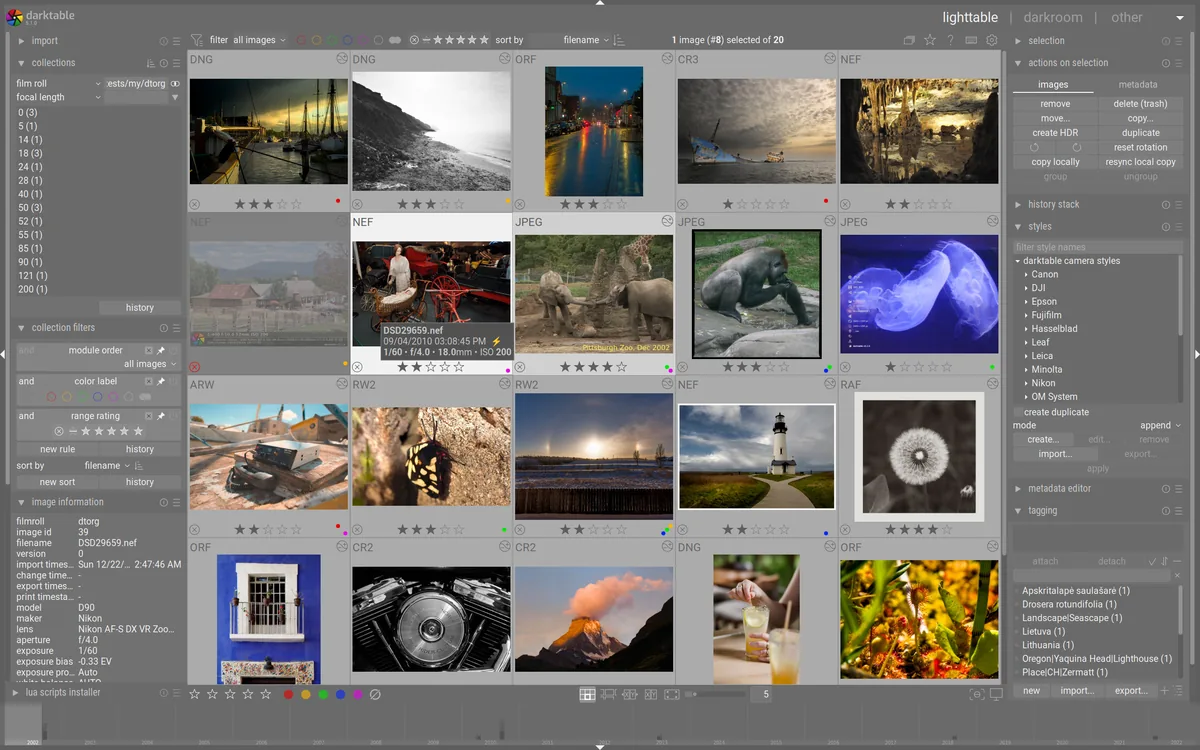
Darktable supports the common camera RAW format and can use OpenCL to speed up partial image processing with video cards. It also includes capabilities for online filming, map positioning, printing, Lua scripts and presets. The actual ability to identify a new camera or camera is still dependent on RawSpeed, gphoto2 and Lensfun data in the current version, and it is advisable to consult the official camera support list before installation.
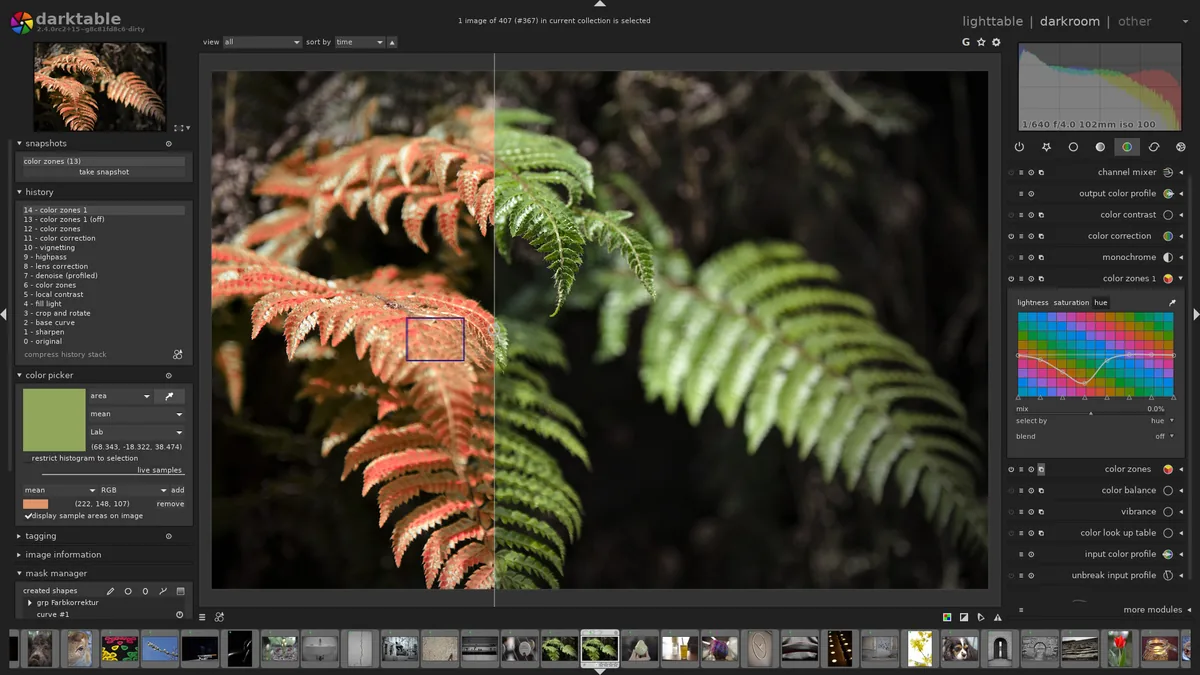
Windows users can download 64-bit installation programs; Windows on ARM, Apple Silicon and Intel Mac also have their respective installation packages. Linux users can choose the official AppImage, Platpak or distribution software repository. macOS version requires 13.5 or more, and if the system alert application is not validated by App Store, it should be confirmed in the “Presentity and security” by a LAN installation.
When first used, it is recommended that a small number of photographs first familiarize themselves with the basic order of “import, filter, enter, adjust the module, export” and then decide on the chart directory, XMP border vehicle file and backup policy. Darktable 5.6 will upgrade the chart and configuration structure from the 5.4 series, and the upgraded database can no longer be opened from the old version and should therefore be updated with backup configuration directories, library databases and important XMP files.
5.6 The series incorporates optional AI subsystems, including object masking, RAW noise reduction, normal image noise reduction and magnification. AI functions are closed by default and models need to be downloaded separately in preference settings; whether different distribution packages compile AI support, whether or not a graphic card operating environment is available, can also affect experience. Some tasks can be returned to CPU when there is no suitable GPU, but time-consuming will increase significantly.
Darktable is suitable for photographers, commercial photographers, and users who value this map repository, colour management and replicable processing steps. It also suits people who want to learn the full RAW later process. This modularization interface would be more important if it were only to cut, type or fast-filter; users who had just come into contact with the latter stages of photography would also need to invest time to understand colour space, processing sequences and mask logic.
Darktable is issued under GNU GPL v3 licence, with desktop cores open free of charge, no subscription fees and no third-party advertising. The project is sustained by the community. Software freedom does not mean that all illustrative photographs can be used at will; the icons and interface maps are taken from the Darktable official network and are used for non-commercial presentations under CC BY-NC-SA 3.0.
It has the advantage of complete coverage, transparent processing of records and a very close integration of library management with professional RAW adjustments. The cost is that the learning curve is steeper, and the number of modules and the terminology are more applied than the normal drawings; the logic of processing between versions may also be adjusted. This paper is organized on the basis of official documents and distribution notes and no performance was measured on all platforms, cameras and graphic cards.
The stabilization version 5.6.1 was released on 27 August 2026 and is a restoration update of the 5.6 series. It has improved the breakage of the AI model and re-testing the network, repairing the Windows AMD OpenCL, on-line filming, masking, previewing, LUT, AI Noise Reduction and partial export formats for crashes or image anomalies. An official special reminder should be provided to back up the diagrams and configurations before upgrading from the 5.4 series.