Krita - 5.3.3
An open-source digital painting app for illustration, comics, layered artwork, and frame-by-frame animation.
An open-source vector graphics editor for logos, icons, illustrations, diagrams, and SVG artwork.
113.02 MiB0 Already downloaded Mobile view
Inkscape is a free, open-source vector graphic editor that can be used on Windows, macOS and Linux. It is in the SVG main file format and is suitable for drawing logos, icons, illustrations, posters and technical graphics. The software does not have to register an account number, there is no advertisement and there is no subscription to the functional wall.
Vector maps consist of shapes, lines and paths, and the magnified edge remains clear. It is easier to create web icons, printed logos or illustrations that require repeated resizes than to re-paint pixels directly. Photo fixes and complex mosaics remain more suitable for image-processing software.
Inkscape provides common tools such as rectangles, ellipses, stars, spirals, freehand painting and Bézier curves. After selecting the path, you can move the node, adjust the curve handle, merge or split the path. A boolean operation allows multiple shapes to be combined, differentiated and intersected, and is useful when drawing a simple icon.
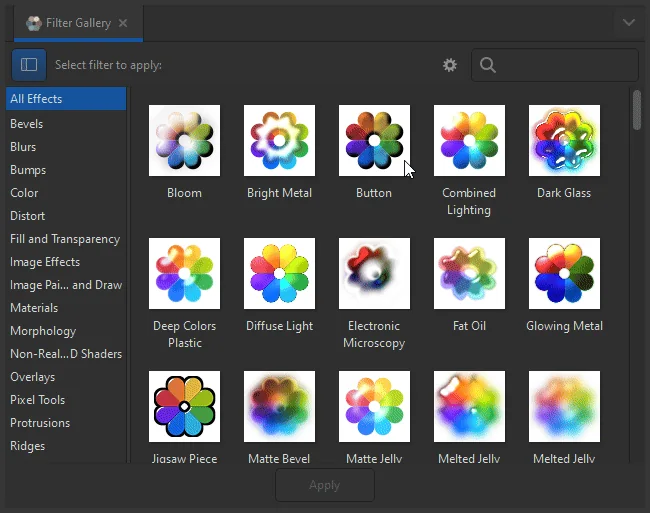
Text, layers and object panels are suitable for managing more complex images. Fills and frames can set pure colour, gradient, pattern, transparency and line type. The software can also map the bitmap as a path and provide filtering, cutting, masking, alignment, adsorption and extension. Official 1.4 Series has been added to a searchable filter library, which does not need to be turned back and forth in multilayer menus when looking for effects.
The work can be saved as standard SVG and can be imported or exported in PDF, EPS, AI, PS and PNG formats. Batch export panel allows multiple objects, layers or pages to be selected at a time, and separate images of different sizes are exported. A set of interface icons or multipage materials can save duplicates.
Standard SVG is the most important foundation for Inkscape. The file can continue to be processed by browsers, code editors or other design software and will not be locked in proprietary project formats. The interface supports Chinese-speaking, and the tool position and file format of the three desktop systems are largely identical, making cross-equipment collaboration easier.
Its tools cover a wide range, ranging from simple icons to multi-tage illustrations. Many functions also mean taking time to become familiar. Node editing, path calculations, tailoring and masking are beginning to be confusing. Complex SVG and many filters will also take up more memory and processing time.
Inkscape is suitable for work focused on screen graphics and common vector files. It is advisable to confirm PDF requirements and colour settings to the printer first when it needs to be strictly managed for a proprietary, complex CMYK process or a large pre-print project. After importing external files, font replacements, effects differences and page sizes are also checked.
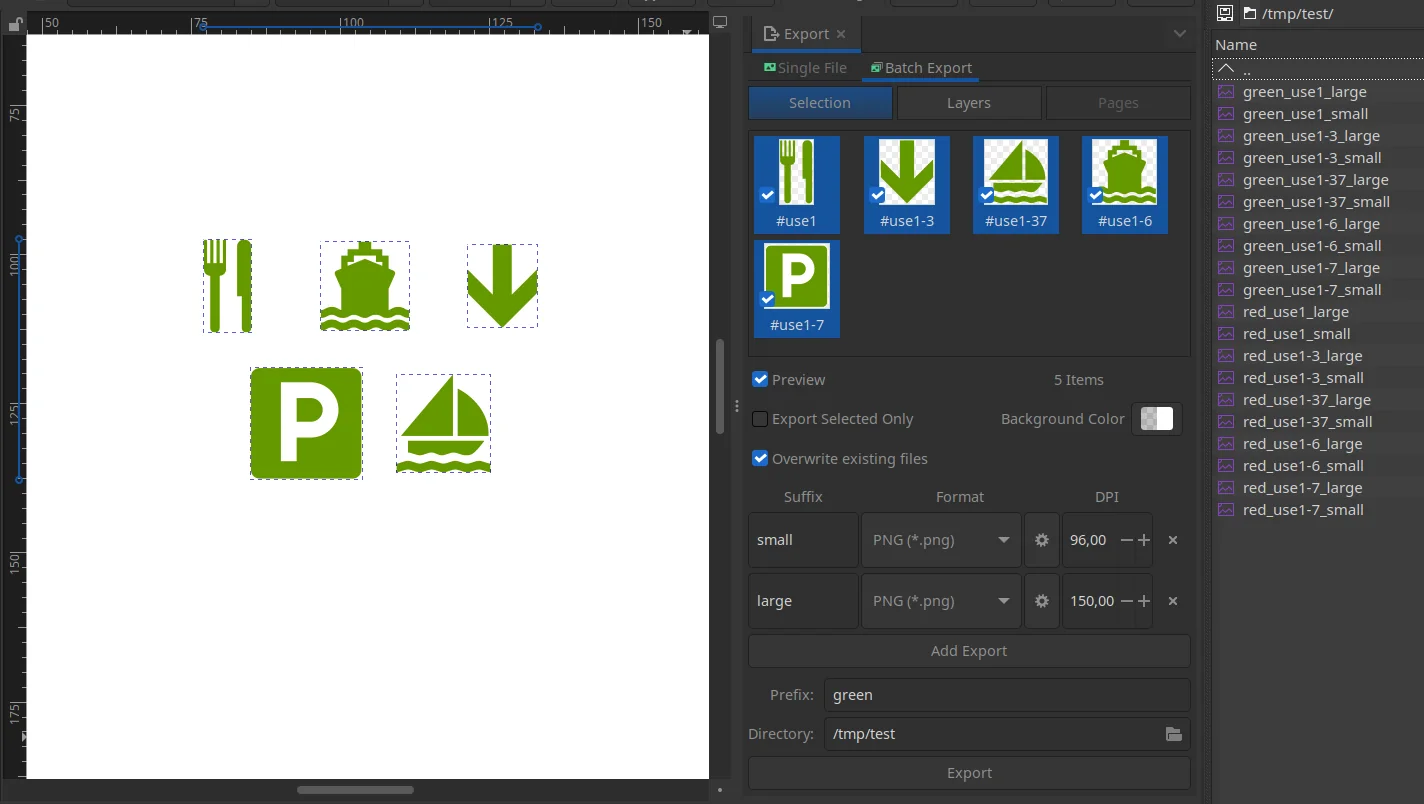
Personal creators can use it to make headers, icons, stickers, posters and simple illustrations. Web pages and application designers can directly edit SVG icons and export PNGs in different sizes. Teachers and students can draw flow charts, diagrams and curriculum maps, and small teams can keep brand signs and common visual materials in open format.
The image-processing software will be easier for only users who cut photographs, grind skins, repair noise or manage albums. Teams that already rely heavily on commercial design packages for proprietary formats, plugins and pre-printing processes should also test the compatibility of real projects before deciding whether to move.
Inkscape’s drawing, text, path, filtering, import export and extension functions are free of charge, and there are no specialized versions of advertising and fee-paying. The official repository stated that most of the source code was based on GPL-2.0-or-later, and that the complete release process was due to the fact that the assembly component was currently distributed under GPL-3.0-or-later. Users can view the source code or modify and reissue the software under licence conditions.
The work created with Inkscape will not automatically become a GPL project. The fonts, diagrams, templates and third-party extensions used in the works still have their respective authorization conditions. When preparing for commercial or public distribution, separate confirmations should be made as to whether the material allows for corresponding uses.
Inkscape has the advantage of functional integrity, open format and cross-platform. Draw geometry icons, edit SVGs, draw a simple poster and export PNGs so that ordinary users can start following the basic tool. When nodes and routing tools are skilled, they can also undertake detailed illustrations and marking designs.
It is not a lightweight tool. There are multiple interface panels, and some operations require an understanding of the basic concepts of vector maps. Complex filters and external format conversion may also have performance or compatibility problems. Those who are willing to spend a little time learning will be provided with a mature set of tools, free of subscription, that can save source documents over time.
The current stable version is 1.4.4 and was published on 6 May 2026. Windows 64-bit official EXE installation package approximately 113.02 MiB. This maintenance version fixes 20 crash problems and more than 25 error and performance problems, supplements the vertical placement buttons for new palettes, stars and polygons and provides Windows ARM installation files. The English translation is also updated. The official Gitlab repository still had a record of its activities on 19 August 2026.