Shotcut
Shotcut

Shotcut26.8.1

OfficialNo ads4

An open-source video editor with multitrack timelines, filters, subtitles, proxy editing, and flexible export.

Last update:
2026年8月1日
Language:
CREDIT Chinese, Multilingual
Platform:

155.13 MiB0 Already downloaded Mobile view

Shotcut is a free, open source, cross-platform video editor available on Windows, macOS, and Linux. It is built based on MLT, FFmpeg and Qt. It can directly read a large number of audio, video and image formats without the need to uniformly transcode the materials first. It is suitable for editing and exporting short videos, course recordings, interviews, Vlogs and regular promotional videos.

It does not have a commercial version and has no functional features. Timeline, filters, key frames, subtitles, proxy editing, hardware codecs and 4K workflows are all available for free. The interface has a high density of functions, and novices need to first become familiar with the relationship between playlists, source players, and project timelines. However, after mastering the basic process, they can complete a complete set of local editing work without relying on accounts or cloud services.
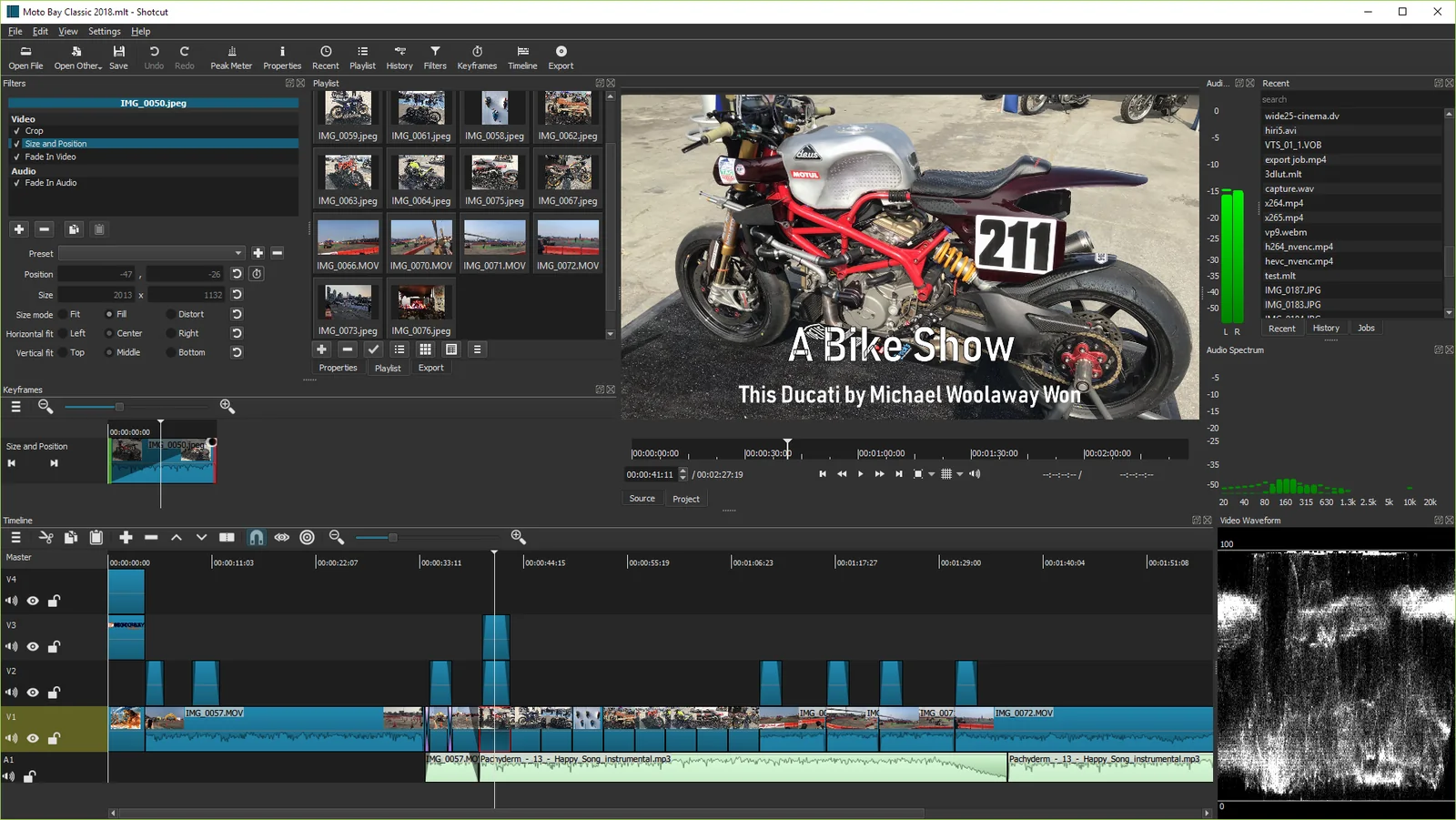
Shotcut multi-track timeline, preview window and playlist interface
Shotcut official interface screenshot, showing multi-track timeline, video preview, playlist and audio waveform

Core functions

  • Native timeline editing: Most clips can be dropped directly into the timeline, with support for multi-track video and audio, ripple editing, clip splitting, snapping, transitions, markers and track mixing.
  • Wide format support: Relying on FFmpeg to read common video, audio and picture formats, it also supports image sequences, network streams, subtitles and a variety of professional formats.
  • Filters and keyframes: Provides filters such as color correction, cropping, masking, chroma key, stabilization, noise reduction, speed, text and audio processing. Many parameters can be dynamically changed using keyframes.
  • Proxy and preview scaling: When faced with high-resolution or high-bitrate materials, you can create a proxy file and reduce the preview resolution to reduce the real-time playback pressure on old computers, and the original materials will still be used for final export.
  • Subtitles and speech-to-text: Supports subtitle track, subtitle import, export, and burning; the speech-to-text function can generate subtitle drafts, and the specific speed depends on the hardware and material length.
  • Professional export: Built-in multiple formats and device presets, you can adjust the encoder, bit rate, resolution, frame rate, color and audio parameters, and support some hardware encoders.

Product Features

The advantage of Shotcut is that it is local, open and does not force users to enter the subscription system. Projects and media files are saved on your own computer, and the software does not require you to register an account; Windows also provides portable compressed packages, and Linux can choose AppImage or portable tar packages. The interface supports Chinese, and the language and light and dark themes can be switched in “Settings”.

It also retains the sophistication of desktop professional tools. There are many filters and export parameters, and some function names are not intuitive enough for first-time editing users; high resolution, multi-layer special effects or 10-bit materials will still significantly consume CPU, GPU, memory and disk space. Before starting a large-scale project, it is recommended to determine the video mode, material storage location and backup method, and enable the proxy in time when performance is insufficient.
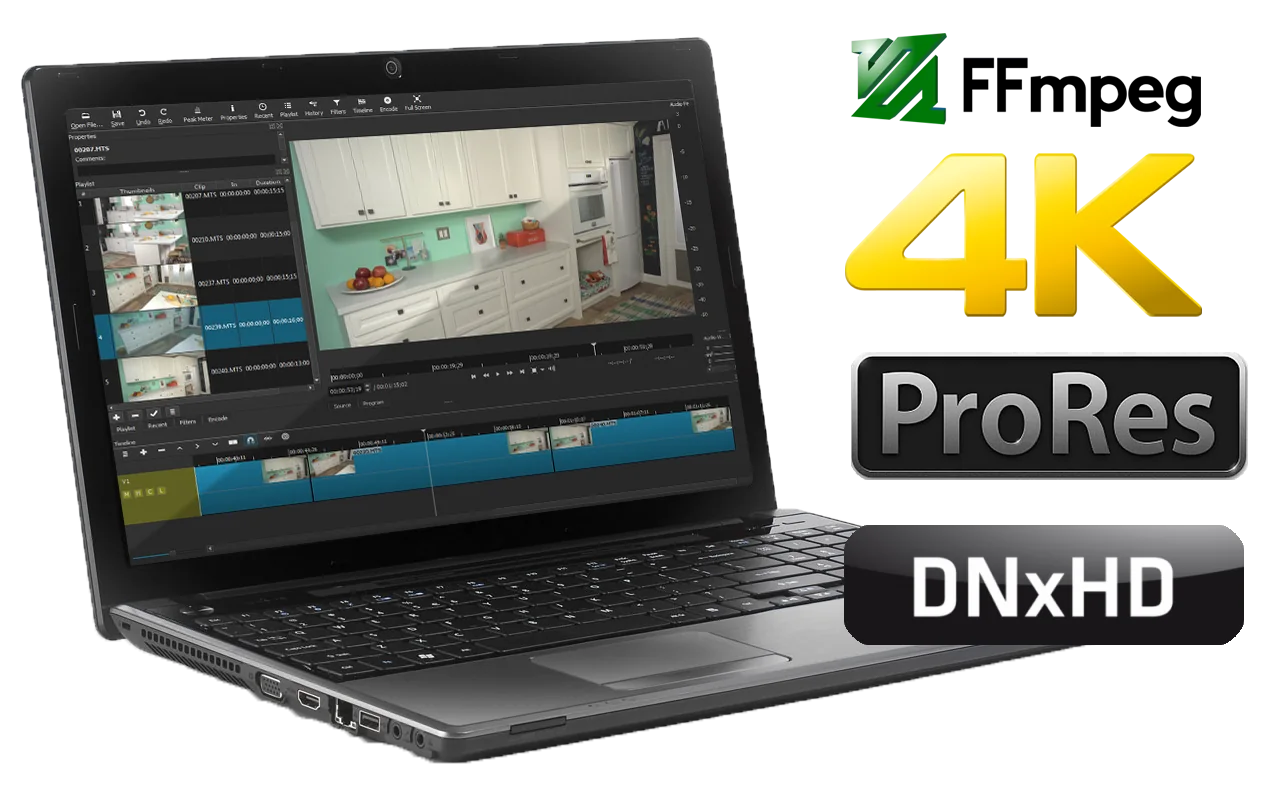
Shotcut professional video format, Blackmagic Design and hardware support diagram
Shotcut official function diagram, showing professional video format, Blackmagic Design equipment and hardware input and output support

Installation and usage tutorial

  1. Select a system from the official Shotcut download page. Windows 10/11 can download x64 or ARM installation and portable versions; macOS can choose the universal DMG; Linux can use AppImage, portable tar, Snap or the package provided by the distribution.
  2. After startup, select the project folder in the “New Project” area, fill in the project name, and keep the video mode “Auto”. If your target is portrait or fixed frame rate, you can select the appropriate video mode before starting to edit.
  3. Drag the material into the “Playlist” and then drag it to the “Timeline”. Move the playhead to the scene that needs to be cut, and use “Split at playhead” or the shortcut key S to split the clips and then delete, move or adjust the length.
  4. Select the timeline clip, open the “Filter” panel and click the Add button. Complete basic processing such as cropping, sizing, and color correction first, and then enable keyframes for the parameters that need to be changed to avoid stacking too many effects at once.
  5. When the screen preview freezes, turn on the proxy function and reduce the preview zoom; continue editing after the proxy generation is completed. Project files do not contain original media, and the footage directory should be retained when moving or backing up a project.
  6. After completion, open “Export”, first select the appropriate preset, then check the resolution, frame rate and file name, and click “Export File”. The progress of the task will be displayed in the job panel. After completion, use the player to check the sound, subtitles and screen ratio.

Applicable scenarios

  • Short Videos and Vlogs: Multi-track timelines, transitions, text and color correction tools are enough to handle common content publishing processes.
  • Course and screen recording organization: Can cut pauses, mix explanation audio, add subtitles and chapter tips, and export to common online formats.
  • Interview and Podcast Videos: Audio waveforms, noise reduction, loudness and multi-track capabilities make it easy to sync and organize multi-person material.
  • Lightweight editing on older computers: Reduce real-time decoding pressure with preview scaling and proxy workflows, but export time still depends on hardware.
  • Teams that value local and open source: No need to upload materials or subscribe to commercial services, suitable for environments with requirements for data control, offline use and software licensing.

Free scope and license

Shotcut itself is completely free, the source code is released under the GPL-3.0 license, and there is no feature paywall or in-app advertising. The official installation package can be downloaded directly, and store versions such as Microsoft Store may provide update services from the store. The fonts, music, pictures, videos and plug-ins used in editing are still subject to their respective licenses, and commercial projects need to confirm their own material authorization; the storage and hardware costs required for high-resolution workflows are not included in the software.

Usage evaluation

Shotcut strikes a good balance between “free and open source” and “feature-complete”. It is not like a minimalist editor that can only splice and assemble templates, nor does it have the subscription threshold for professional commercial software. Format compatibility, proxies, keyframes, subtitles and export options allow it to cover projects from entry-level to moderately complex.

The main shortcomings are that the learning path is not linear enough, panels and parameters take time to digest, and complex synthesis and team collaboration capabilities are not its focus. If you need to complete regular multi-track editing locally and are willing to spend a little time understanding the timeline and encoding settings, Shotcut is a pragmatic and reliable choice; if you value cloud collaboration, massive commercial templates, or mobile connection more, you need to use other tools.

Update instructions

The current stable version is 26.8.1, released on August 1, 2026. The new version adds an Elements material panel of about 22 MB, including emoticon stickers, sounds, overlay transitions, animated text and graphics; a new “Settings → Graphics Adapter” is added for Windows and Linux multi-GPU devices, and a Shake video filter is added. This release also fixes issues with opening MLT projects on macOS, 10-bit dissolve transition color, RNNoise sample rate, subtitle frame offset, VST2/LV2 plug-ins, motion tracking keyframes, and proxy rotation. Windows x64 installer is approximately 155.13 MiB.
Share:

Related Software