
LibreOffice - v 24.8.4
Open source and free office software that can replace WPS and Microsoft Office.

WeChat/QQ/TIM Multi-Open & Anti-Recall Patch
3.6MB0 Already downloaded Mobile view
RevokeMsgPatcher is a patch for WeChat/QQ/TIM that enables multi-instance and prevents message recall. It supports these three social apps on Windows. I primarily use it for the multi-instance feature!
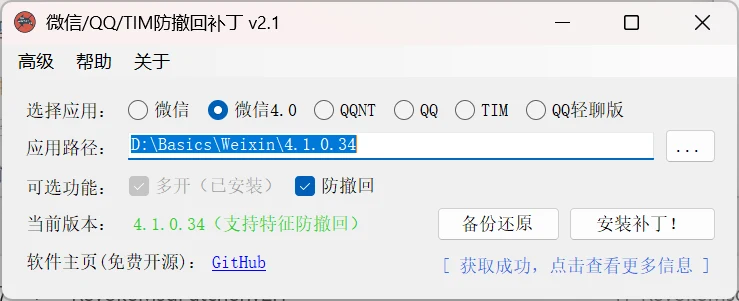
This software is portable and requires no installation. The latest v2.0 supports WeChat 4.0. Open the software, choose your app and apply the corresponding patch for the desired feature.
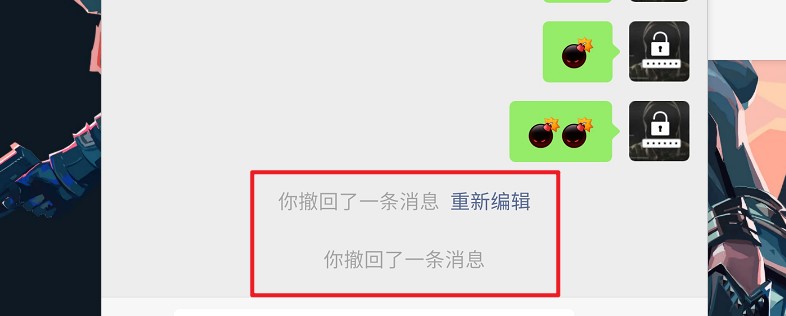
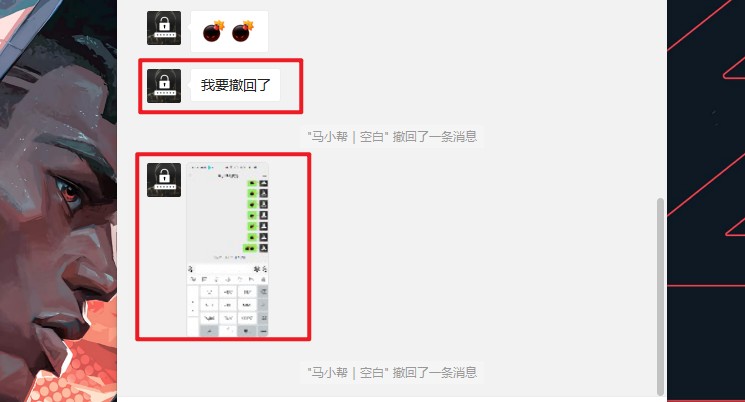
After applying the anti-recall patch, even if someone recalls a message, you can still see it on your WeChat! As shown below, however, both anti-recall features have some minor issues.
After installing the multi-open patch, double-clicking the WeChat desktop icon once opens a login window. Double-click as many times as you need to open multiple WeChat instances. This is very handy for those managing multiple WeChat accounts.

It’s a portable program; simply delete the relevant files.