AntennaPod - 3.11.4
An ad-free, open-source Android podcast player with RSS subscriptions and offline playback.

Debloat Android TV or Google TV with ADB and add a cleaner home on compatible devices.
About 390 KB (build from source)0 Already downloaded Mobile view
CleanYourTV is a free, open-source project for debloating Android TV and Google TV devices and, on compatible sets, replacing the home screen. It connects over local-network ADB, disables selected ads, recommendations and preinstalled components, and installs a simpler launcher. The scripts disable rather than uninstall system packages and include a way to restore them.
This is a hands-on project rather than a ready-to-install TV download. You need a computer on the same network, a coding assistant with shell access or the ability to run the commands yourself, and time to check your specific model and firmware. Keep a backup and recovery plan before changing system packages.
The workflow backs up installed packages and relevant settings, then uses pm disable-user for manufacturer services and preloads that you approve. Lists vary by brand, region and firmware; another person’s list is not a safe universal preset. The repository includes restore scripts for re-enabling changes.
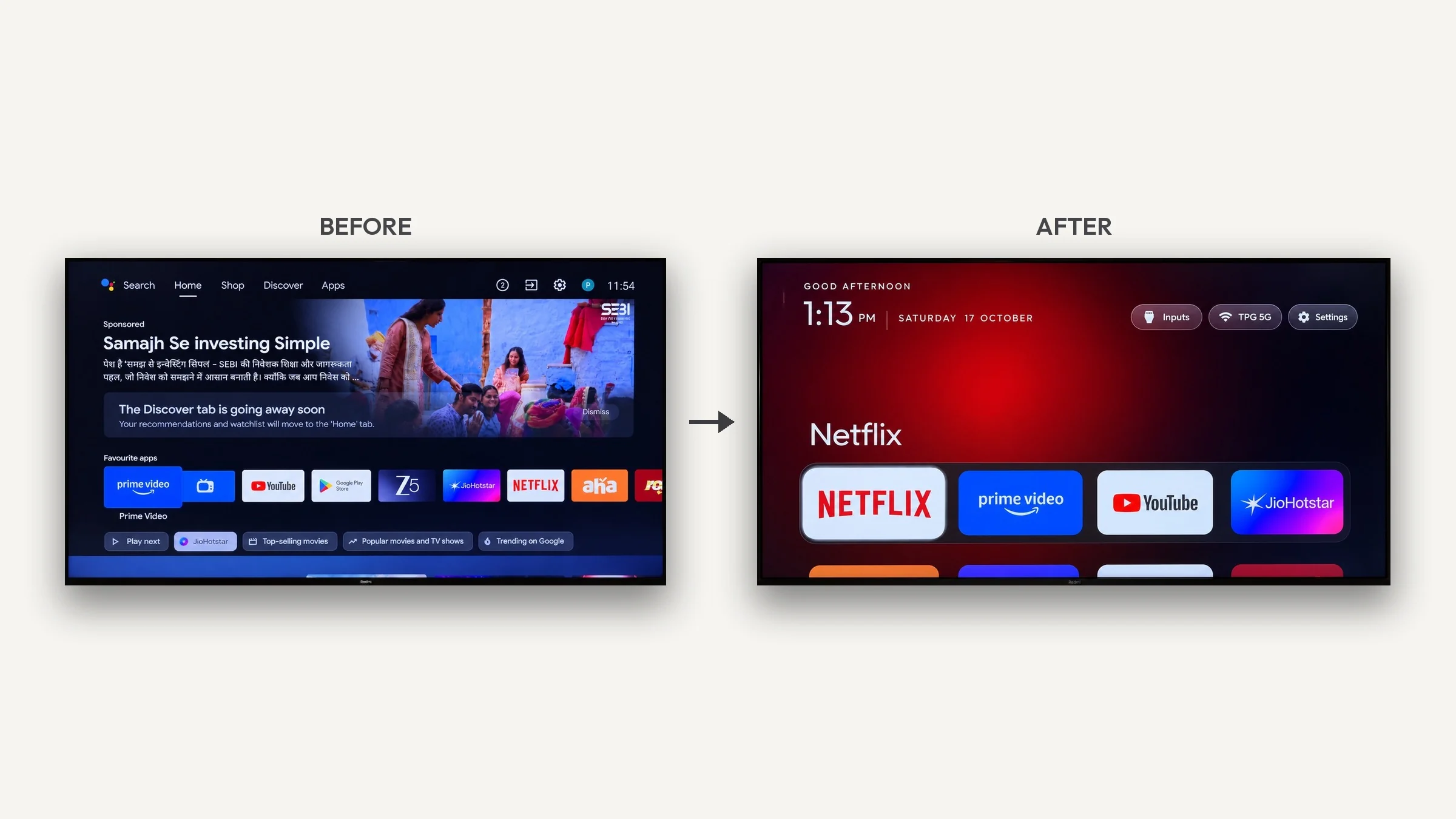
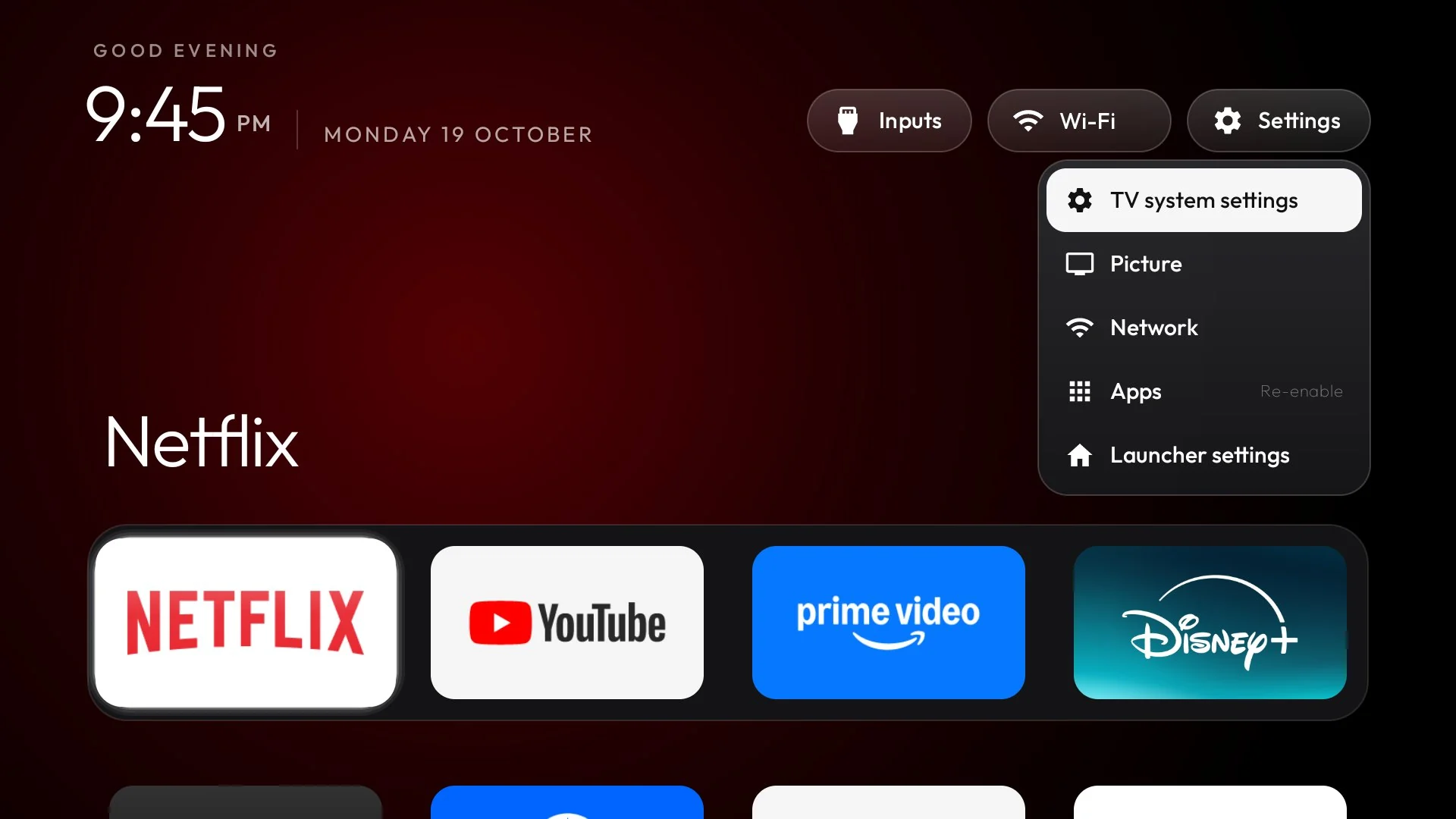
On compatible Android TV and Google TV devices, the native launcher provides a favourites dock, an app grid, a clock, network information and input shortcuts. Themes can change colours, wallpaper and layout. Version 2.4.0 adds settings accessible on the television, remote-based app reordering, an optional app library and an optional quick-settings panel. Several additions are off by default and need to be enabled deliberately.
Start with the official repository and its model lists. Check your exact model, region and firmware. Put the TV and computer on the same local network. On the TV, go to Settings → Device Preferences → About, press OK on Build seven times, then enable USB debugging and any available Network or ADB debugging option. Menu names may vary.
On the computer, open the project’s setup prompt, supply your TV model and give it to a coding assistant with shell access. Approve the debugging prompt on the TV, then decide which apps, voice features, casting and updates to keep. Have the assistant back up first, review each proposed change, verify remote navigation after installing the launcher, and save the restore command. Manual scripts are available, but they require comfort with Python, ADB and the Android SDK.
The official v2.4.0 GitHub release has no prebuilt APK attached. The launcher is built from source; the README specifies JDK 17 and Android SDK Platform 34. The approximate 390 KB size below describes the built launcher, not a downloadable release asset. When finished, turn off debugging access you no longer need and keep the backup and restore scripts.
It can help when recommendations crowd an Android TV home screen, or when you want favourite streaming apps and TV inputs easier to reach. It also suits people who want to maintain their own launcher themes and shortcuts. The work is best approached by someone willing to review package changes and troubleshoot device-specific behaviour.
The launcher requires Android 8.0 or later. Samsung Tizen and LG webOS cannot run this Android launcher. Fire TV users can consult some debloat examples, but Fire OS restricts third-party home replacement. Some China-market sets may reject third-party launchers. Disabling the wrong system package can affect features even though restoration is available, so back up and approve each change.
The repository is free and published under the MIT licence; its bundled Outfit font has a separate SIL Open Font License 1.1 notice. The project itself has no purchase price, but a computer, build environment or coding-assistant service may cost time or money. Its strength is a reviewable debloat-and-restore workflow paired with a clean launcher. The trade-off is the ADB, build and compatibility work, so it is not a one-click recommendation for every TV owner.
As of October 21, 2026, the latest official GitHub release is v2.4.0, published October 20. It expands device lists and languages and adds more launcher controls. The repository is moving quickly, so check the latest release notes and your model’s instructions before proceeding.