AntennaPod
AntennaPod

AntennaPod3.11.4

Officialads3

An ad-free, open-source Android podcast player with RSS subscriptions and offline playback.

Last update:
2026年5月14日
Language:
CREDIT Chinese, Multilingual
Platform:

11 MiB0 Already downloaded Mobile view

AntennaPod is a free and open source podcast manager and player for Android that allows you to subscribe to public RSS or Atom podcast feeds and find shows through directories such as Apple Podcasts, Podcast Index, gPodder.net and fyyd. It centrally manages subscriptions, downloads, playback queues and listening records on the local machine, and does not require binding to a commercial podcast platform.

If you are used to listening to programs while commuting, exercising or when the network is unstable, AntennaPod can automatically download new content in advance and control traffic and storage based on network, charging status, time and cache quantity. It’s suitable for Android users who want to stay on top of their subscription data, value privacy, or are ready to migrate from another podcast client.

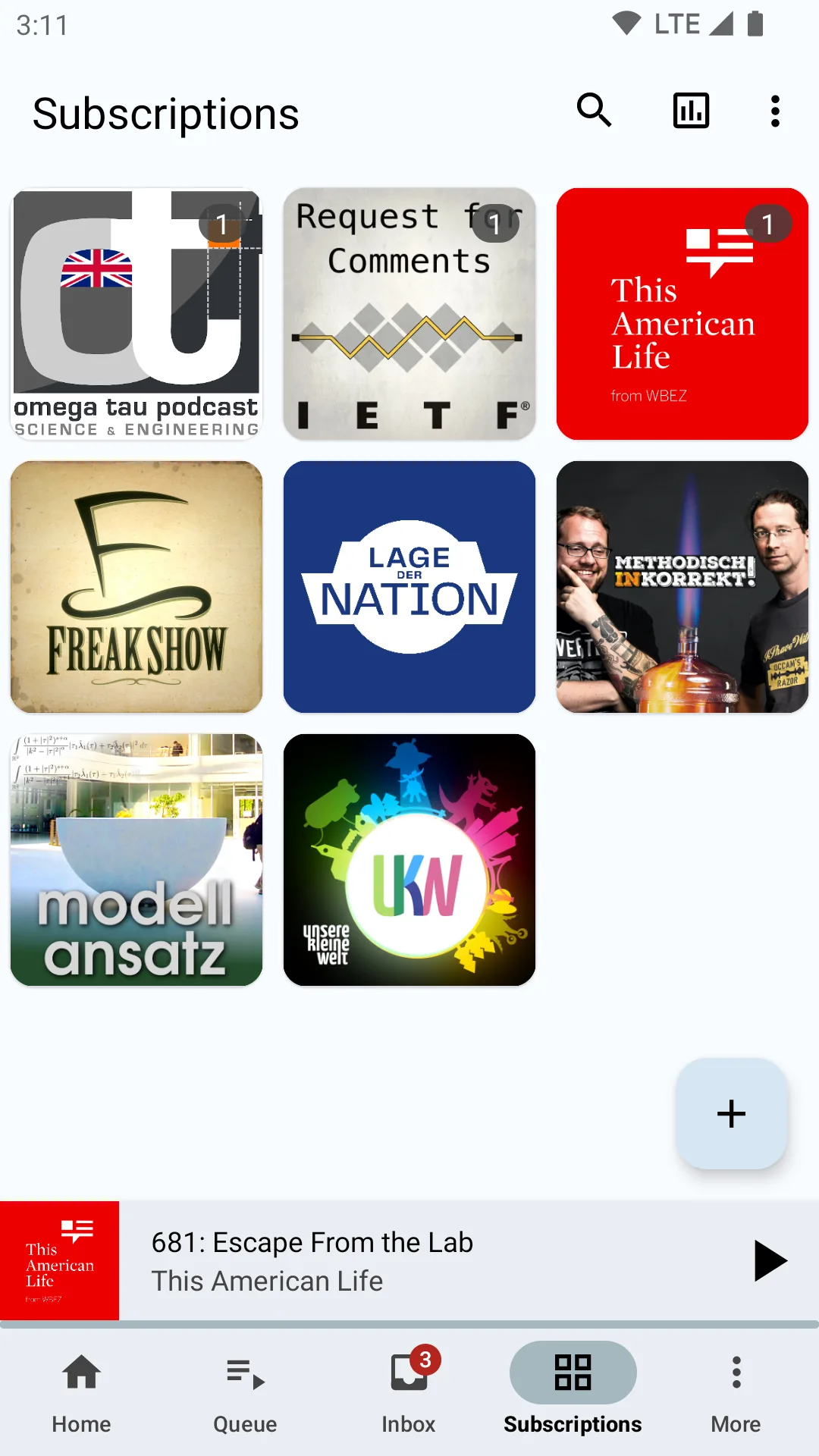
AntennaPod subscription library grid and podcast program cover interface
AntennaPod official store material display subscription library grid and mini player

Core functions

  • Open subscription:Supports RSS, Atom, OPML and common podcast directories, does not rely on a single content platform, and password-protected feeds can also be added.
  • Download and playback queue: Episodes can be played online or downloaded and listened to offline; they can be automatically added to the queue when downloading and the playback progress is retained.
  • Detailed playback control: Provides double speed, chapter, sleep timer, headphone and Bluetooth controls, suitable for long programs and continuous listening.
  • Automated management: Automatically download according to feed source, refresh interval, specified Wi-Fi, charging or not, etc., and clean files according to cache limit or playback status.
  • Subscription migration and synchronization: Import and export subscriptions through OPML; when you need to synchronize multiple devices, you can connect to gPodder.net or build your own compatible service.
  • Search and organize: Inbox, queue, downloads, collections and playback history are managed separately, and old content can be found by title and program description.

Product Features

The focus of AntennaPod is not to operate a closed content library, but to let users decide what to subscribe to, how long to save it, and whether to synchronize it. The app is maintained by a community of volunteers and does not contain ads or paywalls; ads written by podcast publishers into the audio or programs will still play and are not in-app ads.

It only offers an Android app, currently requires Android 5.0 or higher, and there is no official iOS or desktop client. gPodder synchronization only covers subscriptions and partial listening progress, and does not fully synchronize collections, queues, and all settings; free public synchronization services may also experience errors due to high load.
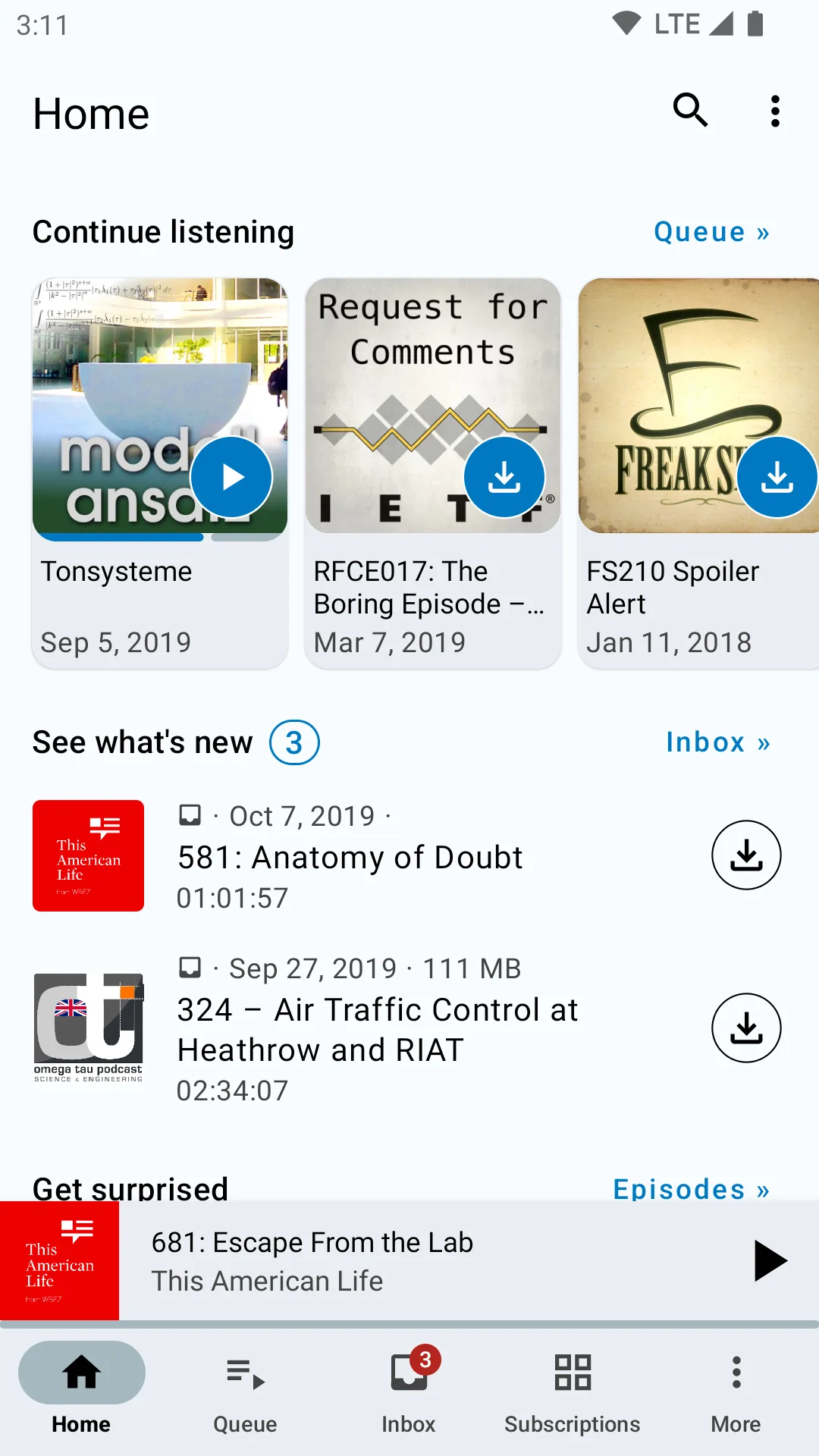
AntennaPod homepage to continue listening, download queue and playback control interface
AntennaPod official store material display homepage, download status and bottom playback control

Installation and usage tutorial

  1. Install from the Google Play or F-Droid page listed on the AntennaPod official website. The official has made it clear that only official versions will be released in these two stores, and it is not recommended to use third-party installation packages from unknown sources.
  2. After opening it for the first time, click the “…” button in the lower right corner, and then enter “+ Add Podcast”. You can search for programs, browse directories, paste RSS addresses, or import OPML files exported by the original client.
  3. After subscribing, new episodes will arrive in your Inbox. Click Download when you need to listen offline, and the app will add the episode to the queue; just adding the episode to the queue without downloading will use network traffic during playback.
  4. You can enable automatic downloading of frequently listened programs individually, and then adjust the refresh cycle, allowed networks, charging conditions and cache limit in “Settings – Download” to avoid taking up too much space at one time.
  5. Set double speed, chapter jump and sleep timer as needed during playback. After listening, you can automatically mark it as played and choose whether to delete the local file.
  6. Before switching devices, go to “Settings – Import/Export – OPML Export” to save the subscription list; if you want to synchronize part of the listening progress, you can select gPodder compatible services in “Settings – Synchronization”.

Applicable scenarios

  • Offline listening for your commute: Download new episodes in advance over Wi-Fi without consuming mobile data on the road.
  • Subscription source migration: Use OPML to save your subscription list so you don’t have to search again when you switch mobile phones or podcast apps in the future.
  • Detailed playback of long programs: Double speed, chapter, progress memory and sleep timer are suitable for courses, interviews and audio programs.
  • Control phone storage: Limit the number of caches with automatic downloads and smart deletion rules to avoid long-term accumulation of podcast files.
  • Open podcast source management: You can directly add the RSS address of independent sites without being restricted by the program directory of commercial platforms.

Free scope and license

The AntennaPod client is completely free and open source under the GPL-3.0-only license, with no subscriptions, in-app purchases or in-app advertising. Public podcasts and the free gPodder service can be used directly; there may be fees for paid podcasts, mobile data, third-party synchronization services or self-built servers, and these costs are not charged by AntennaPod.

Usage evaluation

The advantages of AntennaPod are that it is open, stable and has fine-grained controls. It can satisfy ordinary users who just want to search and play programs, as well as allow heavy listeners to arrange their own queues, download strategies and backup methods. Google Play has millions of downloads, and the GitHub project has accumulated about 8,000 stars. Its maturity is outstanding among open source Android podcast clients.

Its limitations mainly come from the single platform and open ecosystem: there is no official desktop version, multi-device synchronization requires additional services, and some commercial platforms do not provide RSS that can be subscribed directly. It is recommended that new users first complete subscription, queue and OPML backups, and then gradually turn on automatic downloads to avoid setting too wide rules and filling up the storage.

Update instructions

The current stable version is 3.11.4, released on May 14, 2026. The F-Droid installation package is about 11 MiB, supports ARM64, ARMv7, x86 and x86_64, and requires Android 5.0 or higher. This update adds settings for sleep timers based on the number of episodes, enables bottom navigation for users who have not modified settings, adjusts subscription selection and error reporting interfaces, and adds download log jump and other fixes.


Share:

Related Software