NCleanYourTV - 2.4.0
Debloat Android TV or Google TV with ADB and add a cleaner home on compatible devices.

An ad-free, open-source Android gallery for managing, editing, and protecting local photos and videos.
36.82 MiB0 Already downloaded Mobile view
Fossify Gallery is a free and open source gallery for Android, used to browse, organize, edit and share photos and videos on your phone. It does not require account registration and does not provide cloud photo albums. The application does not have network permissions, and daily viewing and organization are completed locally. It is suitable for people who want to get back the traditional local gallery experience.
Its interface retains the familiar structure of photo album, single image viewing and bottom toolbar. There is no need to configure the server or import data after installation. Users still have to grant access to photos and videos, and older versions of Android may also ask for storage permissions. Whether the photos can be safely retained in the end still depends on your phone’s storage and your own backup habits.
Fossify Gallery displays local photo albums by folders, allowing you to sort, filter, rename, move, copy and share photos and videos. Commonly used formats include JPEG, JPEG XL, PNG, GIF, SVG, RAW, MP4, and MKV. The single image page puts collection, editing, sharing and deletion at the bottom. Operation is very straightforward.
The built-in editor provides cropping, rotating, flipping, resizing, painting and filters, which is suitable for simple processing before publishing pictures. Apps can also read EXIF information and remove location coordinates and camera information before sharing a copy. If you accidentally delete content, you can enter it into the Recycle Bin first. Before restoring, you should still confirm that the original file has not been removed by other cleaning tools.
Privacy features include hiding folders and protecting specific content or entire apps with PINs, patterns, or fingerprints. Theme colors, album layout, tool buttons and full screen display can all be adjusted. It does not have its own cloud synchronization. The files will only leave the device when the user transfers the photos through the system sharing menu or the storage service configured by themselves.
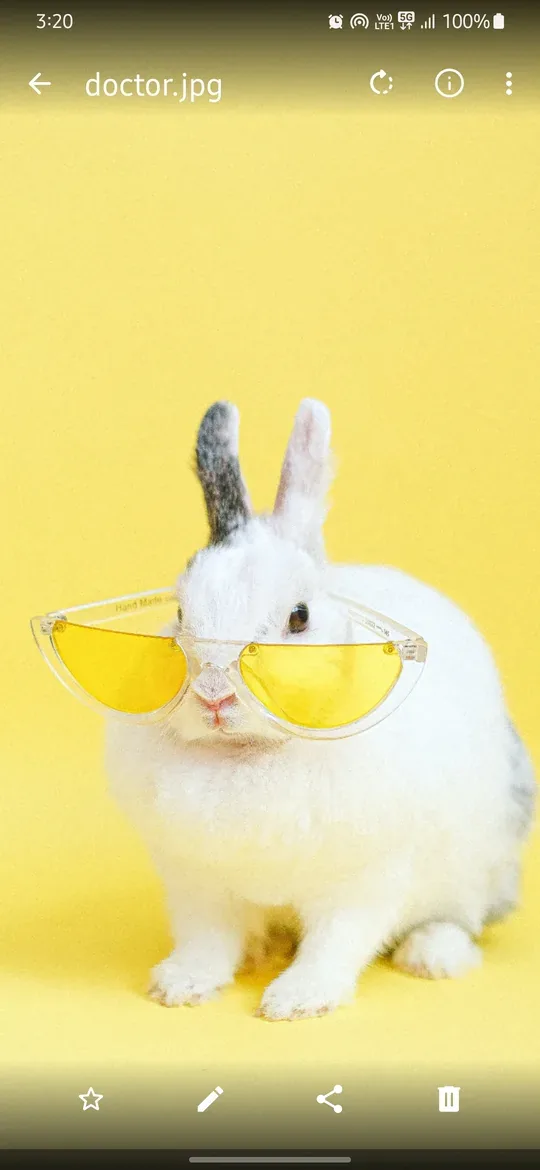
Fossify Gallery’s official privacy statement is very clear. The application does not apply for Android network permissions, nor does it send usage data to Fossify. It only needs to read photos, videos, album names, file paths and media metadata in daily life.
When enabling biometric protection, setting wallpaper, or viewing the shooting location, the system will apply for the corresponding permissions. Local first also brings boundaries. Old photo albums will not automatically appear when you change devices. Please check the hidden content and recycle bin before uninstalling the app. Thumbnail loading speed for large numbers of photos will be affected by phone performance, storage media, and media quantity. The application is suitable for managing local files and is not suitable for replacing cross-device cloud photo albums or long-term backup services.
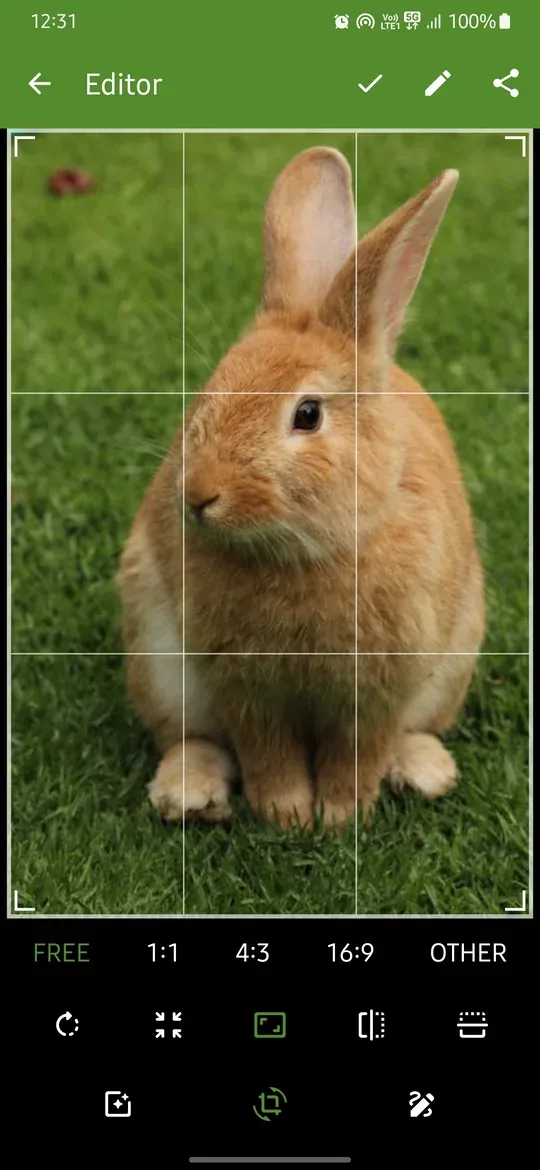
People who don’t want to automatically upload local photos to the cloud can use it to view and organize photo albums. People who often crop screenshots, rotate photos, or clear the shooting position on their mobile phones will also have one less simple editor to install. When configuring mobile phones for elders, you can leave frequently used buttons and reduce irrelevant entries. Users who save work photos or personal images can also add a layer of native protection with hidden folders and app locks.
Fossify Gallery’s core features are free to use, without advertising or tracking, and the source code is licensed under GPL-3.0. Fossify also has a purchaseable Thank You app that can be used to fund projects and adds some customization options and sharing settings to supported apps. Purchasing it does not affect Gallery’s basic browsing, editing, and privacy features.
The advantages of Fossify Gallery are concentrated. It can work offline, with clearly written permissions and data flow. Photo management, simple editing, recycle bin and application lock also cover the most common needs of ordinary users. The interface follows the common operations of Android Gallery, and the learning cost is not high.
It does not have an account or cloud service, and cross-device synchronization, remote backup and multi-person photo albums must be left to other tools. When managing a large photo library, thumbnail speed also depends on device performance. It is more suitable for people who want to keep photos on their phones and arrange backups by themselves, while people who rely on automatic organization of cloud photo albums should keep the original synchronization plan.
The current stable version is 1.13.1, released on February 17, 2026. This version updates the translation, changes the file size calculation to decimal units, and corrects the capacity display in the details page. The official general APK is 36.82 MiB, supports Android 8.0 and above systems, and covers ARM and x86 devices. The project repository is not archived and there will still be code updates in August 2026.