XMSLEEP - v2.0.9
An Android app focused on white noise playback

An open-source Android updater that obtains app releases directly from official project sources.
24.91 MiB0 Already downloaded Mobile view
Obtainium is a free, open-source updating tool for Android. It can read published pages such as GitHub, GitLab, Codeberg, F-Droid, find new installation packages and alert users to updates. It is easier to understand the value of those who often install applications from the official repository of open source projects and do not want to refresh the distribution pages.
The software does not determine the security of each application for the user. When the application is added, the source address, the name of the package, the signature certificate and the installed package structure are checked. Some sites also rely on web-based resolution, and changes in the page structure may not allow for the review of updates. Ordinary users continue to make shop management renovations more economical if they use only mainstream application shops.
Obtainium can receive the project home page, code repository or distribution page address and then identify the version and installation package from the supporting source. Officially listed open sources include GitHub, Gitlab, Codeberg, F-Droid, third party F-Droid repository, IzzyOnDroid and SouceHut. It also supports a number of app stores and regular web pages, although the reliability of these sources varies, and it is recommended that priority be given to the addition of official networks and official repositorys that are clearly published by developers.
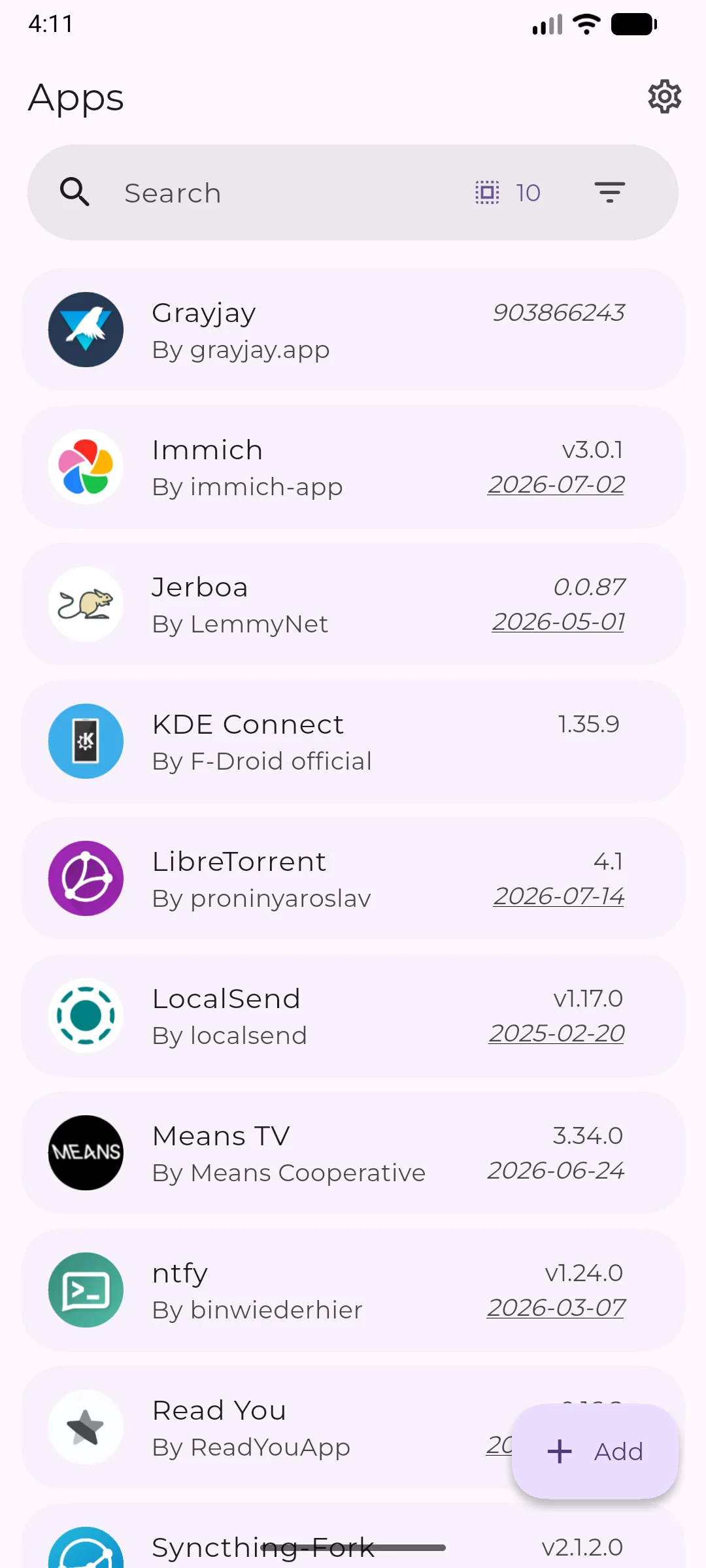
The application list shows the installed version, the latest version detected and the date of distribution. Users can manually refresh all items and sort applications by category. When a new version is found, Obtainium will display downloadable files and give the download to Android Installer for processing. Different projects may provide both arm64, armeabi-v7a, x86_64 and a general package, and the wrong structure may not be installed or will occupy more space.
Optainium also supports import, export configuration and backstage checks. Under normal mode, the system still requires user confirmation of installation. Those who wish to install silently can configure the step-by-step installation of Shizuku, which increases privileges and maintenance costs and is not suitable for the user who has just begun contact with the side-load installation.
Obtainium does not require all applications to enter a central store first. It directly tracks the project ‘ s own postings, and when the developers send out the new editions, the users can see the updates more quickly. This path is practical for small open source applications on GitHub, test tools and software without a common store.
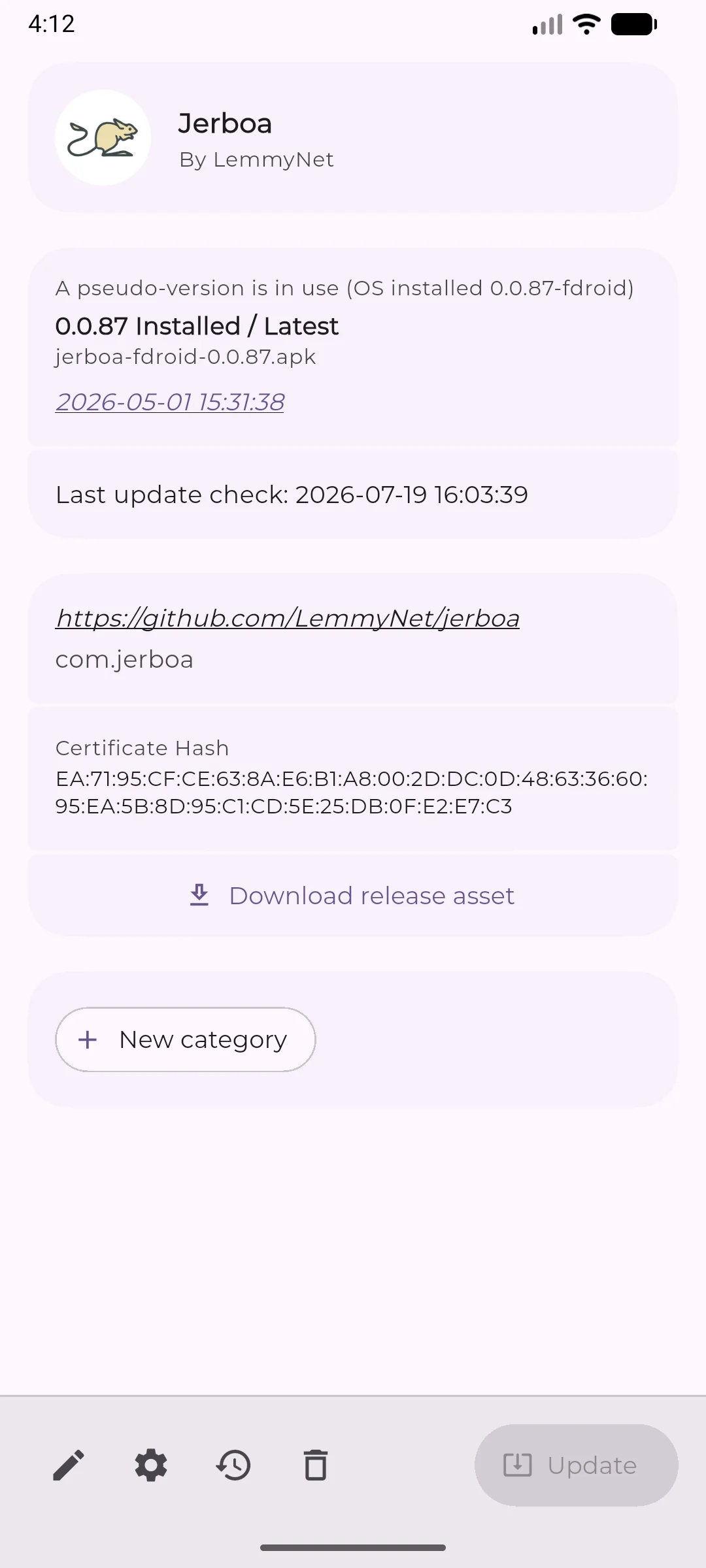
The official repository has published Obtainium’s own bag name and signature certificate SHA-256, and the distribution page also provides APK summaries and signed documents. The detailed information page should be used to display source addresses, package names and certificate information to facilitate pre-update checks. It remains unable to prove the reliability of the installation packages in third-party sources. When the repository name is similar, the web page is altered or the developer ‘ s signature changes, the user needs to suspend the installation and return to the project officer network for confirmation.
Officially, it is also recognized that some of the sources rely on web-based analysis, and that re-programming of sites is easily ineffective. Services such as GitHub may also have limited access frequency. In the domestic network environment, the speed of inspection and download is influenced by the corresponding hosting platform. Obtainium supports Chinese, the menu is easy to read, and source selection and AAK structures still require a little Android base.
People who regularly install GitHub or Codeberg open source applications can group dispersed distribution pages into a list. Test the developers of several Android tools to know when the project will release a new version more quickly. Users who use F-Droid and developer direct AAPK can also place version checks at the same location.
It’s not suitable for all the strange APKs to automatically load into the phone. For sensitive applications such as banks, payments, job certification, etc., priority is given to official application shops or agency-designated channels. People who just want to click a button to finish the update would be easier to do with the audits, rollbacks and compatibility of mainstream stores.
The official distribution package for Obtainium is available for download free of charge, with the source code using GPL-3.0 license. The subscription programme is not listed in the official repository and the status of the advertisement is not specified separately. For the use of GitHub, Gitlab, F-Droid and other sources, traffic, account numbers, service restrictions and installation packages are still subject to the respective projects.
The software itself is free and the source of management is not equal to zero costs. Users spend time checking repositorys, signatures and structures. Enables the Shizuku silent installation with additional configuration privileges and carries the risk of automatically installing the wrong version.
Obtainium solved a very specific problem. Official repositorys are scattered and the rhythm of their issuance varies, and individual checks can easily omit updates. It brings together versions, dates and downloads and is easy for users who are used to accessing APK from the project home page.
Its learning costs are mainly determined by source. The number of websites supported and the choice of more sites also meant that users had to undertake more verification. The application displays the certificate and the name of the package, and the Android installor stops some of the signature conflicts, and the malicious origin, faulty structure and capture lapses remain human-driven. It is suggested that only two or three familiar open-source items be added and that the list be expanded after the process has passed.
The current stable version is 1.6.11, which was published on 7 August 2026. Arm64 AAPK is 24.91 MiB, Universal AAPK about 66.84 MiB, which applies to support Android 8.0 and above systems and provides Chinese translation.
1.6.11 The Chinese translation has been updated, the page set up has been rearranged and the background check separated from the silent installation switch. Batch updates will enter the installation process as soon as the download of each file is completed, with default permission to download in parallel. The version also amends the repeated application tips, downscaling, import file reading, download volume display and partial source resolution. The official repository was not archived and the code was still updated in August 2026.