
ZyperWin++ - v 3.11
Free and open-source Windows system optimization tool, supports system service optimization.

Free and Open-Source Game Speed Controller, Also Accelerates Baidu Netdisk!
11.5MB0 Already downloaded Mobile view
OpenSpeedy is afree and open-source game speed controller that allows players to freely control the pace of games. Similar to Cheat Engine, its main principle is to accelerate process time. It supports up to 1000x speed.
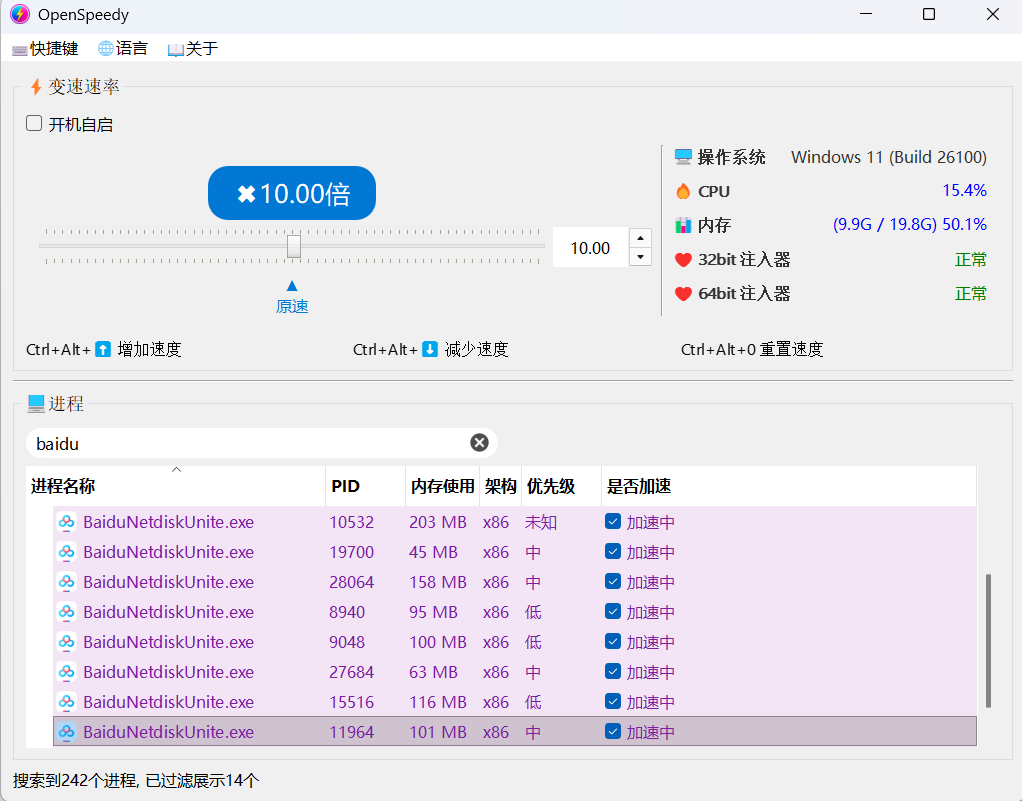
Technically, OpenSpeedy usesRing3-level hooking technology to intercept system time functions (such as Sleep, SetTimer, etc.) at the user level, making the accelerated program ‘believe’ that the flow of time has changed. In simple terms, when a game asks the system ‘how much time has passed’, OpenSpeedy returns a modified time value, achieving speed-up or slow-down effects. This method does not involve kernel modification, avoiding system instability caused by kernel hooks.
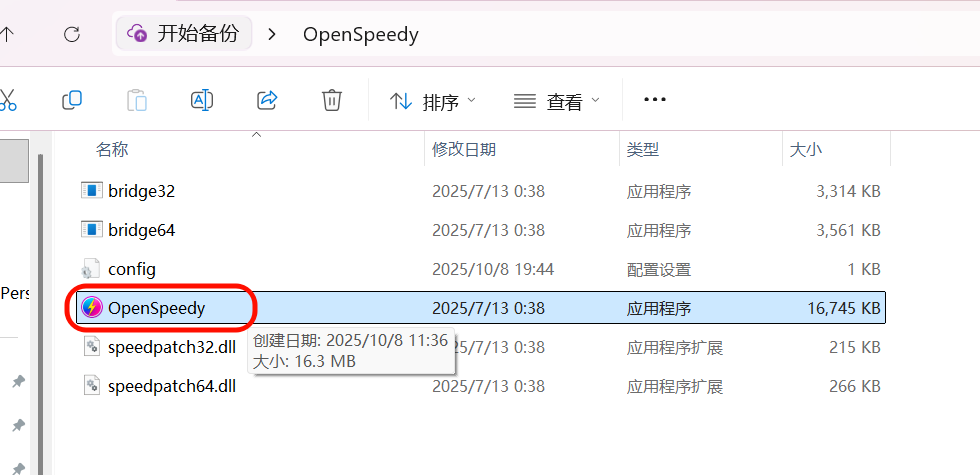
1. After downloading the OpenSpeedy archive, extract it and double-click ‘OpenSpeedy.exe’ to run the program.
2. Open the game you want to accelerate, then search for the game process name in OpenSpeedy. Then check
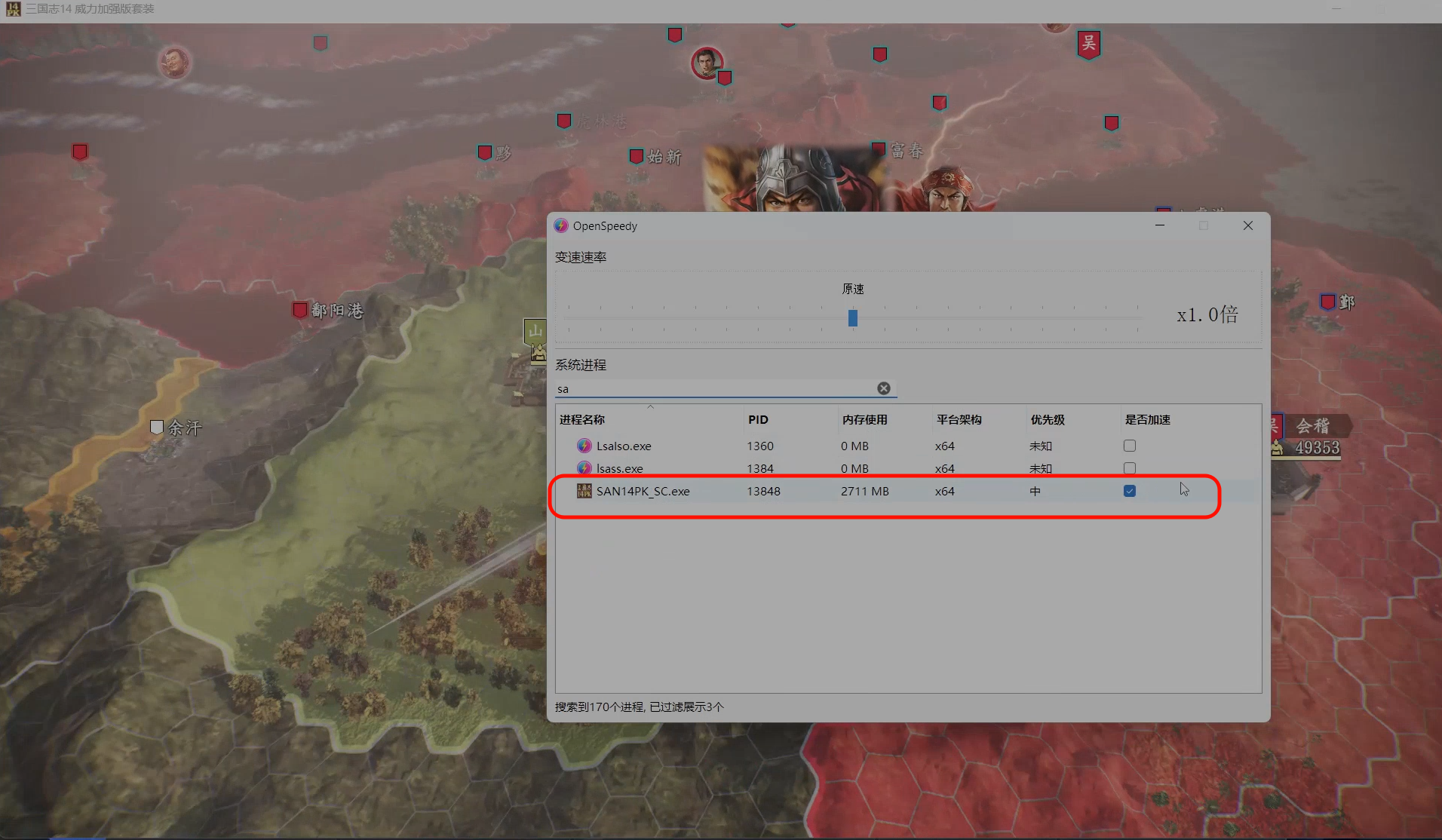
3. Use the slider or enter a multiplier to set the target speed (it is recommended to start with small adjustments such as 1.2× or 2× to test compatibility); too high a multiplier may cause the program to crash.
Besides speeding up games, OpenSpeedy has recently been discovered by netizens to also accelerate the latest Baidu Netdisk client, achieving unlimited download speed. The latest Baidu Netdisk client
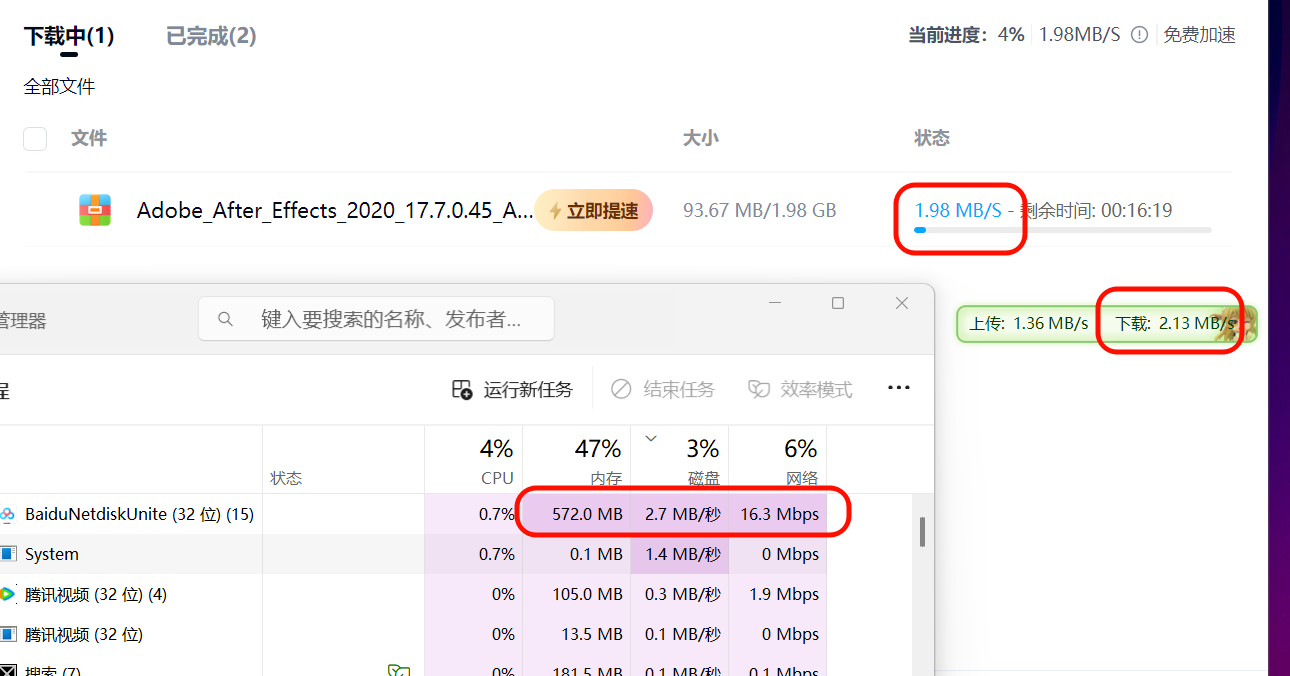
4. The image below shows my normal Baidu Netdisk download speed, which is roughly stable at around 2 MB/s.
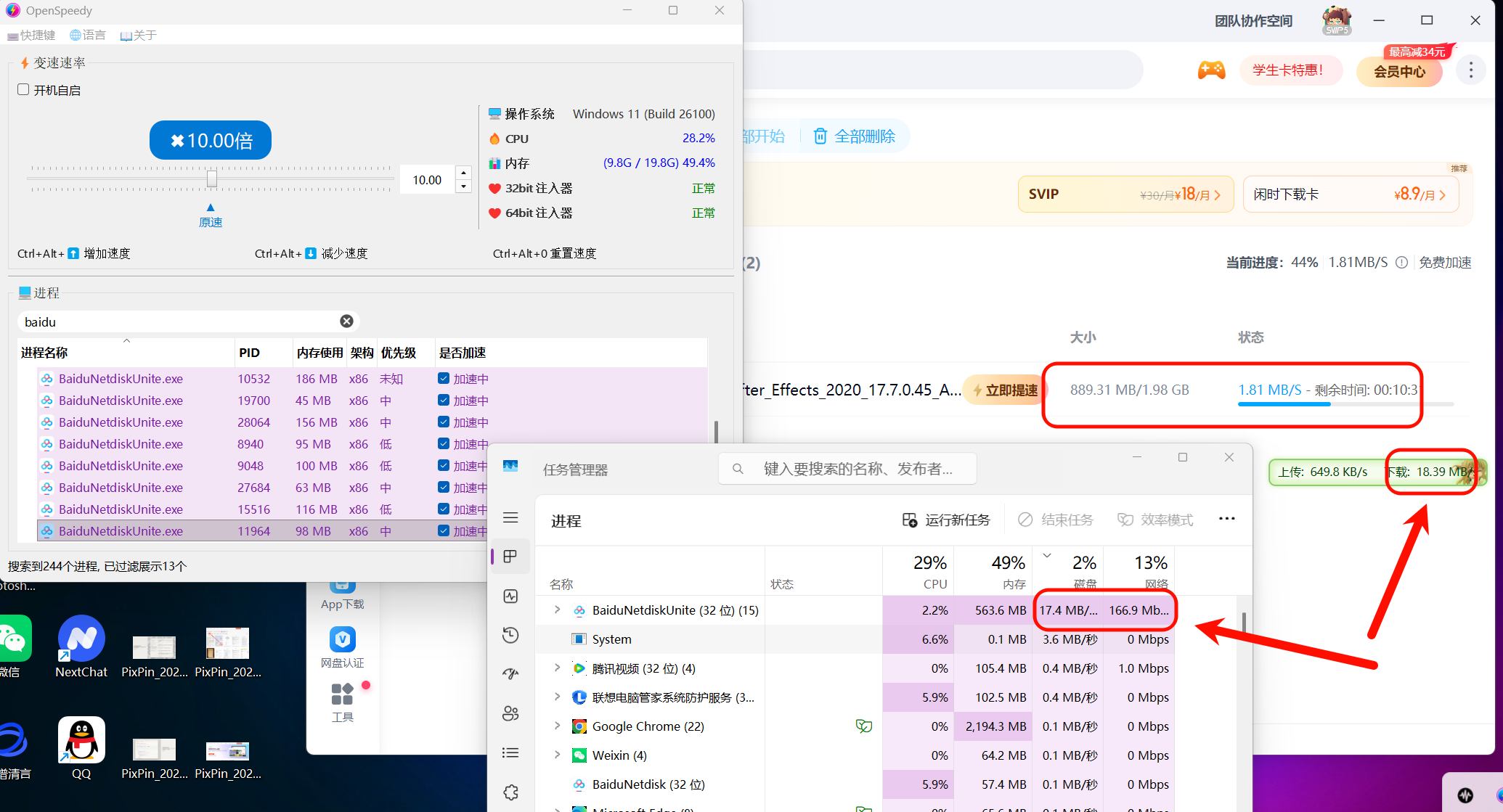
5. Open OpenSpeedy, search for the ‘baidu’ process, check all Baidu-related processes, then adjust the speed multiplier to 10x.
6. Although the download speed shown in the status bar of the Baidu Netdisk client has not changed, the actual download speed has reached 18 MB/s.
7. Note: Currently, it has only been tested and works with Baidu Netdisk version V7.60.7.104; older versions may not be effective.
8. It is recommended to use a secondary account and not accelerate too much to avoid account suspension.