
lively - v2.1.0.8
Free dynamic desktop wallpaper software for Windows

Open source free Windows C drive cleaner
2 Already downloaded Mobile view
My C drive was full again recently, with less than 10GB left. As someone who constantly battles various ‘C drive cleaners,’ I was reluctant to install new software—those so-called cleaning tools either do a lot of work but free up only 2.5GB, or bombard you with pop-up ads like your computer is a billboard.
Today I’d like to share a C drive cleaning tool I found on GitHub: LightC
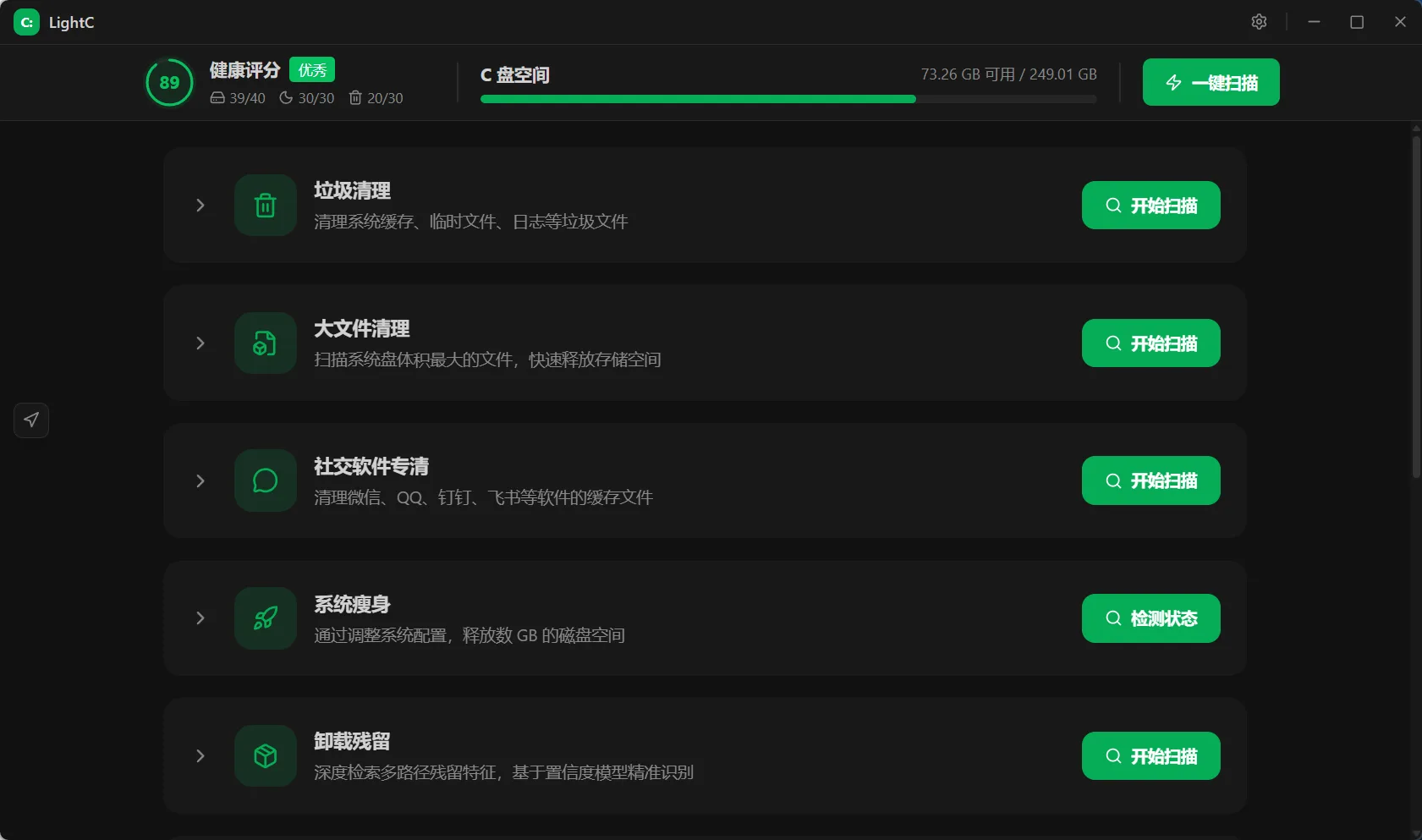
LightC is a smart C drive cleaning tool for Windows, created by Chunyu33.It has garnered617 starsand released25 versionswith the latest version beingv2.10.4as ofJuly 5, 2026just updated.The project name is quite interesting—’Light’ represents lightweight and swift, ‘C’ is for the C drive, together meaning to make your C drive light and agile..
I have to go into detail about the features because this tool’s feature list is really long. Let me break it down by module:
1. One-click Scan and Clean (10 types of junk)
Windows temporary files, system cache, browser cache, Recycle Bin, Windows Update cache, thumbnail cache, log files, memory dumps, old Windows installations, app cache—10 categories in total.Scanning is fast with multi-threaded parallel scanning and real-time progress feedback..
2. Large File Cleanup
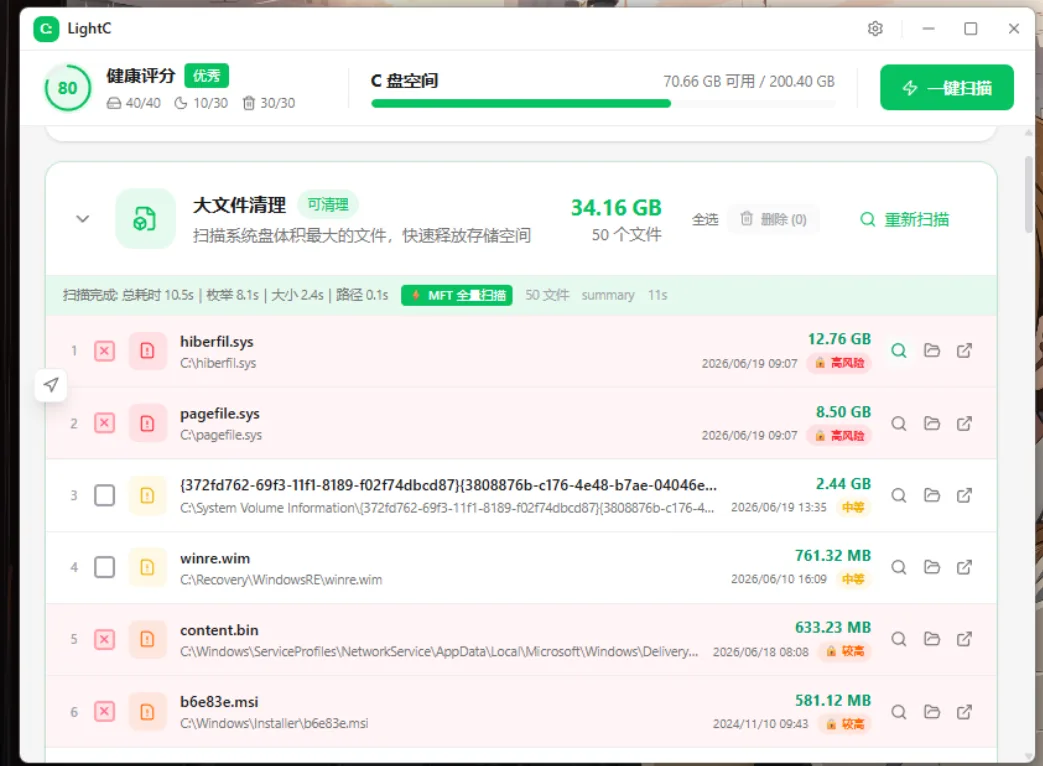
This feature is impressive. It uses NTFS MFT (Master File Table) to directly read file sizes without traversing files one by one, making it much faster than traditional methods.It can also automatically identify file sources, tagging files like WeChat files, Steam games, and virtual machine disks.There’s also a risk level calculation—high-risk files are locked and cannot be selected to prevent accidental deletion..
3. Social App Cleanup
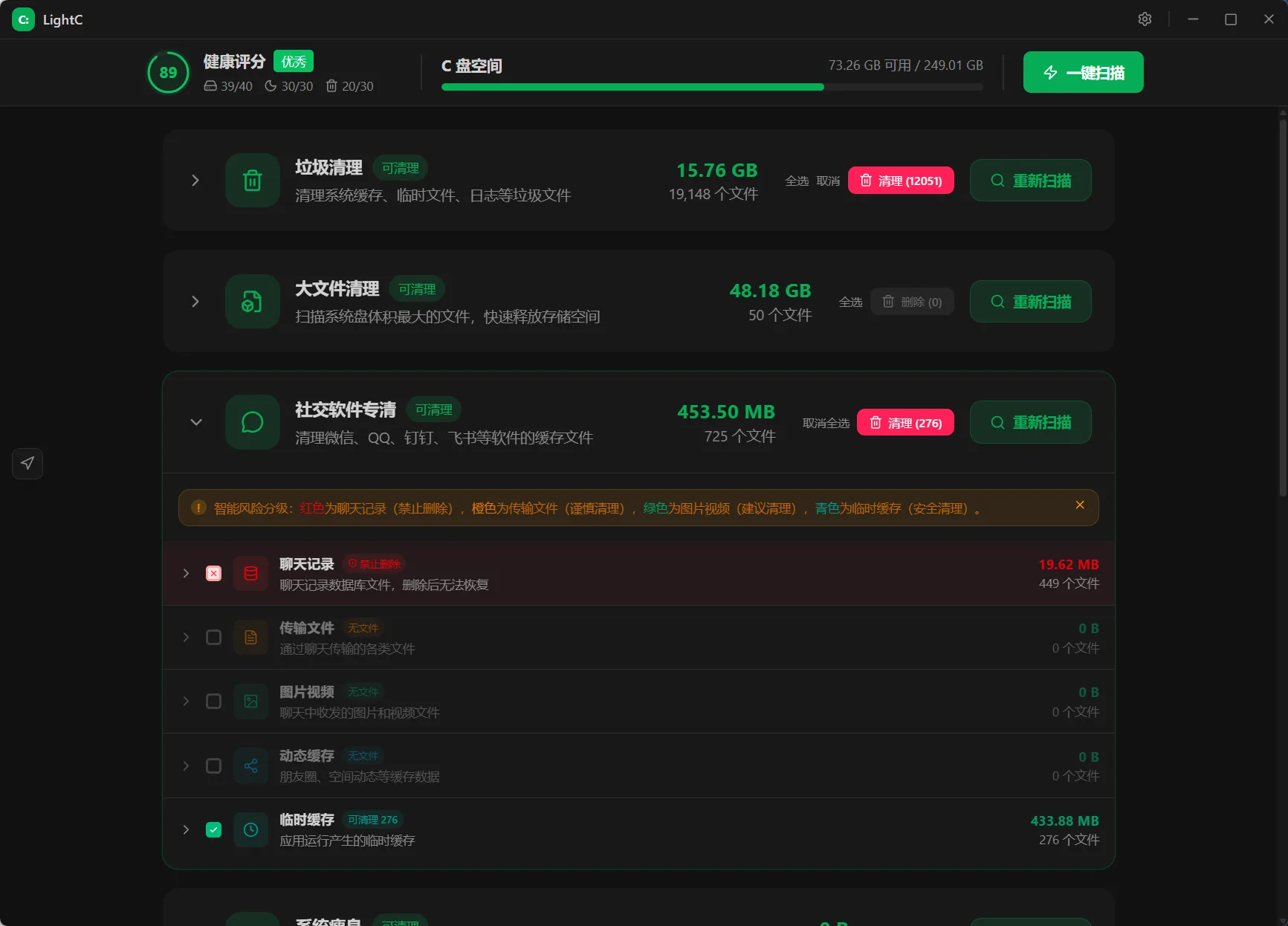
Supports WeChat, QQ, DingTalk, Feishu, and WeCom.The key is it only cleans cache,without affecting chat history.—this is crucial. I once used another tool to clean WeChat and lost all chat images—heartbreaking..
4. System Slimming
Requires administrator privileges to run.It can manage hibernation files (free up 8-32GB), clean WinSxS redundant components (1-5GB), and migrate paging file to a non-system drive..
5. Large Directory Analysis
Dual-mode scanning: default AppData smart analysis, deep scan mode covers all top-level directories on the drive.Also uses MFT direct read, completing a full drive scan in seconds.It can also display directory hierarchy as a tree and set size thresholds to filter out noise directories..
6. Uninstall Residue Cleanup
This one is impressive—it has aconfidence scoring engine, where score ≥ 0.75 is high-confidence residue, 0.40-0.75 is suspicious.By default, nothing is selected; you manually confirm, which is very safe and conservative..
7. Registry Residue & Context Menu Cleanup
Registry scans only file association residues under HKCR\Applications, leaving critical system areas untouched.Automatically generates a .reg backup before deletion, which can be restored with a double-click.Context menu cleanup can parse @%SystemRoot%\System32\xxx.dll,-1234 strings into human-readable menu names.System-level menu items are automatically protected and cannot be deleted..
8. Full C Drive Analysis
Saves a snapshot after each scan, then automatically compares with the next scan to calculate net increase/decrease in C drive space.Changed directories are marked with different colors: blue for new, red for significant increase (1GB+), orange for rapid increase (300MB+), yellow for slight increase, green for decrease.This is especially useful for investigating why you had 20GB yesterday but it’s full today.
9. AI Model Space
Supports Ollama, LM Studio, ComfyUI, HuggingFace Cache.Displays real model names instead of sha256 hashes.Supports deep discovery mode, scanning for model candidates by formats like .safetensors, .gguf, .ckpt..Note: This module only provides visual analysis and location; it does not offer deletion.—a very cautious design.
Project open-source address:https://github.com/Chunyu33/light-c