draw.io - v25.0.2
Diagramming tool, no installation, no login, free
Free and open-source cross-platform handwritten notes & PDF annotation tool with multi-level folders, dark mode, and encrypted sync.
Windows 约 53 MB7 Already downloaded Mobile view
Saber is a free and open-source application designed for handwritten notes, suitable for taking class notes with a stylus, annotating PDFs, organizing ideas, or creating digital journals. It supports Windows, macOS, Linux, Android, and iOS, allowing the same notes to be synced across phones, tablets, and computers.
Compared to note-taking software that emphasizes keyboard input, Saber focuses on a genuine writing experience. The project is licensed under GPL-3.0, with source code and releases available on GitHub. The basic app is free to use, the official sync service offers limited free storage, and it also supports connecting to other servers or self-hosting.
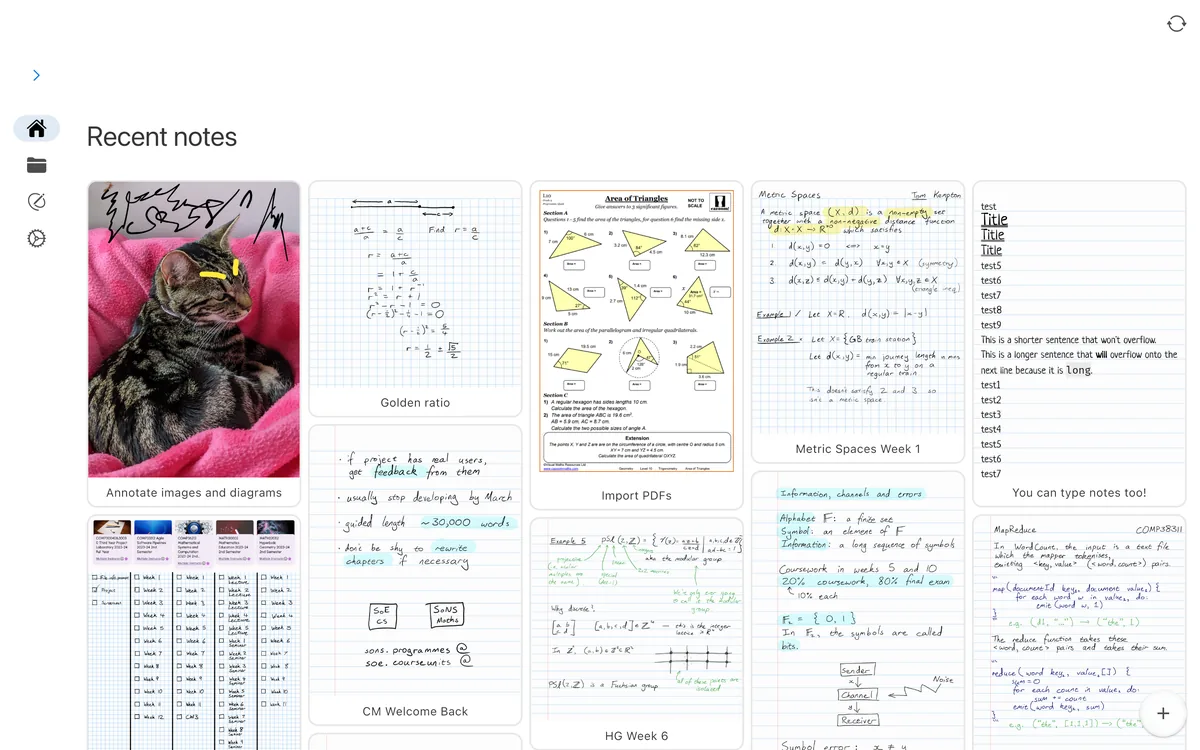
Saber’s advantage is its focused functionality—it doesn’t turn handwritten notes into a complex knowledge management system. You can create a new note right after opening the app, with commonly used tools concentrated at the top of the editor, keeping the learning curve low. It also provides end-to-end protection: the official documentation mentions a dual-password system so that even if the server is controlled by others, they cannot directly read user notes.
Note that cross-device sync depends on server and network conditions. For important study materials, it’s still recommended to regularly export or keep local backups. Versions on different platform app stores, GitHub packages, and F-Droid may also have slight update time differences.
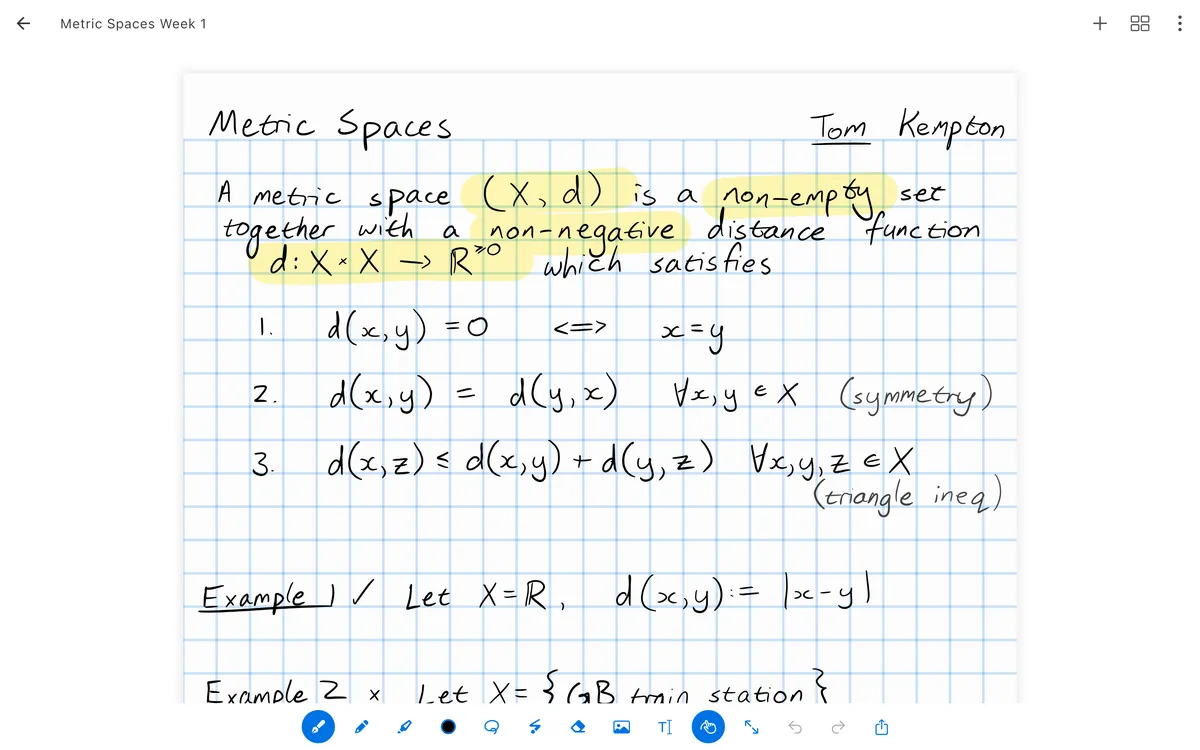
Classroom notes:Record formulas, diagrams, and key points on a tablet, organized by course.PDF annotation:Write directly when reading handouts, papers, or e-textbooks.Work meetings:Quickly record discussion content and flow sketches.Digital journal:Combine handwriting, images, and page backgrounds to organize daily plans.Multi-device users:Write on a tablet, organize and view on a computer.
Saber itself is free and open source under the GPL-3.0 license. Core handwriting, folder management, PDF annotation, and local use are free. The official sync service offers a free quota; additional cloud space may require purchase. Users can also choose other compatible servers or self-host.
If you’re looking for a more transparent, cross-platform alternative to commercial handwritten note apps, Saber is worth trying. Its features aren’t flashy, but core capabilities like handwriting, PDF, folders, and sync are solid. For users who only need keyboard text and bidirectional links, it may not be better than traditional Markdown note tools. However, in scenarios like classroom handwriting, formula recording, and document annotation, its positioning is clear.