Dark Reader
Dark Reader

Dark Reader4.9.129

Officialads3

An open-source browser extension that adds adjustable dark themes and per-site controls to websites.

Last update:
2026年7月14日
Language:
CREDIT Chinese, Multilingual
Platform:

811.79 KB0 Already downloaded Mobile view

Dark Reader is a free and open source browser dark mode extension. It analyzes the color and style of web pages, and then generates a dark theme suitable for reading for websites that originally only had a light interface. Chrome, Edge, and Firefox users can install it directly from the official extension store, which is available on Windows, macOS, and Linux. On Android, the extension can be used through Firefox.

Its usage is much more nuanced than simply inverting colors. Users can adjust brightness, contrast, sepia and grayscale individually, and can also keep separate settings for a specific website. Dark Reader has been continuously developed since 2014. Officials say it has 10 million users. The project adopts an MIT license and the desktop browser version can be used normally for free.
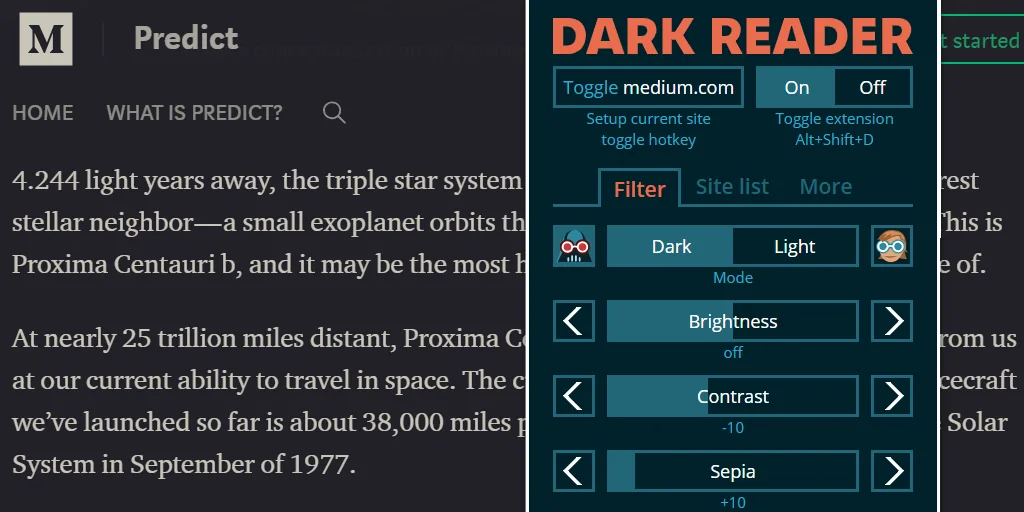
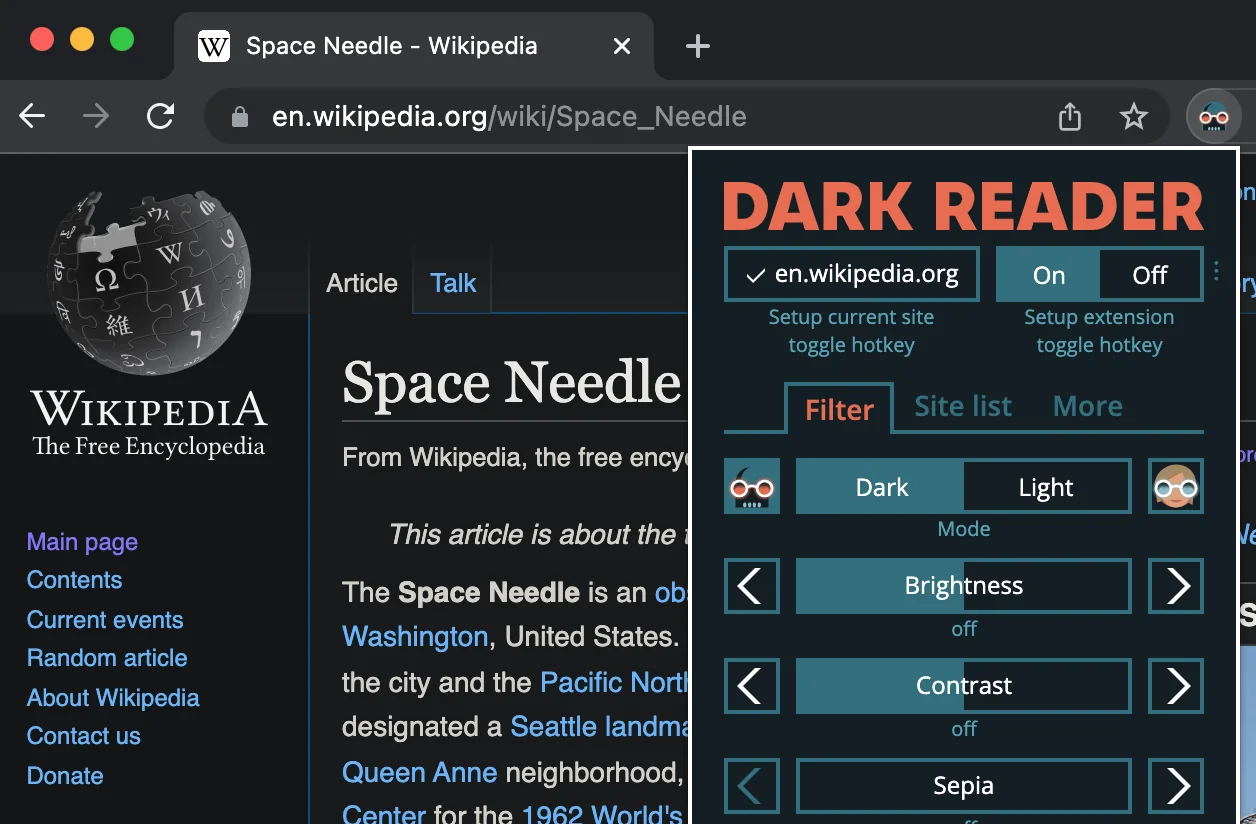
Dark Reader applies the dark theme to the web page and displays the brightness, contrast, and sepia adjustment panels
Dark Reader official interface preview, showing the dark theme of the web page and the brightness, contrast, and sepia adjustments

Core functions

  • Dynamically generated dark theme The extension will recalculate the display effects of background, text, borders and images according to the page style, trying to preserve the hierarchy and readability of the original web page.
  • Multiple rendering modes Dynamic mode is suitable for most websites, and filter and static modes can be used to deal with pages with weak performance or abnormal display. The specific effects will change with the website structure.
  • Color Fine Adjustment Brightness, contrast, sepia and grayscale can be modified one by one. The background color and text color can also be adjusted to adapt to different screens and ambient lights.
  • Manage by website Users can enable it only on specified websites, or add websites that do not need processing to the exclusion list. A website can also save its own theme parameters.
  • Automatic activation Dark Reader can follow the system’s dark and light color settings and can also be activated according to time periods. Some versions also support switching based on sunset time.
  • Import and sync settings Configurations can be exported as a backup and then imported on another device. Browser synchronization capabilities depend on the browser used and its extension settings.

Product Features

Dark Reader’s strength is detailed control. Many web pages already have their own dark mode, and such websites can be excluded directly. When images, charts, or embedded content are mishandled, you can also change the rendering mode, or only adjust the current website. Officials also maintain site correction rules to deal with common web page compatibility issues.

The extension needs to read web page data because it must check and modify the page style. The official help documentation clearly states that the extension does not insert ads and does not collect or send user data. The browser’s extension store page, browser settings page, and some protected pages do not allow extension injection styles, and these pages will still maintain their original appearance.

Complex web pages may have inconsistent text colors, incorrect image inversion, or performance degradation. In this case, first switch modes for the current website, and then try to reduce the dynamic processing range. Large online documents, charting tools, and frequently changing web pages are more likely to expose compatibility issues, so you should keep the habit of closing them by site when using them.

Dark Reader Extension control panel to enable dark mode for Wikipedia in the browser
Dark Reader Official operation interface, showing site switches, global switches and theme parameter adjustment

Installation and usage tutorial

  1. Open the Dark Reader official website and select Chrome, Firefox or Edge. The browser will jump to the corresponding official extension store, confirm the developer and extension name and then complete the installation. Android users can install it in Firefox where the extension is supported.
  2. After installation is complete, click the extension icon in the browser toolbar. If the icon does not appear, first pin Dark Reader to the toolbar in the extension menu.
  3. Open a light-colored web page and confirm that the global switch is on. When the current website does not require dark processing, click the site switch to add it to the exclusion list.
  4. Enter the theme settings and adjust the brightness and contrast first. When the text is gray, you can increase the contrast appropriately. When reading at night, you can add a small amount of tan. The modification results will be immediately displayed on the current page.
  5. When the page has abnormal image colors, scrolling is stuck, or local areas are too bright, switch to dynamic, filter or static mode for the current website. Refresh the web page after switching and compare which one is more stable.
  6. When you need to switch automatically, choose to follow the system color matching or specify a time period in the settings. You can export the settings file and save the site list and theme parameters before changing computers.

Applicable scenarios

  • Reading web pages at night When news, encyclopedias and forums only have light-colored themes, the dazzling feeling caused by a large white background can be reduced.
  • Looking up information for a long time Development documents, knowledge bases and search results are often switched between multiple sites. A unified dark appearance can reduce repeated adaptation to brightness.
  • Mixing light and dark sites Site lists are good for keeping native dark pages and only working on sites that are still light.
  • Users who are more sensitive to color temperature Sepia, grayscale, and custom colors can continue to be fine-tuned, but they cannot replace screen brightness, ambient lighting, and normal rest.
  • Testing dark web page performance Front-end developers can use development tools to check site correction rules. The automatically generated results can only be used as an aid and are not equivalent to the dark theme of the website’s official design.

Free scope and license

Dark Reader’s Chrome, Edge and Firefox extensions are free to use, the source code adopts the MIT license, and the software itself has no ads. Users can install it from the official extension store or download the release package from the official GitHub Releases. Safari and iOS versions are provided separately through the App Store. The price and available regions are subject to the store page. The purchase fee is not included in the scope of free desktop extensions.

Usage evaluation

Dark Reader is suitable for people who want to add dark mode to a large number of websites, but are not satisfied with simple color inversion. Its site switch and single-site settings are very practical, and leave room for adjustment when compatibility issues arise. The project development time is long, and the official help, store entrance and update records are relatively complete, which makes it more reassuring as a daily browser extension.

It will still be limited by the structure of the web page. Online forms, image-heavy pages, and continuously updated web applications can sometimes display anomalies, and dynamic analysis can also increase CPU usage. Users who only occasionally browse a few fixed websites at night can first use the dark theme that comes with the browser or website. Dark Reader can show its advantages when unified control, scheduled switching and fine-tuning of colors across sites are required.

Update instructions

The current stable version is 4.9.129, released on July 14, 2026. This version improves the processing performance of CSS variable references and image inversion, optimizes color and inline style caching, fixes the problem of unnecessary variable matching causing high CPU usage, and handles circular imported styles. The official release package of Chrome MV3 is about 811.79 KB.


Share:

Related Software