Dark Reader - 4.9.129
An open-source browser extension that adds adjustable dark themes and per-site controls to websites.

EFF's open-source browser extension for limiting cross-site trackers and sending privacy preference signals.
3.15 MiB0 Already downloaded Mobile view
Privacy Badger is a free and open source browser extension launched by the Electronic Frontier Foundation EFF to prevent covert third-party tracking on websites. After installation, it will identify domain names that may be used for cross-site collection when browsing the web, and limit content such as scripts, images, cookies, etc. based on risk. The Chrome Web Store shows it has over 1 million users, making it suitable for people who want to do less setup and care about privacy while browsing.
Its goal is to prevent tracking, not to remove all ads. Regular ads may still be displayed if there is no tracking behavior. This boundary is important. Users who want to hide all web ads will also need traditional ad blocking tools. Privacy Badger can be used with other extensions, and there will be some overlap in functionality.
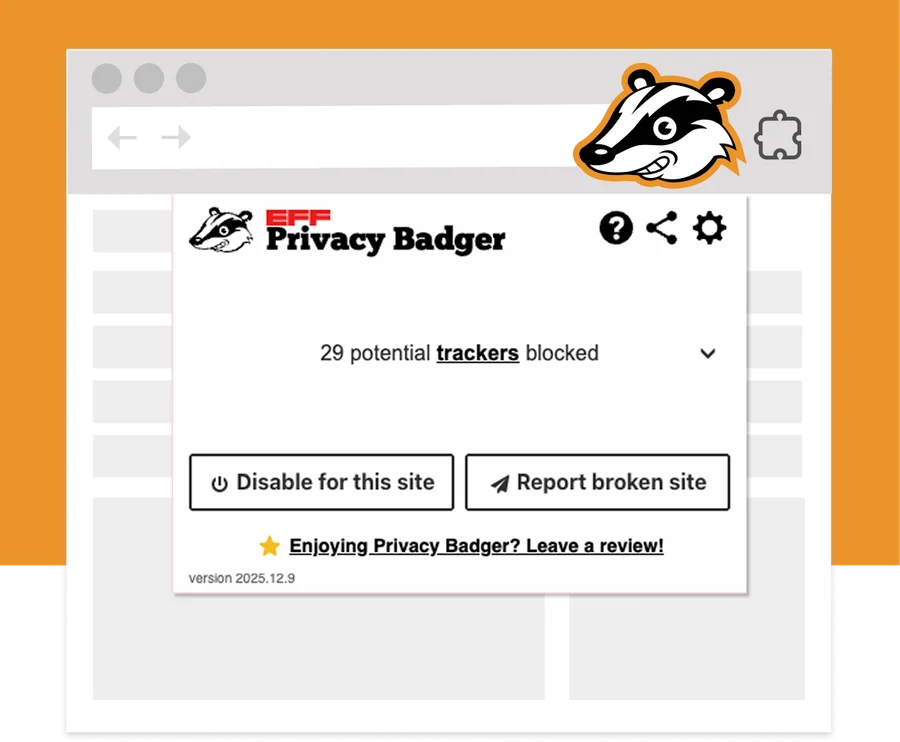
Privacy Badger works right out of the box. Ordinary users do not need to register an account or import a rule list. The extension displays potential trackers discovered and processed by the current page, and the default settings already cover everyday use. Users willing to fine-tune can also view the list of domain names and change how individual domain names are handled.
When the browser is installed, it will prompt that this extension can read and change the data of visited websites. It does require higher permissions because the tracking content may appear on any web page. EFF’s note states that browsing history will not be sent to EFF unless the user actively submits a report of a damaged site. Developer disclosures in the Chrome store also state that they will not collect or use user data.
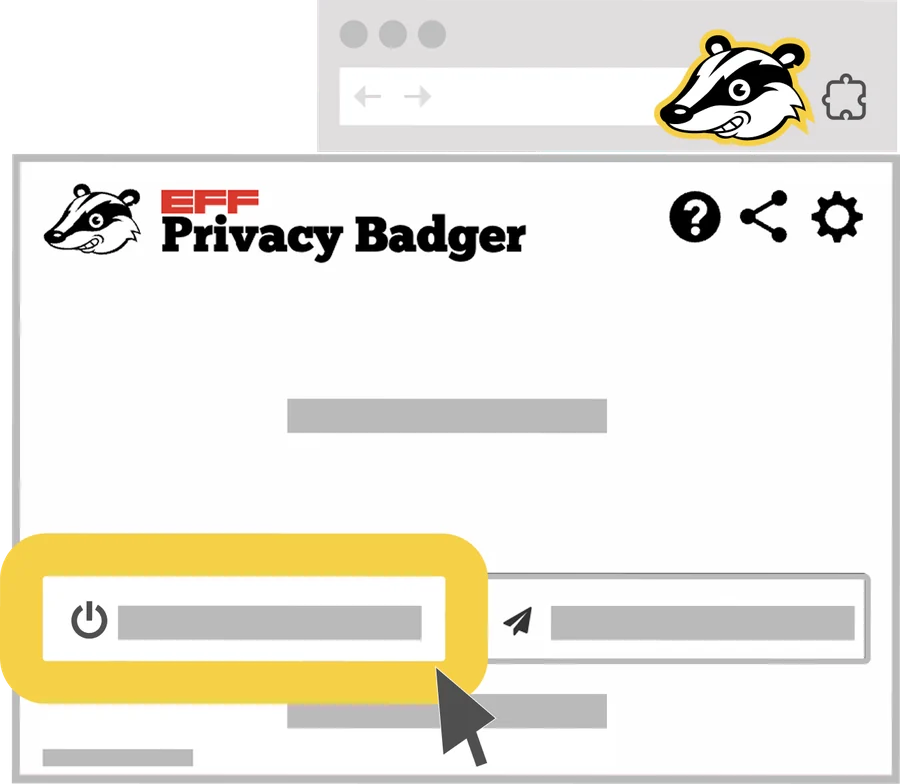
Web page compatibility remains its most realistic limitation. Tracking codes are sometimes placed together with player, comment, login or payment components, and blocking them may render them useless. When you encounter a problem, first click the Privacy Badger icon in the toolbar, and then choose to disable it for the current website. The protection of other websites will not be affected.
All core features of Privacy Badger are free to use, with no subscriptions, feature paywalls, or ads. The project is maintained by the non-profit organization EFF, and the voluntary donation entrance will be displayed on the official website. The extended source code adopts the GPL-3.0-or-later license. Users can view, modify and redistribute the code, but they need to comply with the license requirements when redistributing.
Privacy Badger is very user-friendly and does not rely on the command line for installation and daily use. It will handle most of the domain names by itself, and the panel retains the single-site deactivation entrance. There is no need to delete the entire extension when there is a problem with the web page. EFF’s long-term maintenance and open source code also make permission usage easier to verify.
It is not a replacement for full ad filtering, nor does it prevent all first-party sites from collecting information. The browser has higher permissions and users should still install it from the official store and check for updates regularly. People who already have Strict Content Blocking enabled may feel the functionality overlaps and it’s more appropriate when they want basic anti-tracking protection with less configuration.
The current stable version is 2026.8.7, the official GitHub was released on August 7, 2026, the Chrome Web Store was updated on August 8, and the store package size is 3.15 MiB. This release fixes direct video links in the YouTube placeholder component and also returns tweet replacement from x.com to normal. The accessibility issues of the welcome page and pop-up panel have been addressed, and the schematic diagram for opening the panel on the Android side has been corrected. The development team has also solved a number of website compatibility issues and updated translations such as Traditional Chinese.