Guomi Designer - Latest Version
Free and open-source poster designer
An open-source digital painting app for illustration, comics, layered artwork, and frame-by-frame animation.
157.66 MiB (Windows 64-bit installation)0 Already downloaded Mobile view
Krita is a free, open-source digital painting software for illustrations, comics and conceptual sketches, as well as a frame-by-frame animation tool. It supports Windows, macOS and Linux with a Chinese-language interface and a Chinese-language handbook. The usual brushes, layers, constituencies and colouring tools are in a graphical interface, and downloads are installed on a computer and can start painting without the need to register accounts.
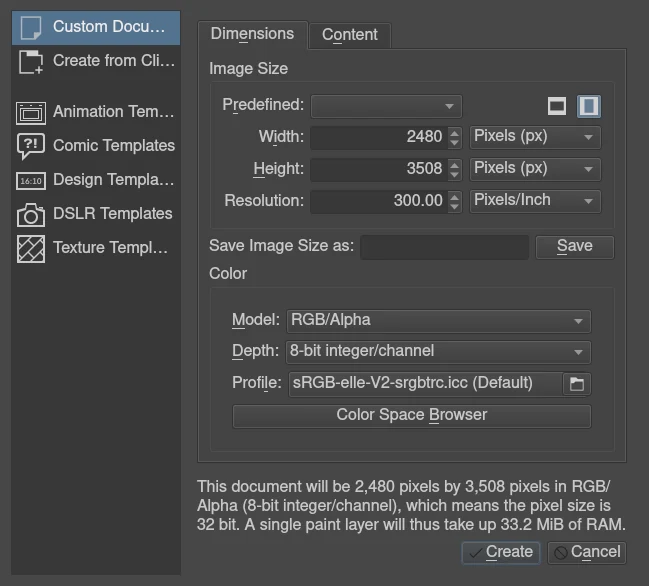
I have consulted the Chinese download page of Krita, the introductory manual and the present release note. This is based on the officially recommended 5.3.3 stable version, which collates the general user ‘ s path from the new canvas to the preservation of the work, without any actual installation. Krita’s functional focus is on hand-drawing, and those who have just come into contact with digital painting can start with a small number of default brushes and become familiar with them before learning to mask, colour management and animation.
The brush is the part that Krita deserves the most time to get familiar with. The software is preset with multiple pencils, ink wires and smear effects, and can be painted when selected. The smooth and shaking-proof tool options help control the line and the brush editor adjusts more detailed parameters. The practice of default presets at the beginning of school is often easier to identify problems than the collection of brush bags.
Layers save drafts, drafts and background colours separately. When one of the layers is modified, it is not necessary to erase the entire painting; the layer group facilitates the integration of the same role or object. The selection is used to define the colour range, the shape and position are adjusted by the deformation tool, and the transparency mask allows the original pixel to be retained before the display area is controlled. It is sufficient to start learning to build layers, to switch layers and to save files.
When drawing comics or rule patterns, text, vector shapes, auxiliary rulers can continue to be displayed on a continuous basis with the Quadripartite. Auxiliary ruler helps to draw vision lines and ellipses, and the Quadripartite displays a line suitable for the examination of seamless texture. The desktop version also provides animated time-axis and onion skin displays, which will lighten the adjacent frame and facilitate the replicating of intermediate actions. Animations eat more memory than static paintings and require additional learning frames and speed of play.
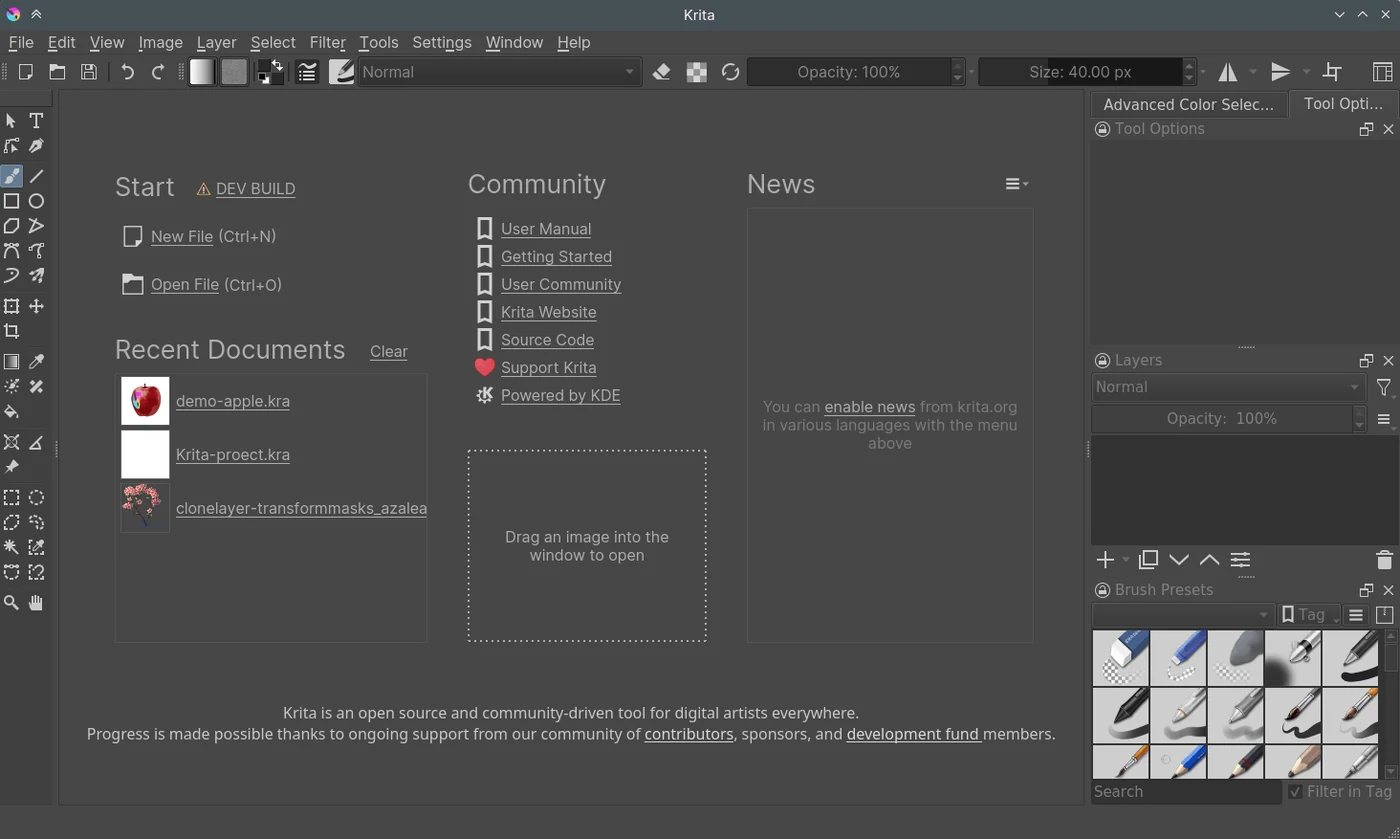
Krita’s panel can be moved, grouped and the layout kept as a working area. The distance between canvass, brush presets and layers can be adjusted to personal habits. It supports the reading and preservation of PSD files and facilitates the exchange of material with other mapping processes, although there are compatibility limitations for such elements as complex Photoshop text, which should be checked in the recipient software before formal delivery.
The information is more complete in Chinese. The interface usually follows the operating system language, and if it is still available in English, you can select the English language from the switch application language option for setting the menu, effective once restarted. The software itself does not replace drawing exercises, and the pressure of the digital plate, brush size and hand-eye alignment still need to be gradually adapted. The mouse completes the operation, but the hand-painting is more suitable for the pressure pen.
The platform has to look separately. The computer, which has a stable version, is currently facing only large-screen devices, such as tablets, and is still in a test state and should not be recommended for mobile drawing software. 5.3.3 The Android version temporarily removes the animation import export function. Krita also does not have an iPad or iPhone version, and the source should be checked when such downloads are seen.
Users preparing the board can use Krita as a line, dark and coloured exercise tool. The default brush and the introduction to the Chinese language already support the start and do not require the initial purchase of additional resource packages. There’s no basis for painting, which affects the results more than the number of brushes.
An illustration or cartoon creator can manage drafts, drafts and colours in layers, and then process the rule part with a supporting ruler, text and vector shape. Print is also taught about colour and output specifications, and not just about the beauty of the screen.
Those who want to make games paste or repeat patterns can use the Quadripartite display to continuously screen the seams; those who learn short animation can practice frame-by-frame drawing on the desktop. The latter is suitable to start with a small amount of frame, with short action, then a layer and resolution.
Krita, provided by the official network, is free of charge for long-term use and does not have a trial deadline or a fee-for-lock requirement for basic painting functions. The official code uses the GNU GPL v3 license. Original creations drawn with Krita can be used for commercial purposes and the work itself will not be required to open the source because of the use of this software; the rights to external fonts, brushes and reference materials will still have to be checked separately.
Platforms such as Microsoft Shop and Steam provide a fee-paying version, which mainly facilitates automatic updating and supports project development, with the official explanation that their functions are in line with the free version. 5.3.3 Additional voluntary contributions and support packages are downloaded and basic painting functions remain free of charge. There are no third-party advertisements for the software, and the welcoming project contribution portal and voluntary support alerts in the picture may appear.
Krita is a real value for people who want to learn about digital painting. Chinese interfaces, complete brushes and layering tools allow for lower start-up costs and can then be followed by mastery, texture and animation. The applicability is judged only on the basis of official information and the functional list is not used as a personal factual conclusion. If only a few photographs are cut or a ready-made template is fast set, its interface and learning content may exceed demand.
In terms of privacy, the official statement that the software does not collect or transmit personal information and user data; the latest information fields are closed by default and are connected when enabled, and the G’MIC plugins also have access to filter definition online. Author information can be set by the user to write the image. It would be more accurate to review metadata before sharing a work and properly back up the original draft than to understand local software as never going online.
The recommended stable version of this verification was 5.3.3 and was published on 29 July 2026. Windows 64-bit installation is 165318832 bytes, approximately 157.66 MiB, with other platform packages of different sizes. An official version of 6.0.3 is available on the same day as the test version, giving preference to general users 5.3.3.
5.3.3 The death of the trans-visual deformation card, the elimination of the collapse of text shapes, partial layer selection and image meta-data processing problems were repaired, and the editing of the ward float toolbars and comic strips was improved. The macOS minimum is raised to 10.15; Andre is still a test version and animated import export is not available. Keep the KRA original and custom resource backups before updating, and download them from the official network or the entrance in the official distribution notes.