Whisper - 20250625
A multilingual speech recognition, translation, and language identification model that can run locally.

Text selection translation plugin based on ChatGPT API
12.2MB4 Already downloaded Mobile view
OpenAI Translator is a text selection translation plugin based on the ChatGPT API. It helps you translate using AI large models.
In addition to text selection translation, it also supports text summarization, article polishing, analysis, code explanation, and more. This article mainly introduces its text selection translation feature; feel free to explore other features yourself!
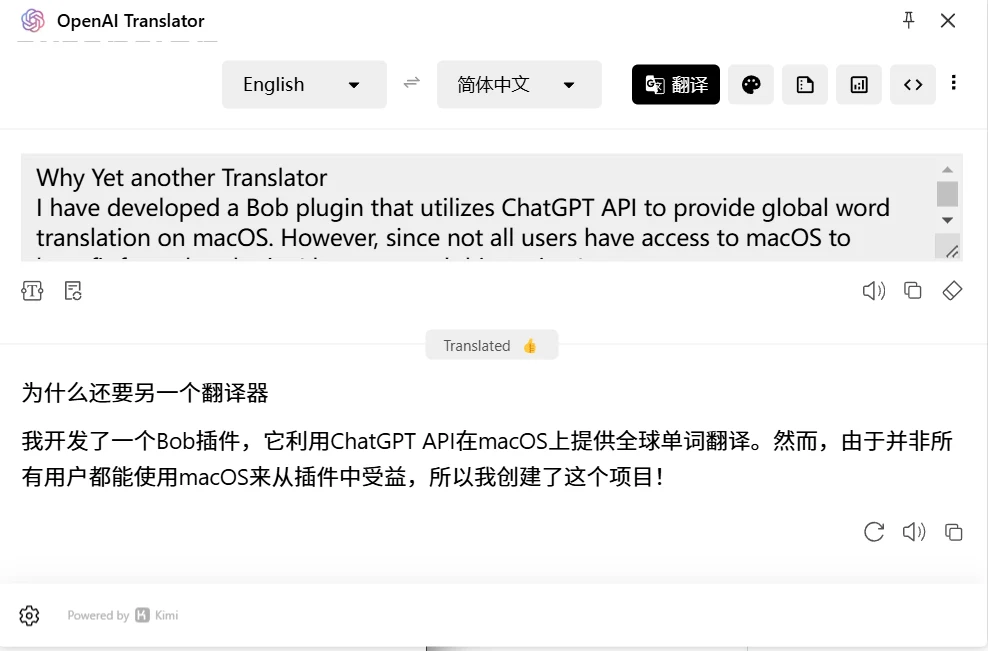
This tool supports browser extensions and desktop clients across all platforms (Windows, macOS, Linux).
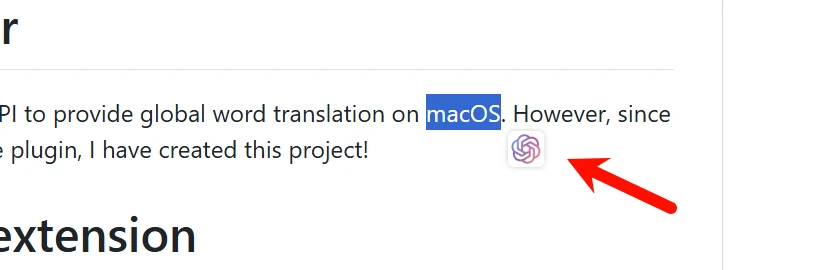
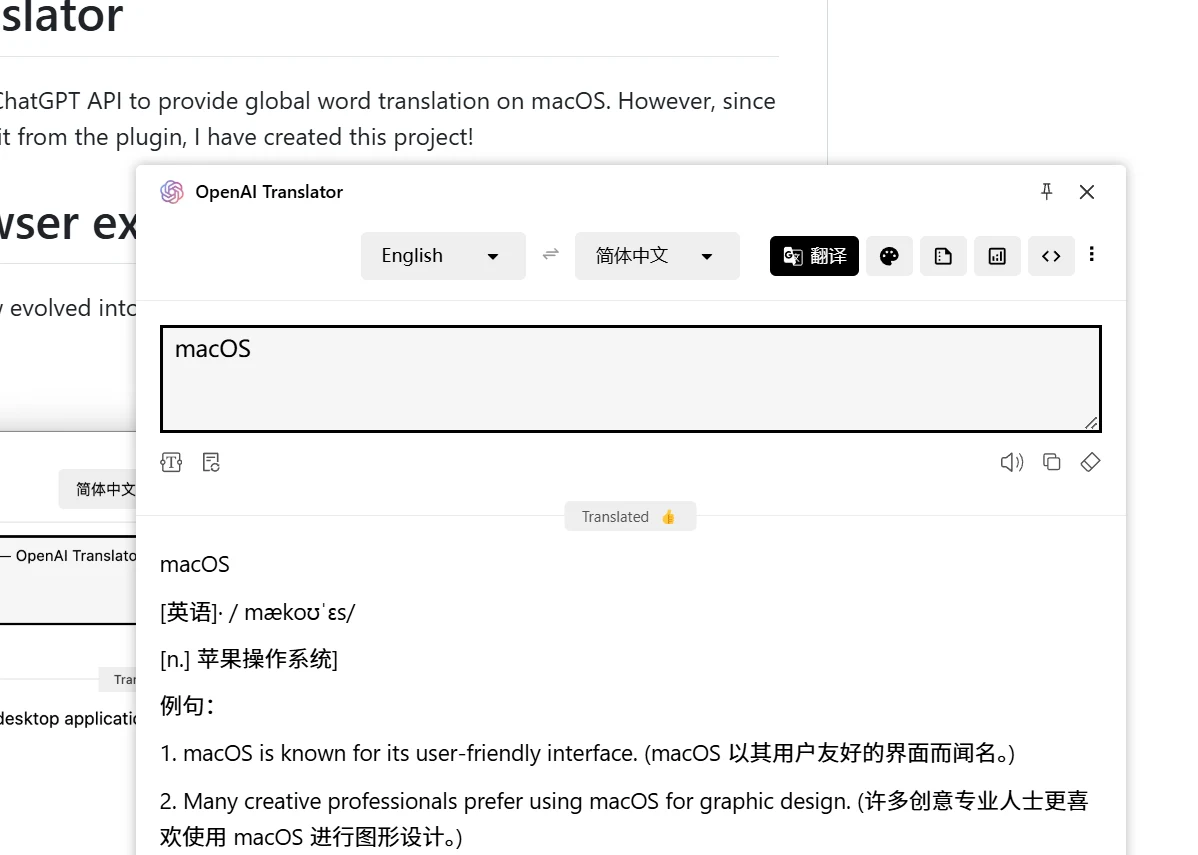
After installing the tool, select any text. An icon will appear at the bottom right of the selected text. Click on it to open the translation window, where you can translate, summarize, polish, or analyze the selected text.
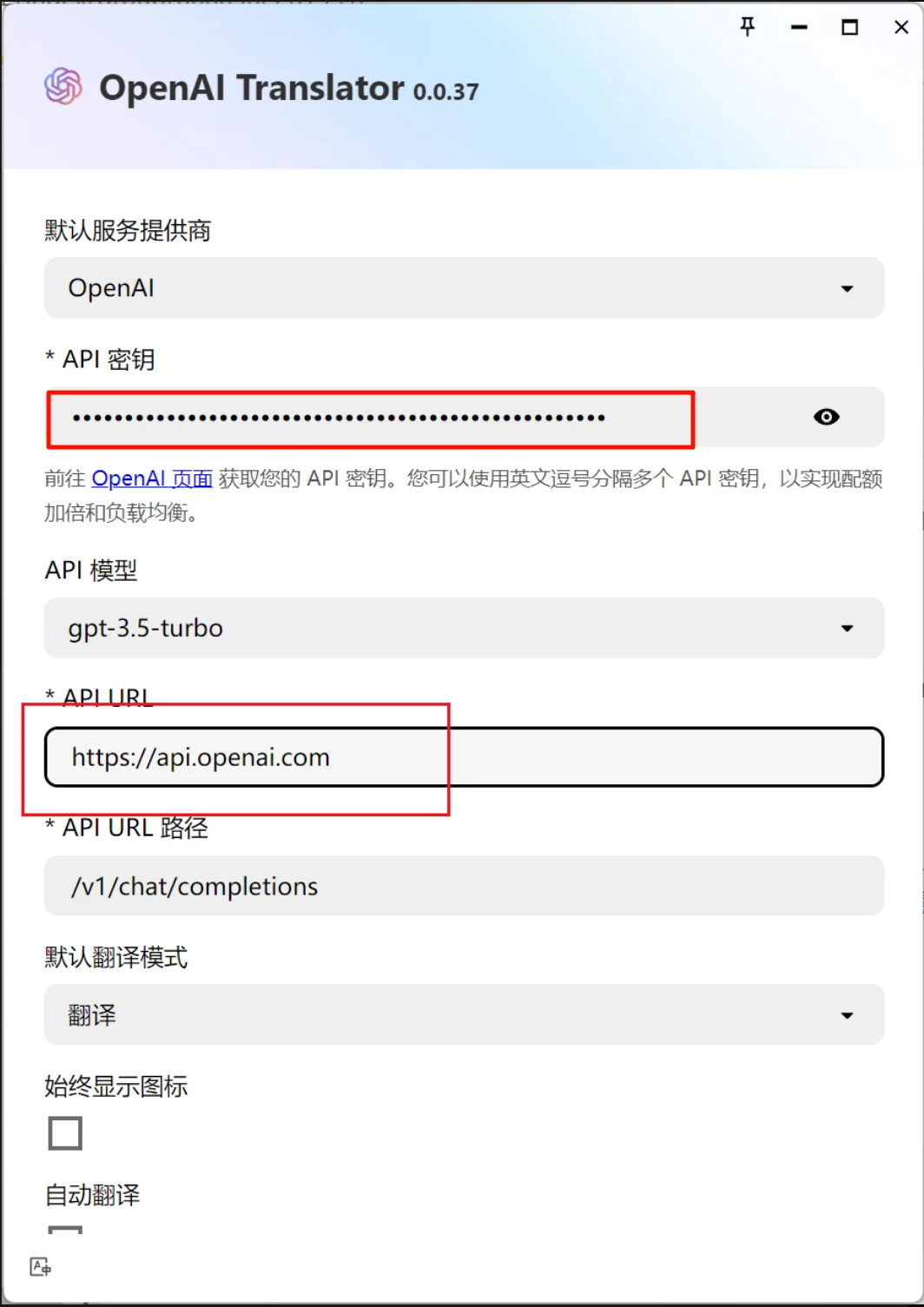
Enter the tool’s settings page to see multiple mainstream AI large models. Among them, Kimi and Zhipu Qingyan can be used for free (browser plugin version only; the client requires API key application).
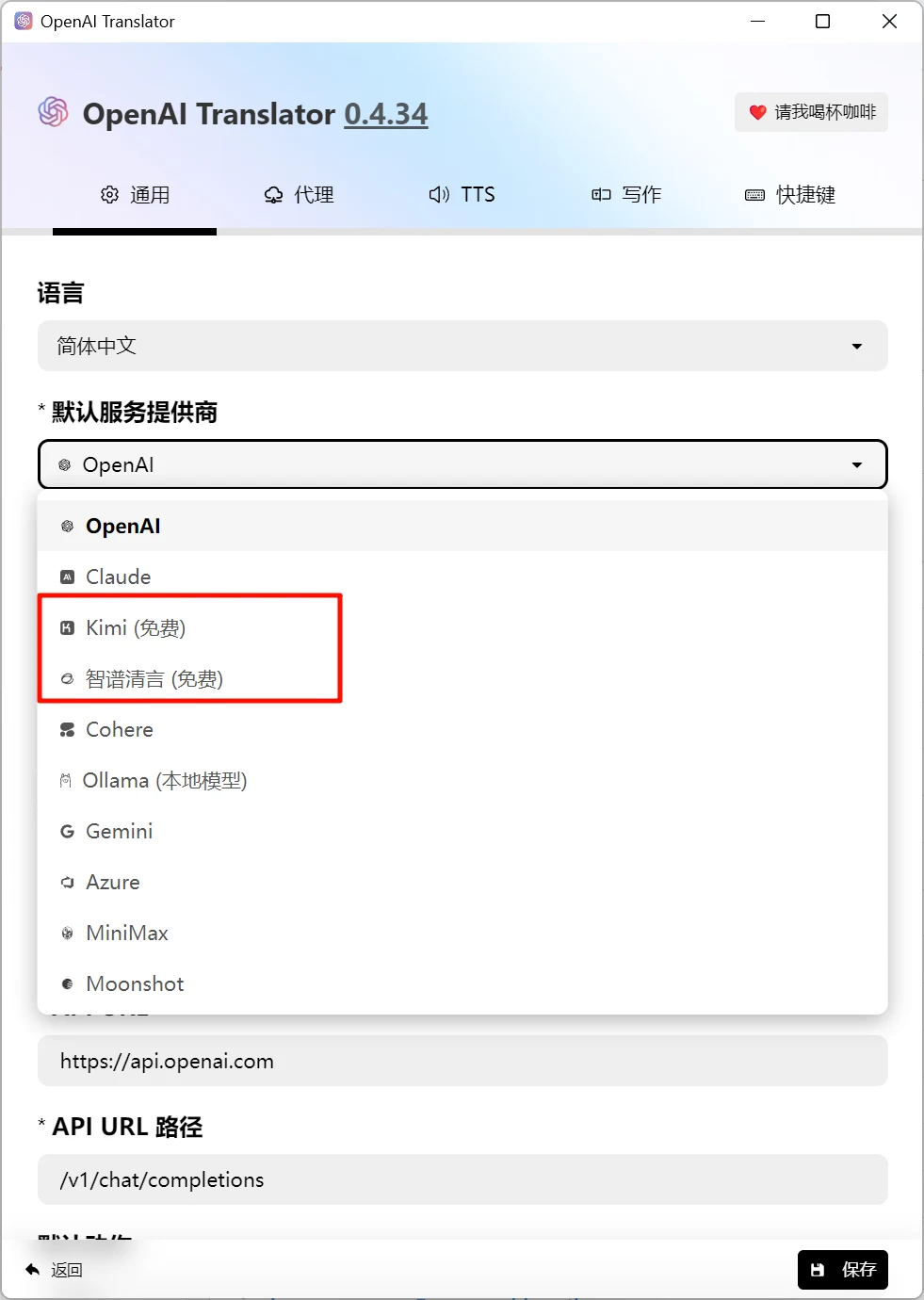
Select OpenAI as the service provider, then fill in the API key and API URL, and save. If you don’t know how to apply for a ChatGPT API, you can join my knowledge planet and get a free $5 ChatGPT API credit, which can last for a year for personal use.
Details about my knowledge planet:https://www.tudingai.com/sites/369.html