NCobalt - Latest Version
Free and open-source media downloader, supports YouTube, Bilibili, Xiaohongshu
Video and audio download tool, supports over 1800 websites
18.7MB0 Already downloaded Mobile view
yt-dlp is a feature-rich command-line audio/video downloader that currently supports over 1800 websites. It supports international platforms like YouTube, Twitter, Facebook, as well as domestic platforms such as Bilibili, Xiaohongshu, and Douyin. (List of supported websites)
This project is a fork of youtube-dl based on the now inactive youtube-dlc. It supports Windows, macOS, and Linux. After installation, open the terminal and use a single command to download!!
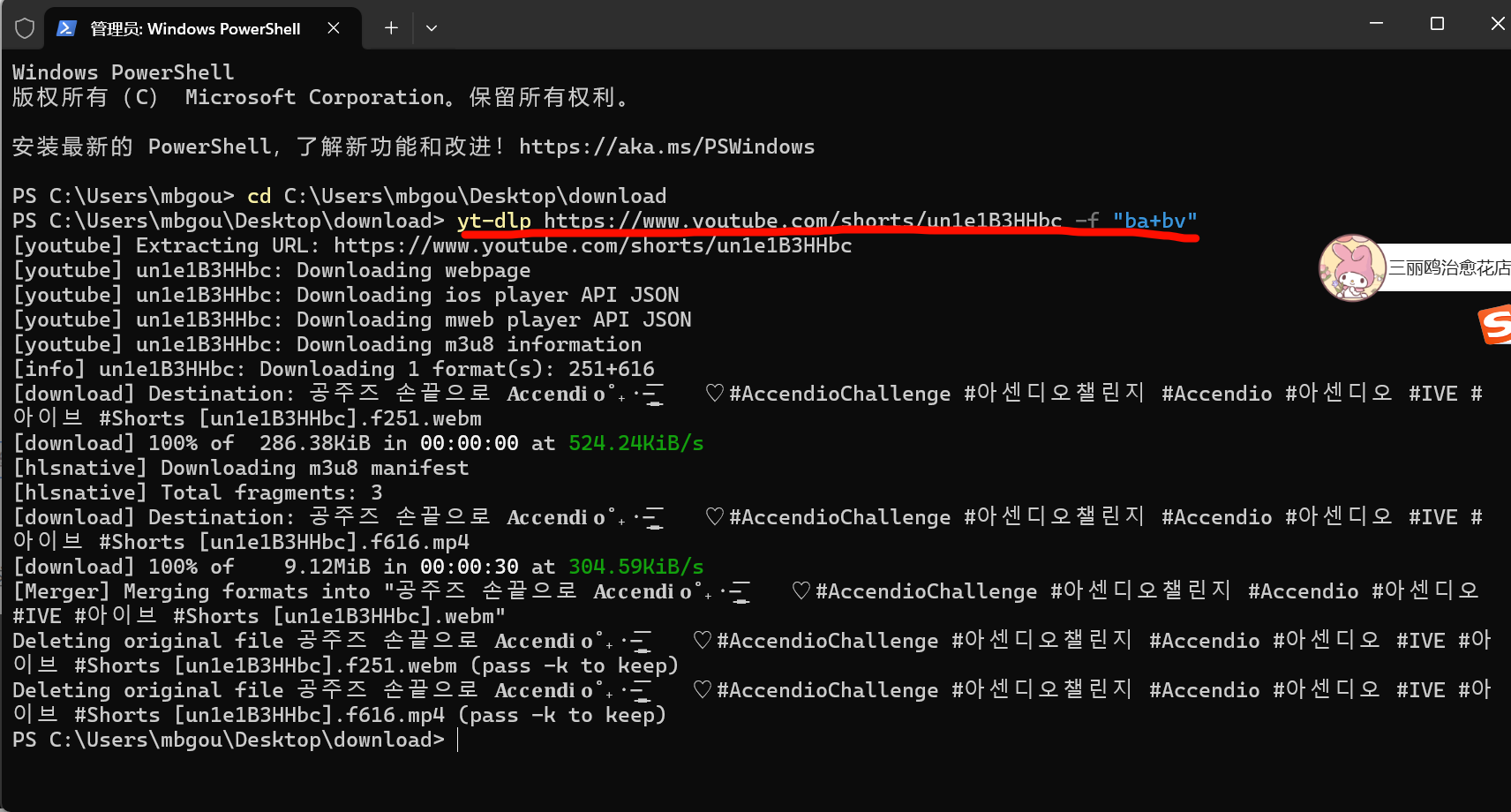
Below, using Windows as an example, I will explain in detail how to download this tool. Although it’s a command-line tool, it’s actually very simple to use.
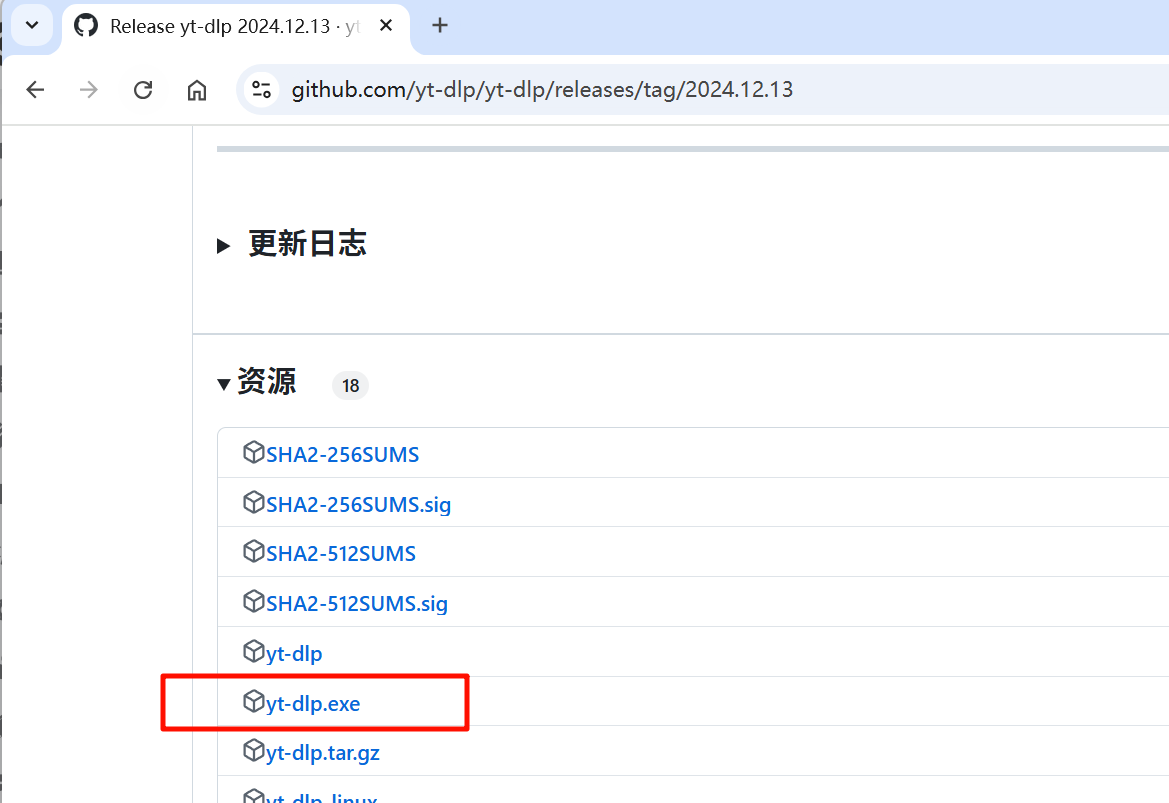
GitHub download link: https://github.com/yt-dlp/yt-dlp/releases ,
For Windows, downloadyt-dlp.exe file.
FFmpeg is a collection of libraries and tools for handling multimedia content such as audio, video, subtitles, and related metadata.
FFmpeg download link: https://ffmpeg.org/download.html
Open the official FFmpeg download page, select Windows, and download according to the screenshot below. After downloading, extract FFmpeg.
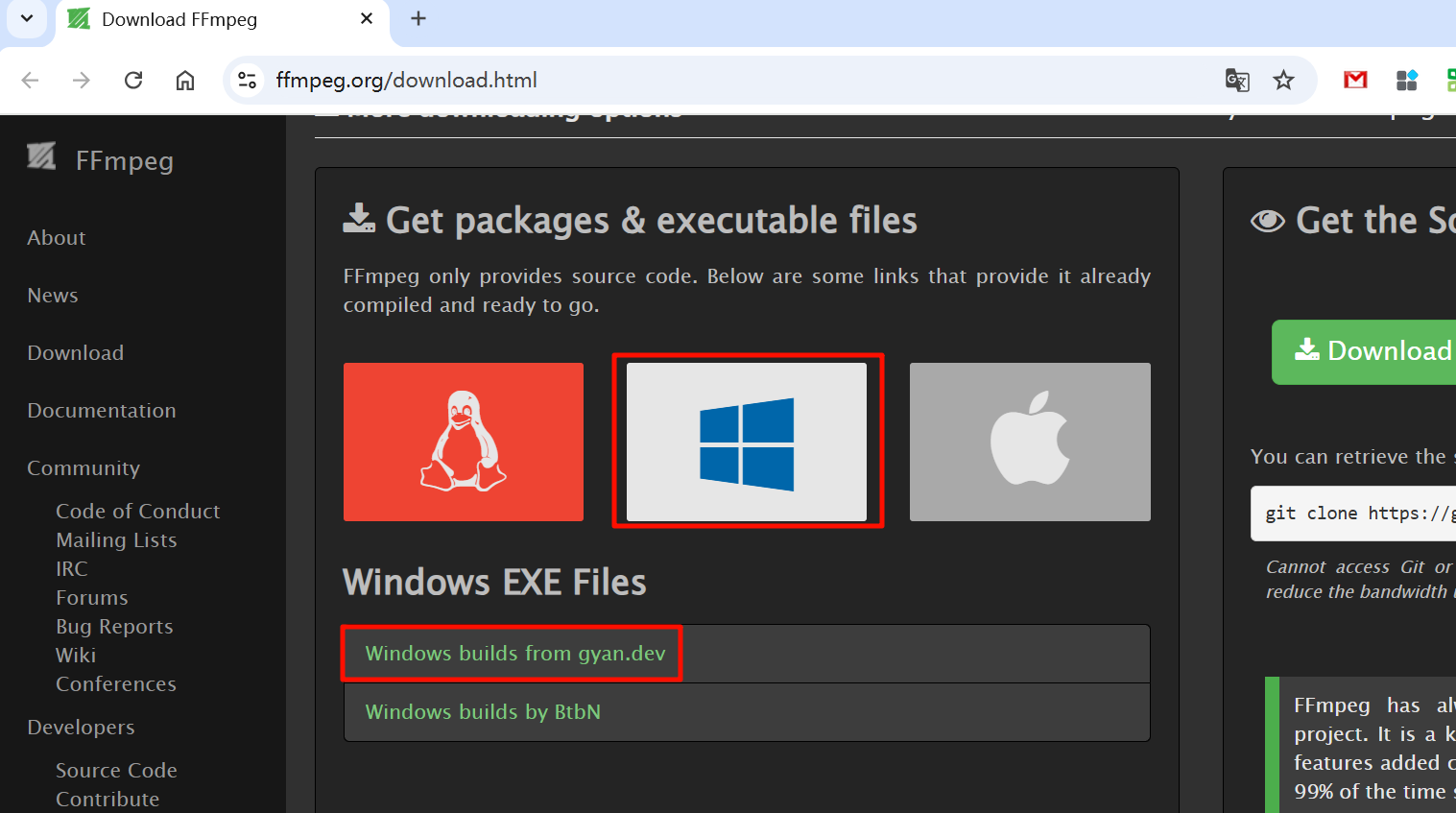
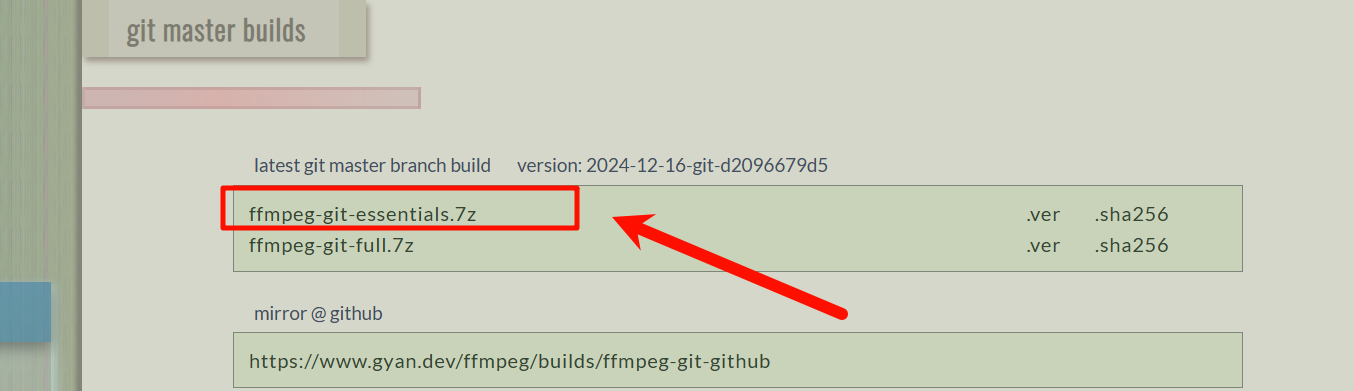
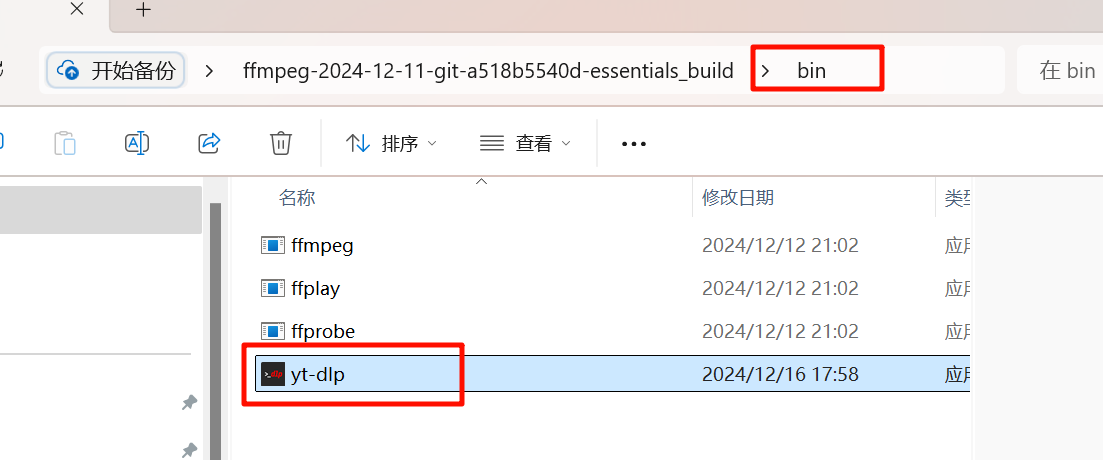
After extracting FFmpeg, open the extracted folder, find the bin folder, and place the yt-dlp.exe file into this folder. (yt-dlp.exe needs to be in the same folder as ffmpeg.exe and ffprobe.exe)
At this point, yt-dlp is installed~~
In the search box, search for “Edit system environment variables”, open System Properties, then find Environment Variables
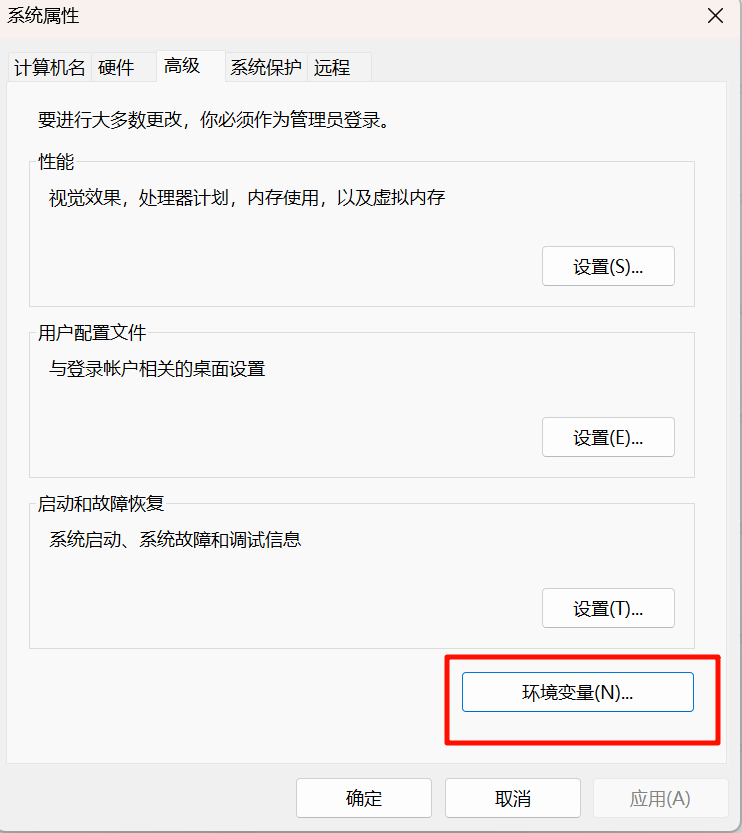
Then in “System variables”, find “Path”, click Edit,
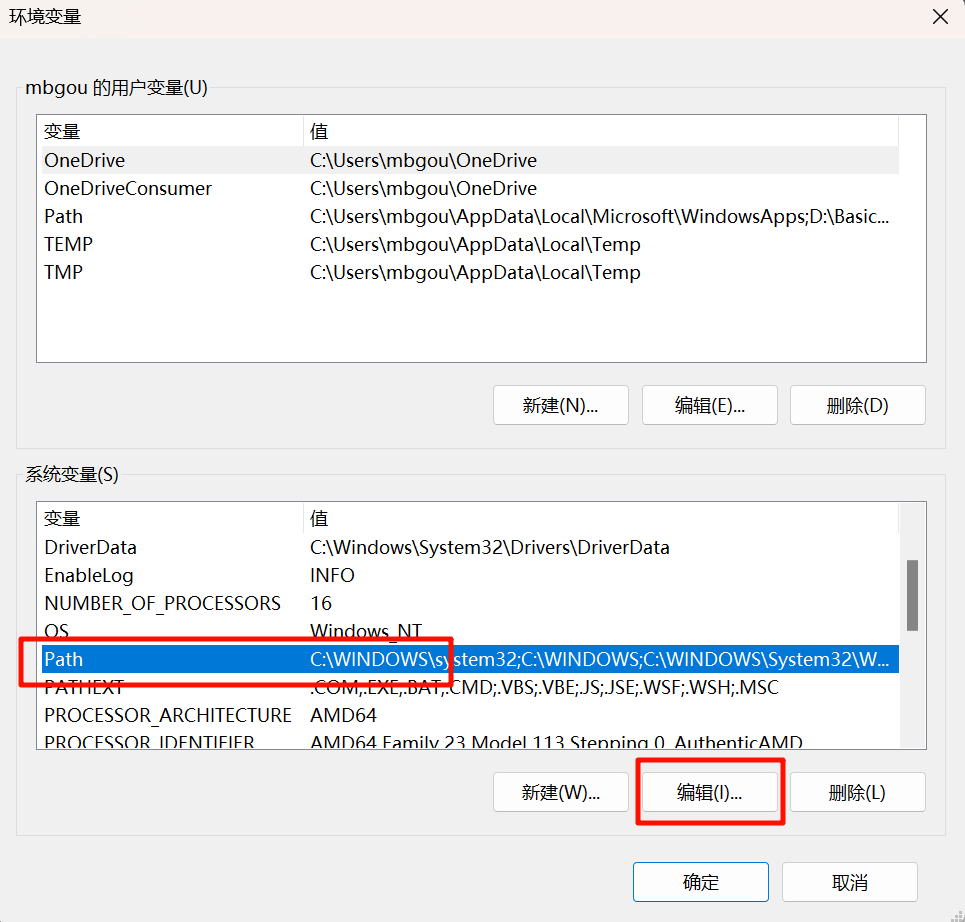
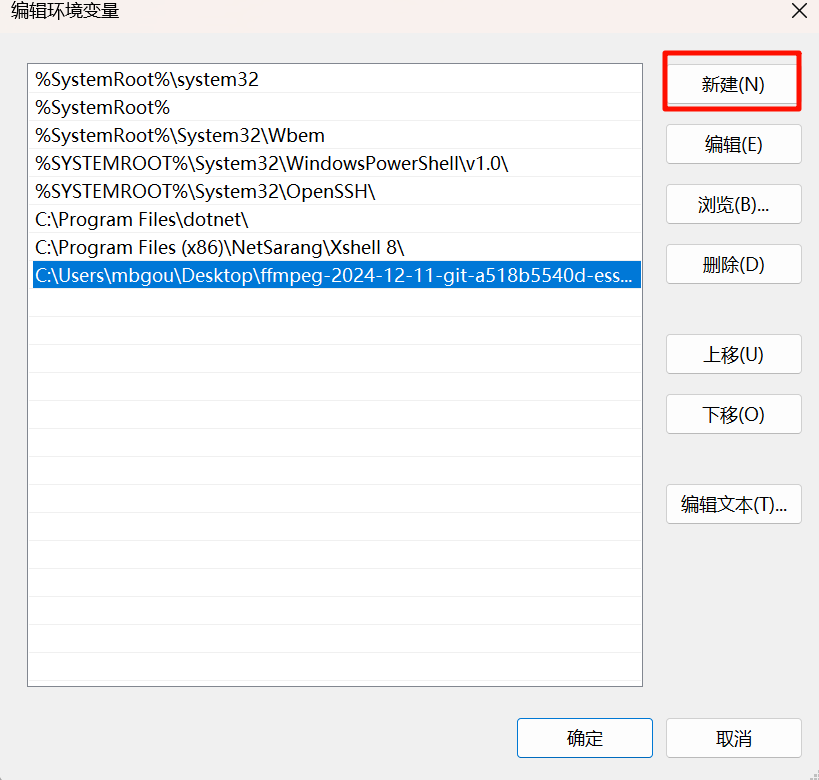
Click New, then add the folder path where yt-dlp.exe is located, and save!!! At this point, yt-dlp is installed.
Open Terminal, or search for cmd to open Command Prompt!
Share the simplest command: yt-dlp + video URL + -f + “ba+bv” to download the clearest video!
yt-dlp "视频链接" -f "ba+bv" 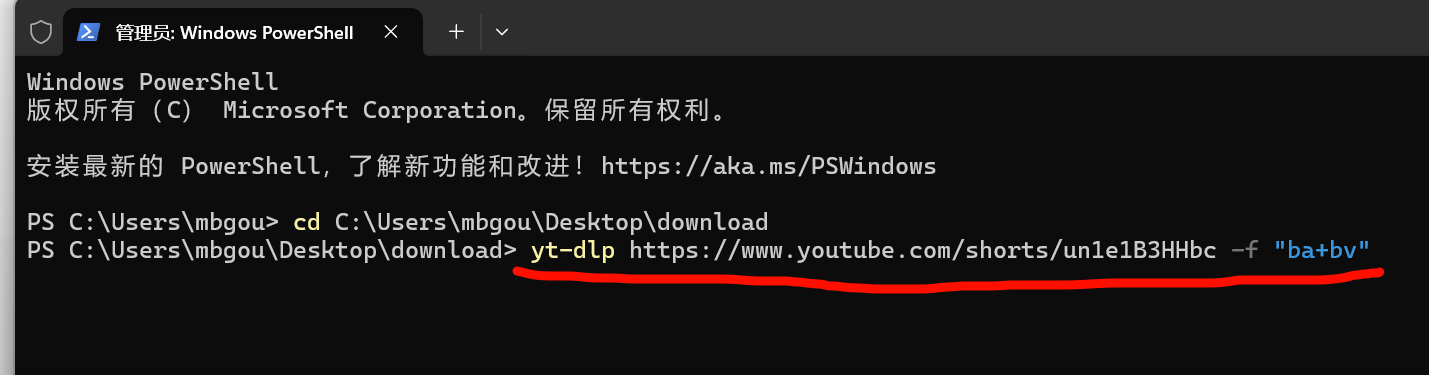
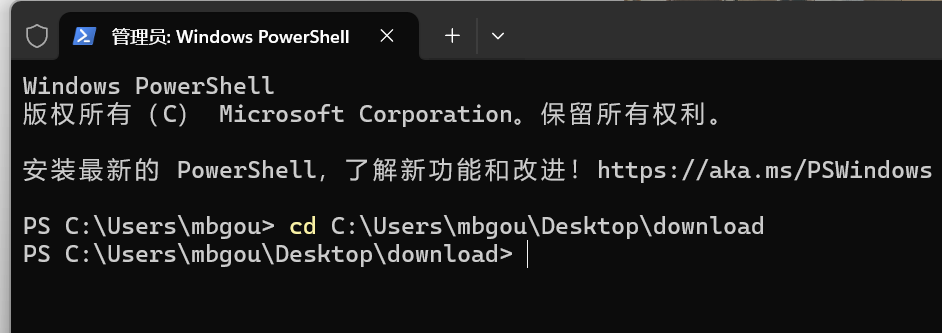
Downloaded videos are stored in the current folder. You can change the save location using the following command.cd + save location
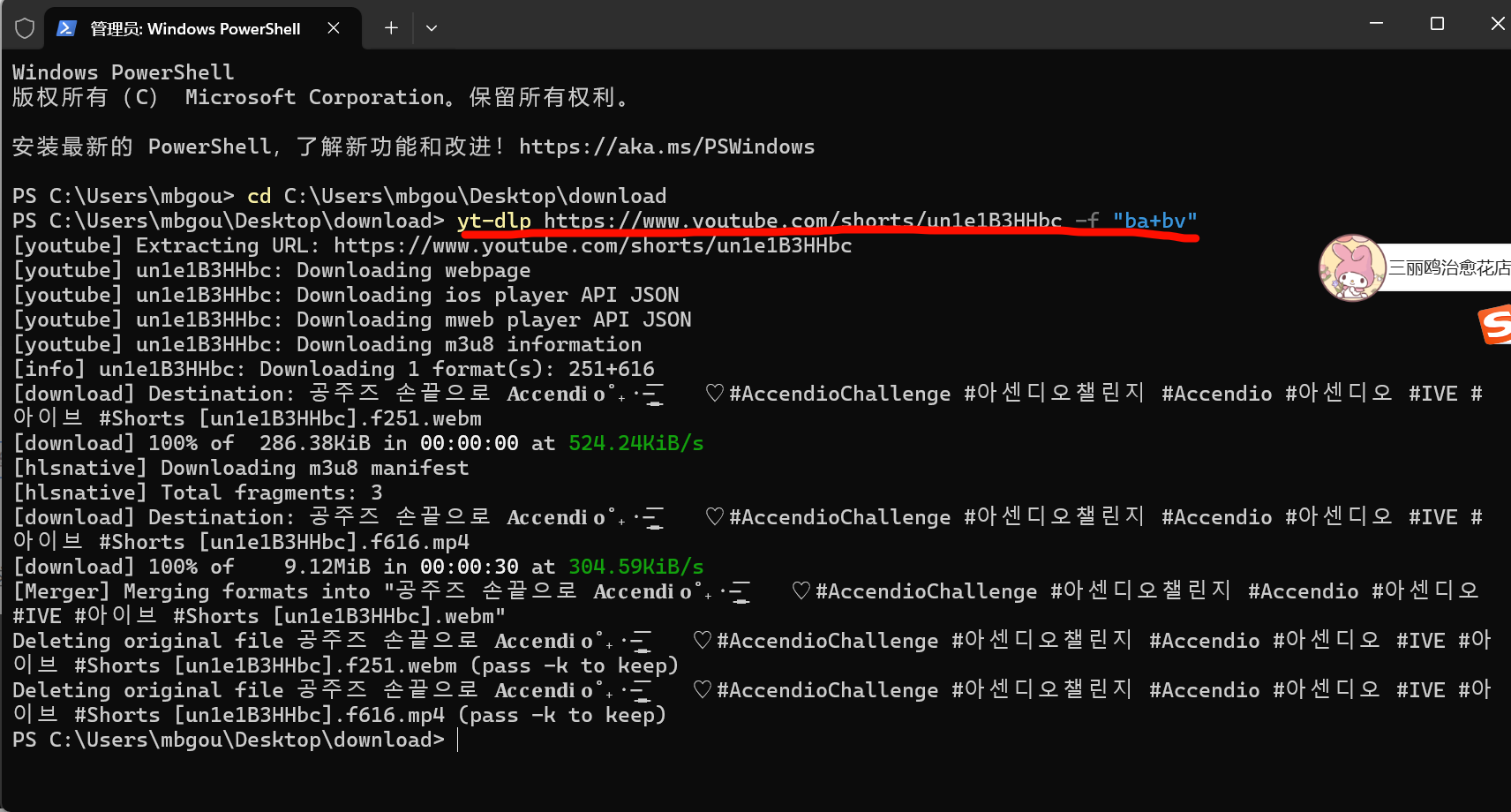
yt-dlp "你的链接" -F ----> 列出每个video可用格式
yt-dlp "你的链接" -f "ba"  ----> 选择最好audio下载(没有video画面)
yt-dlp "你的链接" -f "bv"  ----> 选择最好video下载(可能会没有声音)
yt-dlp "你的链接" -f "ba+bv" ----> 选择最好的video和audio下载yt-dlp -f "bv*[height<=1080]+ba" -S "ext" --concurrent-fragments 5 --progress --write-subs UR
This command does: download the best video (preferring common formats like mp4) up to 1080p and best audio, merge them, use 5 threads to speed up download, show progress bar, and download available subtitles.
Here is a brief explanation of each parameter:
-f "bv*[height<=1080]+ba": Select the best video up to 1080p and best audio-S "ext": Prefer common formats (mp4, etc.)--concurrent-fragments 5: Use 5 threads for download--progress: Show progress bar--write-subs: Download subtitles