yt-dlp - v 2024.12.13
Video and audio download tool, supports over 1800 websites

File format converter, convert and compress files via Windows right-click context menu
52.3MB0 Already downloaded Mobile view
File Converter is an open-source file format conversion and compression tool. It supports one-click conversion and compression of files via the right-click context menu on Windows.
Supports multiple file formats including audio, video, images, documents, etc., covering almost all common file types in daily work.
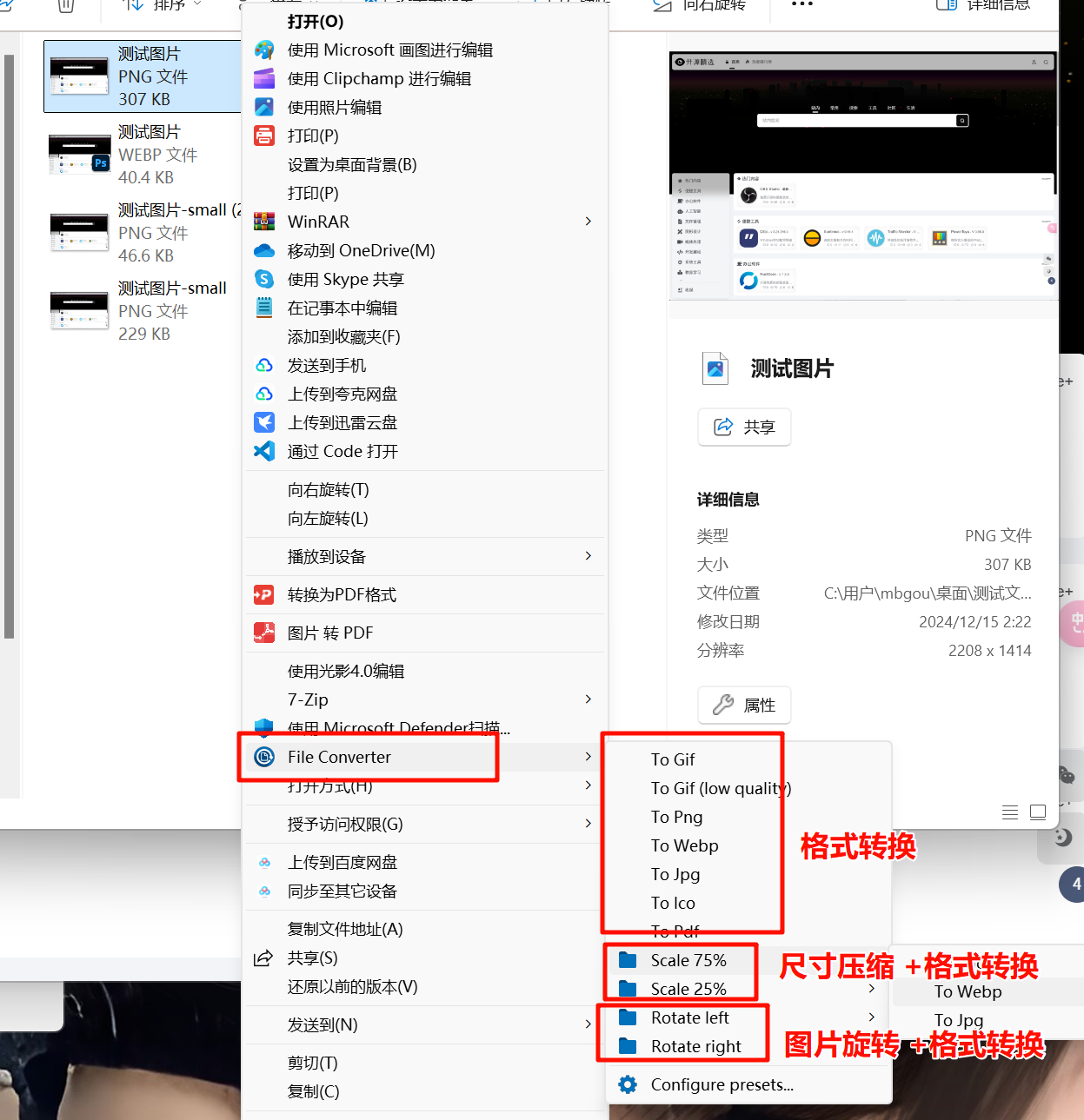
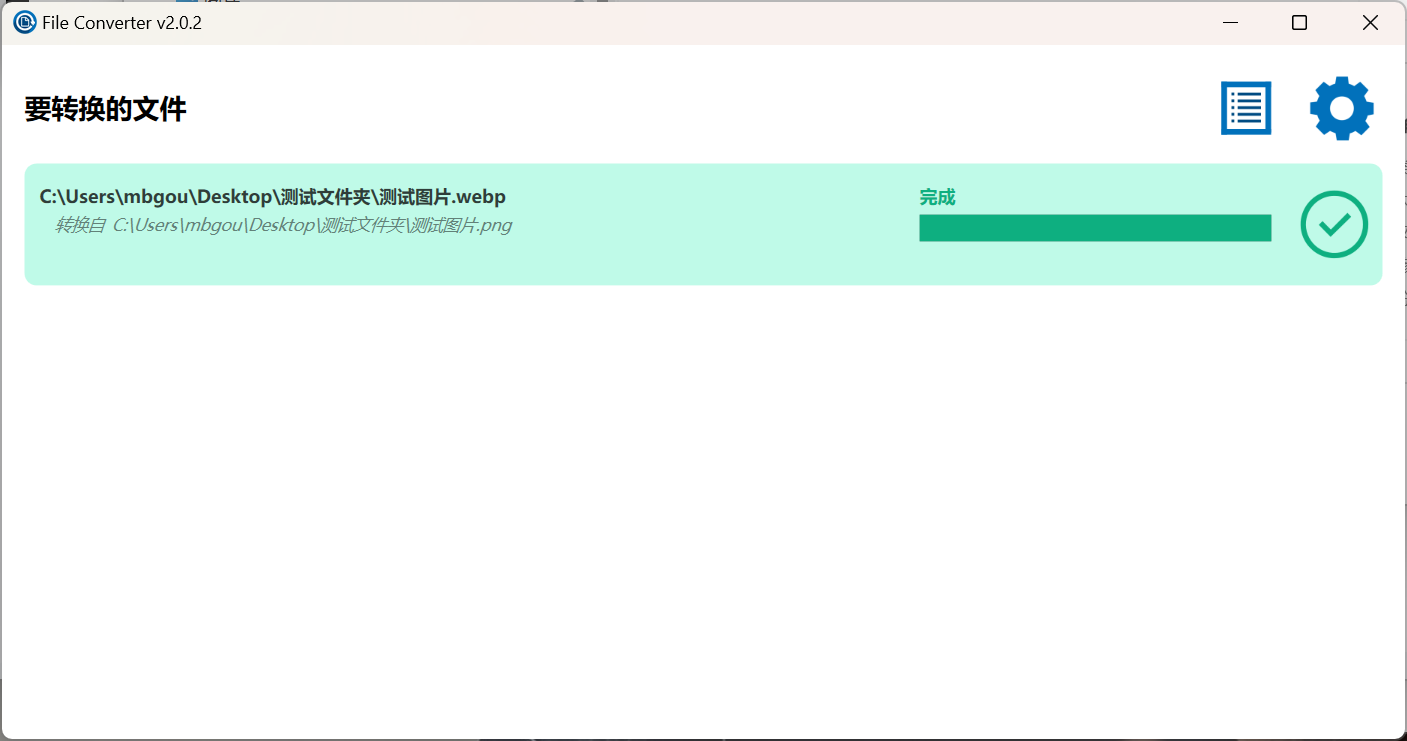
This tool is simple and convenient to use. Just right-click the file you want to convert or compress, select File Converter, and quickly convert it.
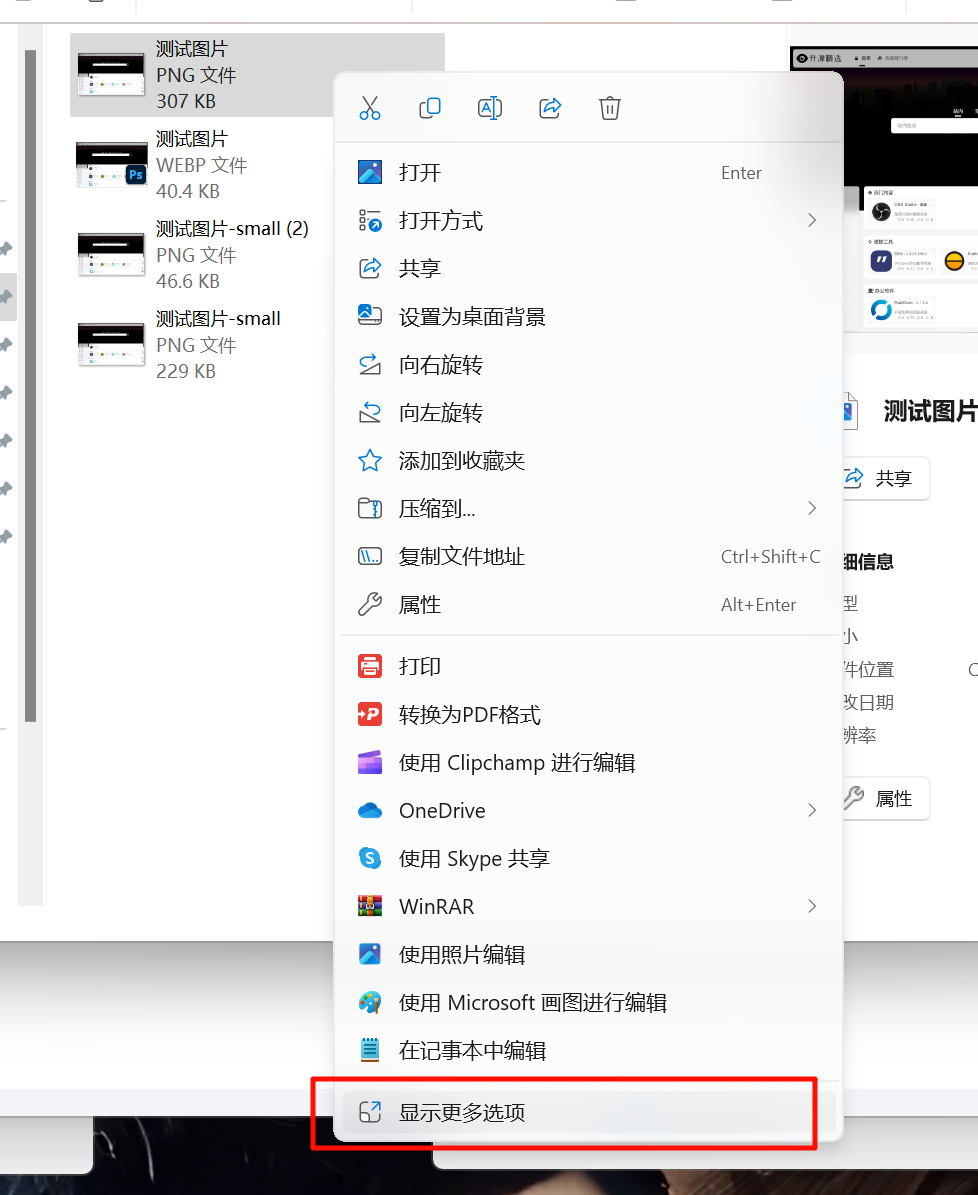
Note: On Windows 11, you need an extra step. After right-clicking the file, click “Show more options” to reveal “File Converter“
| Supported Output Formats | Compatible Input Formats | |
|---|---|---|
| Audio | flac, aac, ogg, mp3, wav | 3gp, 3gpp, aac, aiff, ape, avi, bik, cda, flac, flv, gif, m4v, mkv, mp4, m4a, m4b, mp3 mpg, mpeg, mov, oga, ogg, ogv, opus, rm, ts, vob, wav, webm, wma, wmv |
| Video | webm, mkv, mp4, ogv, avi, gif | 3gp, 3gpp, avi, bik, flv, gif, m4v, mkv, mp4, mpg, mpeg, mov, ogv, rm, ts, vob, webm, wmv |
| Image | png, jpg, ico, webp | arw, bmp, cr2, dds, dns, exr, heic, ico, jfif, jpg, jpeg, nef, png, psd, raf, svg, tif, tiff, tga, webp, pdf, doc*, docx*, odt*, odp*, ods*, ppt*, pptx*, xls*, xlsx* |
| Document | doc*, docx*, odt*, odp*, ods*, ppt*, pptx*, xls*, xlsx*, arw, bmp, cr2, dds, dns, exr, heic, ico, jfif, jpg, jpeg, nef, png, psd, raf, svg, tif, tiff, tga, webp |
Note: For Office document formats, Microsoft Office must be installed and activated to convert Office documents.
Each format conversion supports high customization. You can edit every conversion preset according to your needs, such as image/video quality, rotation, etc.!
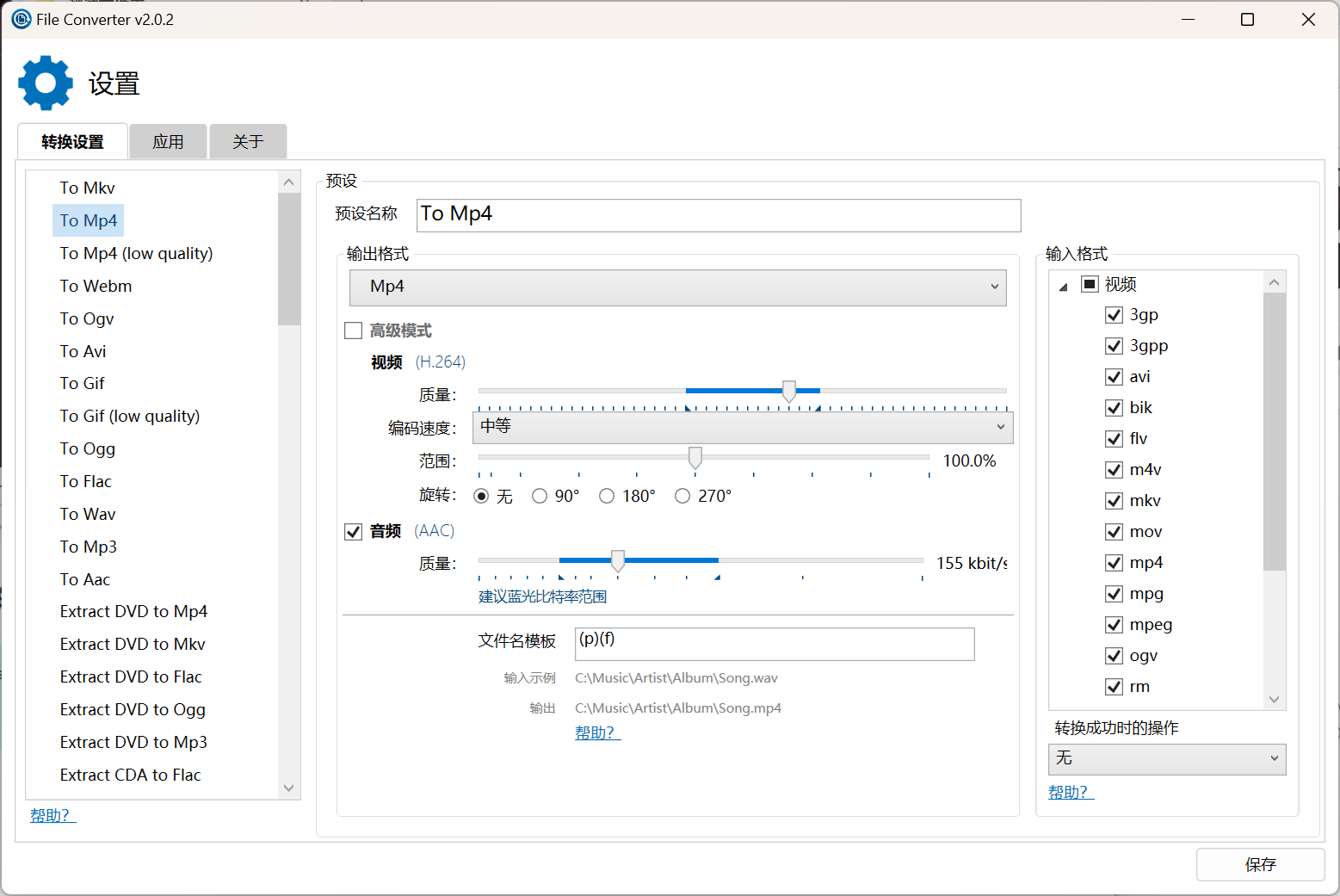
Additionally, File Converter uses multiple powerful middleware such as ffmpeg, ImageMagick, Ghostscript, etc., ensuring conversion accuracy and efficiency.
This tool is ideal for users who frequently need format conversion and file compression. If you only occasionally need a conversion, you can choose other web-based tools.