
Shotcut - 26.8.1
An open-source video editor with multitrack timelines, filters, subtitles, proxy editing, and flexible export.

WordPress plugin for compressing and converting image formats before upload
0 Already downloaded Mobile view
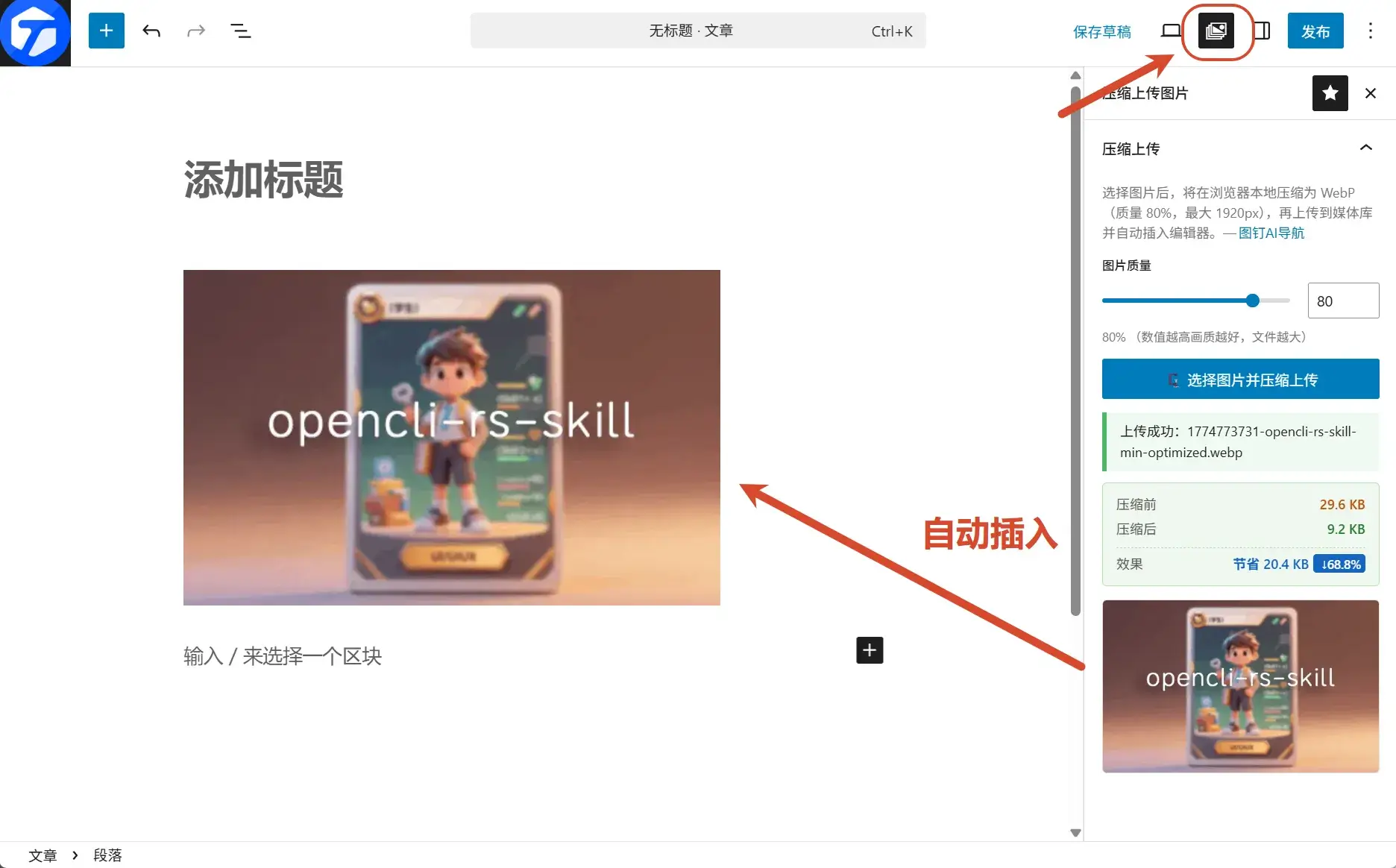
WP Image Compress Upload is an image compression and format conversion plugin designed specifically for WordPress. It fulfills the vision of compressing and converting image formats before uploading when writing WordPress blogs. The entire process does not require sending original images to the server, effectively reducing bandwidth consumption and server pressure.
Plugin open-source address:https://github.com/maxiaobang7/WP-Image-Compress-Upload
The WP Image Compression plugin adds a new “Compress & Upload” panel in the Gutenberg (block editor) sidebar. It does not affect the native image upload functionality. After the user selects an image, the image islocally in the browsercompressed and converted to WebP format, then uploaded to the WordPress media library.
Download ZIP Installation (Recommended)
.zip file.