
So Novel - v 1.9.2
Open-source free command-line web novel download tool

Offline Wikipedia
4 Already downloaded Mobile view
Kiwix is an open-source tool designed for offline browsing of knowledge content. Simply put, it allows you to download content like Wikipedia, e-books, and educational materials to your local device, so you can search and read them just like browsing regular web pages, even without an internet connection.
It uses a compressed file format called ZIM , which packages a large number of web pages, images, and directories into a single file. Kiwix acts as a reader, while ZIM files are the offline repositories that hold the content.
This tool has been developed since 2006 and now supports Windows, macOS, Linux, Android, iOS, and a PWA version that can be used directly in a browser.
It’s not a trendy AI search tool, nor does it have an exceptionally polished interface, but when you encounter network outages, restricted internet, or the need to preserve materials long-term, Kiwix’s value becomes immediately apparent.

Kiwix’s core function is to open locally saved ZIM files. Once the file is downloaded, reading does not require an internet connection, and most articles’ table of contents, internal links, and images work normally.
In addition to Wikipedia, Kiwix can also be used to read Project Gutenberg e-books and other website content that has been converted to ZIM format. The official library offers a wealth of content in different languages and subjects.
Users don’t have to search for ZIM files everywhere. Kiwix Reader includes an online content directory that allows filtering by language, category, and file size. You can also download files individually from the official Kiwix Library.
Once the library is open, you can search article titles and content. The experience is similar to running a small knowledge website locally, with no waiting for page loads and no sudden ad pop-ups.
The same ZIM file can be stored on a computer, external hard drive, SD card, or phone, and then opened using the Kiwix client on the respective platform.
The official clients are available for Windows, macOS, Linux, Android, and iOS, along with a PWA, portable version, server tools, and Docker images.
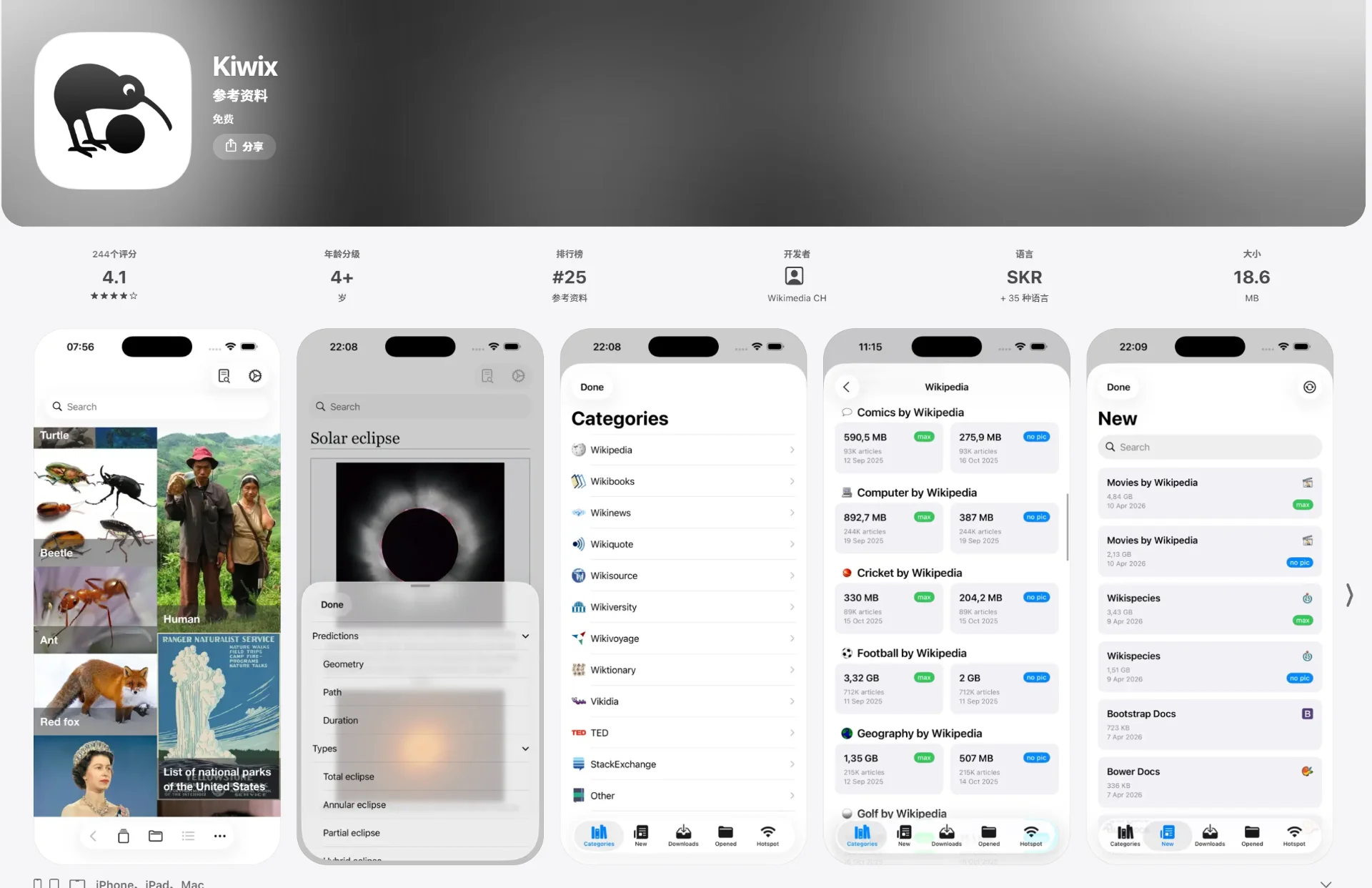
With Kiwix Server, you can turn a computer or Raspberry Pi into an offline content server. Other devices on the same LAN can access the materials directly through a browser without installing any client.
This feature is ideal for school computer labs, home networks, exhibition venues, and areas with poor internet connectivity.
Features vary slightly between versions. Taking the Android version as an example, it now supports bookmarks, history, notes, multiple tabs, download pause and resume, and restoring the previous browsing position when reopening materials.
Kiwix content is not a temporary cache but is fully stored on the device. As long as the file is not deleted, it can be read indefinitely.
On airplanes, ships, in mountainous areas, or unstable network environments, it is much more reliable than ordinary web bookmarks or browser caches.
Wikipedia contains a huge amount of content, but the ZIM format uniformly compresses web pages, images, and indexes, achieving much higher storage efficiency than saving web pages directly.
The official version also offers different sizes of Wikipedia:
mini: mainly retains article summaries and infoboxes;nopic: retains full text but no images;maxi: includes full articles and images.The mini version saves about 95% space compared to the full version, while the nopic version saves about 75%.
Kiwix Reader can be downloaded and installed for free, and the official content directory is also free to use. The official statement clearly indicates that the reader does not display ads or collect user data.
Many of Kiwix’s core projects are licensed under GPL 3.0, and the source code can be viewed on GitHub.
ZIM files can be placed on an external hard drive, USB drive, or SD card and opened when needed. This is practical for users with limited computer storage space.
Kiwix content is stored in offline files, so it does not automatically update like online pages. Currently, ZIM files do not support incremental updates; to use newer content, you typically need to download the entire file again.
This is also one of its biggest limitations: you gain stable offline access but sacrifice content timeliness.
Go to the Kiwix website’s download page and select the appropriate version for your device.
Windows users can download standalone installers, or install via Microsoft Store or Winget; macOS users can use the universal installer or Mac App Store; Linux users have AppImage, Flatpak, Ubuntu PPA, and distribution packages.
Mobile users can search for Kiwix directly on Google Play or the App Store.
Open Kiwix, go to the online library, and select the language and content type.
For first-time use, it’s not recommended to download the largest full Wikipedia. You can start with a smaller topic-specific library, or a Wikipedia mini or nopic version.
Pay close attention to file size before downloading. Some complete libraries may take up tens of gigabytes or more, so check your device’s available storage beforehand.
After selecting content, you can download directly within Kiwix.
You can also download the .zim file separately from the official library, then import it via Kiwix’s “Open File” function. ZIM files can be stored on an external hard drive or SD card without copying to the system drive.
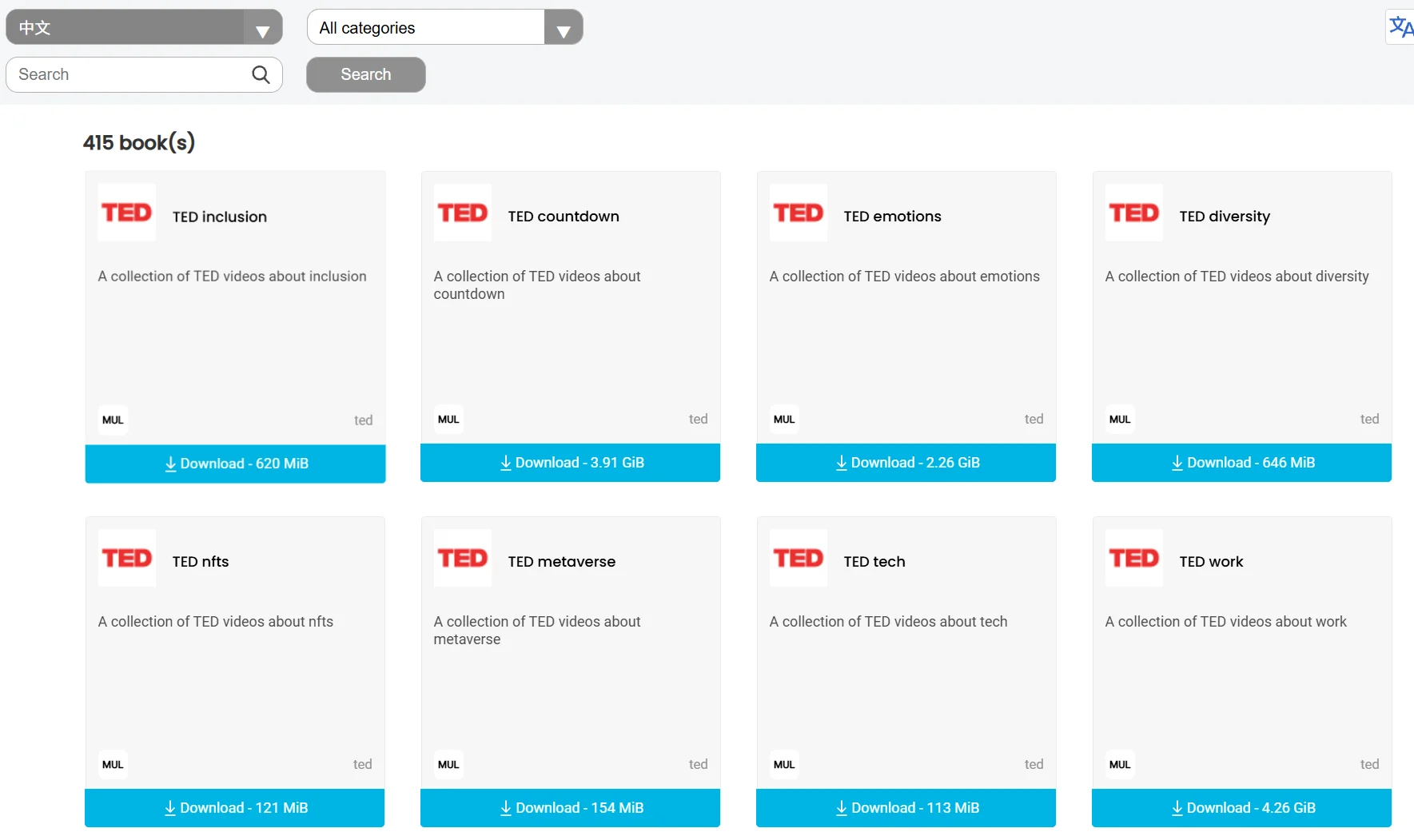
Once the file is open, you can search for articles using the search bar at the top.
Internal links between articles usually work for direct navigation, similar to browsing a normal website. You can also bookmark frequently used pages for later reading.
If you want multiple devices like phones, tablets, and computers at home to access the content, you can use Kiwix Server.
After adding ZIM files on the host and starting the service, other devices just need to be on the same LAN and access the corresponding address via a browser—no need to save a copy on each device.
This is Kiwix’s most typical use case. Remote areas, offshore operations, mountain outposts, or temporary camps can prepare offline knowledge bases in advance.
Schools can place Wikipedia, e-books, and course materials on a local server, allowing students to access them via the campus LAN.
This reduces bandwidth pressure and prevents students from being distracted by irrelevant web pages and ads while researching.
During long flights, cruises, or overseas business trips, the internet may not be stable. Downloading commonly used materials in advance makes it convenient to look up geography, history, and professional knowledge on the fly.
During power outages, natural disasters, or communication disruptions, online search tools may be unavailable. Saving medical knowledge, repair manuals, map guides, and basic encyclopedias locally can serve as emergency information backup.
It should be noted that offline medical resources are for reference only and cannot replace a professional doctor’s diagnosis.
For users concerned about web pages becoming unavailable, content being taken down, or online services shutting down, Kiwix can also serve as a long-term archive tool.
With tools like Zimit, eligible websites can be converted into custom ZIM files.
Kiwix is not ideal for those seeking real-time news and the latest information. It is better suited for saving content that doesn’t update frequently but may be consulted repeatedly, such as encyclopedic knowledge, e-books, educational resources, and technical documentation.
Overall, Kiwix is a tool you might not think about often, but when you are truly offline, you will be very glad you installed it in advance. Even just having a lightweight version of Wikipedia on a portable hard drive provides an extra layer of security compared to relying entirely on online search.