Thunderbird - v 128.5.2
An open-source free email client alternative to Outlook and Foxmail
An open-source tool for file sharing, clipboard sharing, notifications, and remote control across devices.
6.48 MiB(Android)0 Already downloaded Mobile view
KDE Connect is a free open-source tool that connects mobile phones, tablets and computers. It can transmit documents and links between devices, share clipboards, synchronize mobile phone alerts, and also use mobile phones as media remotes, demonstration flippers and temporary touch boards. The day-to-day operations are done in a graphical interface, without the need for a registered account number or the need to transmit the file to the cloud.
I have reread the KDE Connect website, the Chinese application page, download instructions for platforms, Google Play, F-Droid, the official repository and the 26.08.0 update record. It suits people who use both phones and computers, especially Androids with Windows, macOS or Linux. Initial use requires the installation of applications and the completion of matching on each of the two devices, and local area network and system privileges affect the functionality available.
The exchange of documents and links is the easiest thing to do. Android users can select KDE Connect from the System Sharing menu and send photos, documents or web links to already paired computers. The computer can also send files backwards. The transmission occurs directly between the devices, there is no need to upload the Internet first in the ordinary family network, and the original file is not compressed by the chatting software.
Shared clipboards are suitable for handling addresses, common text outside the authentication code, long links and ad hoc notes. When a computer copys a section, it can be sent to the mobile phone for continued use. Android’s system rights have been tightened in recent years, and automatic reading of the clipboard has been restricted, with some of the scenes requiring the user to click on the end of the phone. 26.08.0 Continues to complete the remote keyboard, and the desktop end can now pass the meta ethos to another device.
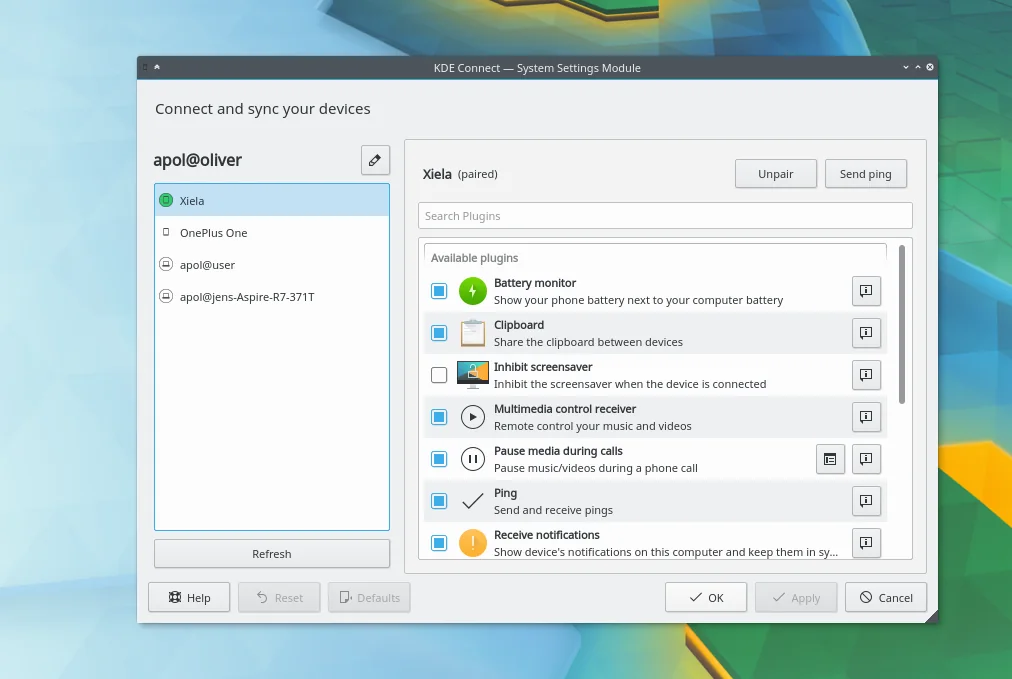
Notification, media control and remote input bring mobile phones closer to computers. Once authorized, the Android notification can be shown on the computer and some messages support a direct response. The cell phone also controls the music and video on the computer, flips presentations, moves the mouse pointer, and the desktop end views the cell phone battery, sends a hint for the device. Each capability has a separate switch in the form of a plugin, and non-utilized functionality can be kept closed.
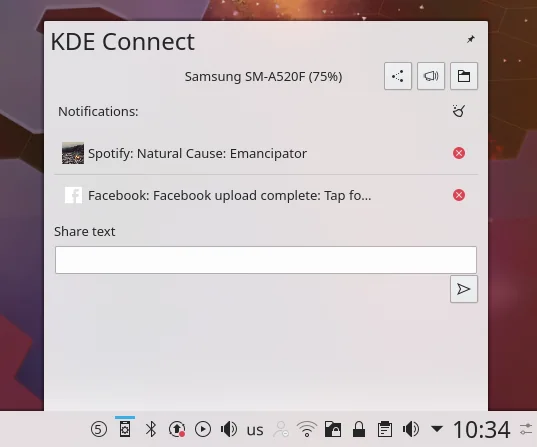
KDE CONNEC identifies and connects devices mainly through local networks. The Google Play official note states that data are transmitted directly between devices, that connections are encrypted using end-to-end TLS and that they are not sent to KDE. The store ‘ s data security statement is also currently marked as not collecting data and not sharing data with third parties. Notifications, files, clipboards and remote input, which have been initiated by the user, still contain personal information, and the permissions should be provided on a case-by-case basis, according to the actual use.
The platform is fully covered. Linux, Windows, macOS, Android and iOS have official channels and the desktop does not require KDE Plasma. GNOME users can choose GSConnect, which is compatible with the KDE Connect protocol. Android and Linux are usually the most fully functional, iOS is restricted by back-office operation and notification reading, and the ability to notify synchronization, text messaging and continuous connection is significantly different from Android.
Its use threshold is concentrated on the first pair. Both devices are usually connected to the same network, and visitors WiFi, enterprise network isolation, router client isolation and system firewalls may prevent automatic detection. The official document lists 1714 to 1764 ports of TCP and UDP as a step-by-step check. Ordinary users allow the system firewall to access the dedicated network, and check router settings when the device is still not visible.
KDE Connect also provides a bluetooth connection, but 26.08.0 labels this capability as a test state and by default closes. First with WiFi. A credible network function for Android will require backstage access, which may be required for remote control of Android equipment. The official store explained the purpose for which those privileges were to be used and could not be granted if the user did not have the relevant needs.
When mobile phone photos and documents are frequently sent to a computer, KDE Connect can save access to chat software or a webpad. The original drawings, audio recordings and PDFs are sent directly in the form of documents and are suitable for the organization of family photographs, the archiving of scanned files and the temporary exchange of working information. Speed continues to depend on two devices and the current network, and large file transmissions should be preceded by confirmation that there is sufficient space at the receiving end.
It is also practical to copy text across devices. The address, course links and long notes found on the computer can be sent directly to the mobile phone, and the web link on the phone can be pushed to the screen. Notifications are suitable for use when mobile phones are placed on a charger, and users can learn about calls and messages on a computer, while excluding applications that do not need to occur.
Another common set of events is that of classes, meetings and living halls. Cell phones can control slides, media play and volume and can serve as temporary touch panels. It does not show a remote desktop. Special remote desktop solutions should be selected when continuous computer control, screen viewing or the management of unmanned devices are required on the extranet.
KDE Connect ‘s core client can be installed and used free of charge without advertising or functional subscription. Daily LAN connections do not require the purchase of servers. The time spent by the existing equipment, network and unit managers on the firewall will still have actual costs, and the account number rules for the mobile shop or third-party software repository will be applied separately.
KDE Applications labels the desktop terminal as GPL-2.0 or more and the Android F-Droid page as GPL-3.0-only. The project consists of multiple Platform clients, repositories and information, and a licence statement for the repository and specific documents should govern the modification or reissuance. General users download the installation from an official store or official network at no additional cost.
KDE Connect places documents, clipboards, circulars and remote controls in a set of applications that can be matched by cross-branding devices. The core operation has a clear graphical interface, both in Chinese and in Chinese, and ordinary users can start with the file transfer without having to touch the command line. The official repository was kept up to date on August 26, 2026, and the maintenance was active.
Its shortboards are derived from differences in the network environment and platforms. Equipment was found to be occasionally blocked by a visitor network or firewall, and the backstage restrictions of Android could also interrupt the connection. iOS cannot provide exactly the same notification and texting capabilities as Android. Android’s desktop system is the most accessible and complete experience. The iPhone user can determine whether it needs a file, link or remote control before it can be installed.
The current stable version of the desktop end is 26.08.0, KDE was released with KDE Gear 26.08 on 20 August 2026. The official source package is about 690 kB. The current version of Android is 1.35.13, which Google Play updated on 7 August 2026, and F-Droid joined on 10 August, the generic APK approx. 6.48 MiB. The desktop and the moving end use a separate version number, and the numbers are not normal.
26.08.0 Remote keyboard modifications, macOS activation and drag-and-drop, empty file transfer, file time stamp, automatic renaming and SFTP processing have been improved, and bluetooth connections have been adjusted and it has by default been turned off as a test function. Android 1.35.13 The previous version also improved the cell phone touchboard, focusing on restoration issues. 1.35.10 Add options for skipping sensitive clipboard contents, remote volume control and appropriate local network privileges for Android 17.