Shotcut - 26.8.1
An open-source video editor with multitrack timelines, filters, subtitles, proxy editing, and flexible export.

Free and unlimited screen recorder
17.14MiB0 Already downloaded Mobile view
Screenity is a screen recording tool that is open-source, free, and has no restrictions. Simply install the Screenity extension in your Chrome or Edge browser to use this screen recording tool.
It also allows you to annotate, zoom, and blur content on web pages while recording, making it great for creating tutorials and presentations.
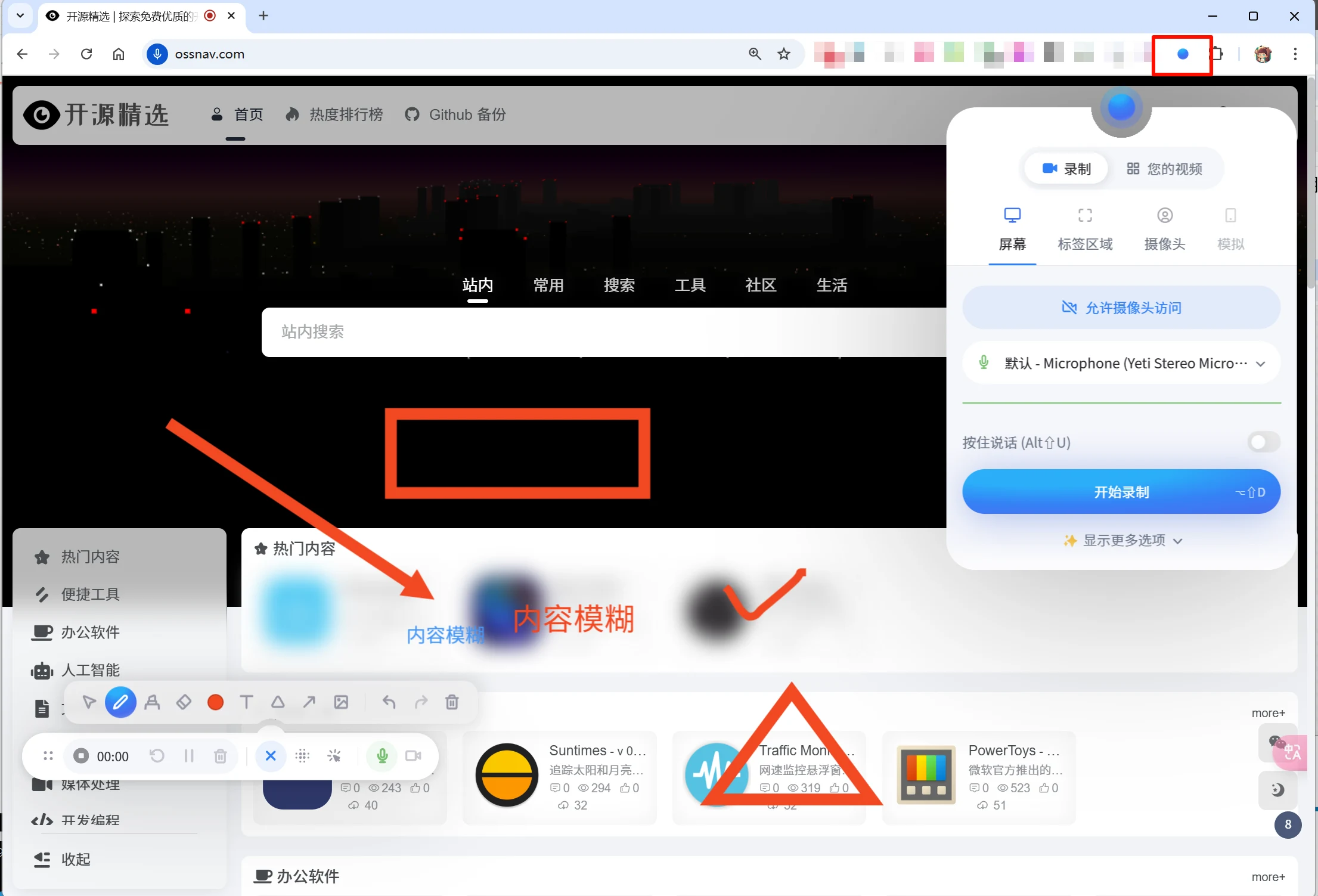
Any Chromium-based browser can install this extension. After installation, pin it to the toolbar. When you need to record, click the Screenity extension icon.
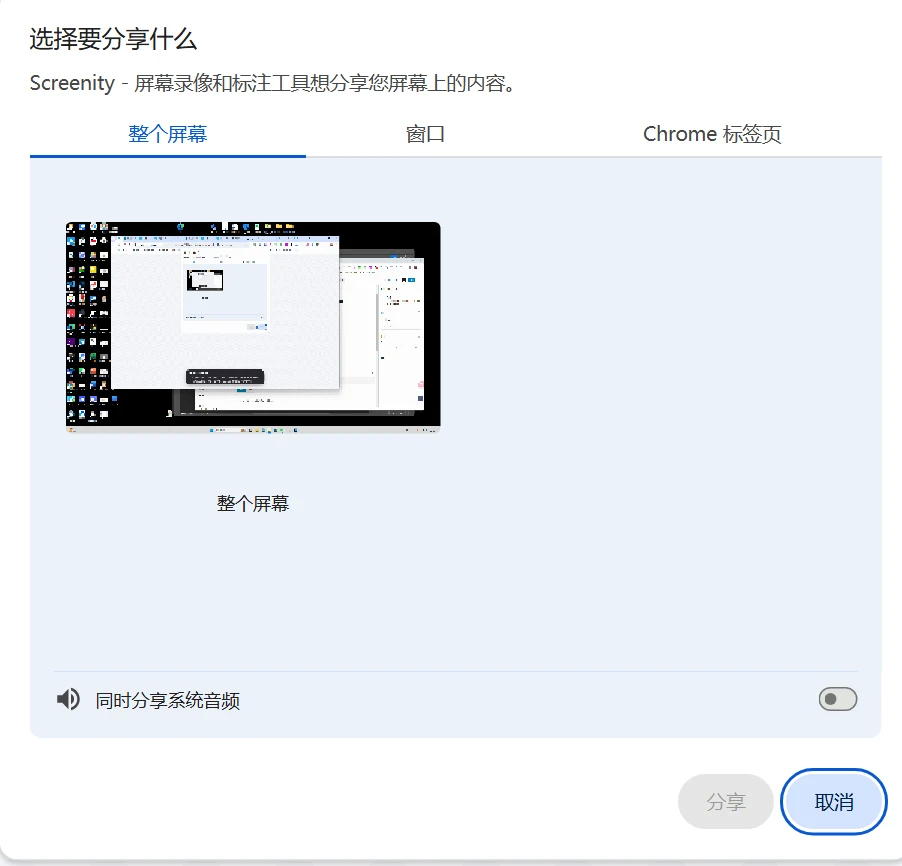
Screenity supports recording your entire screen, any window, or any browser tab.
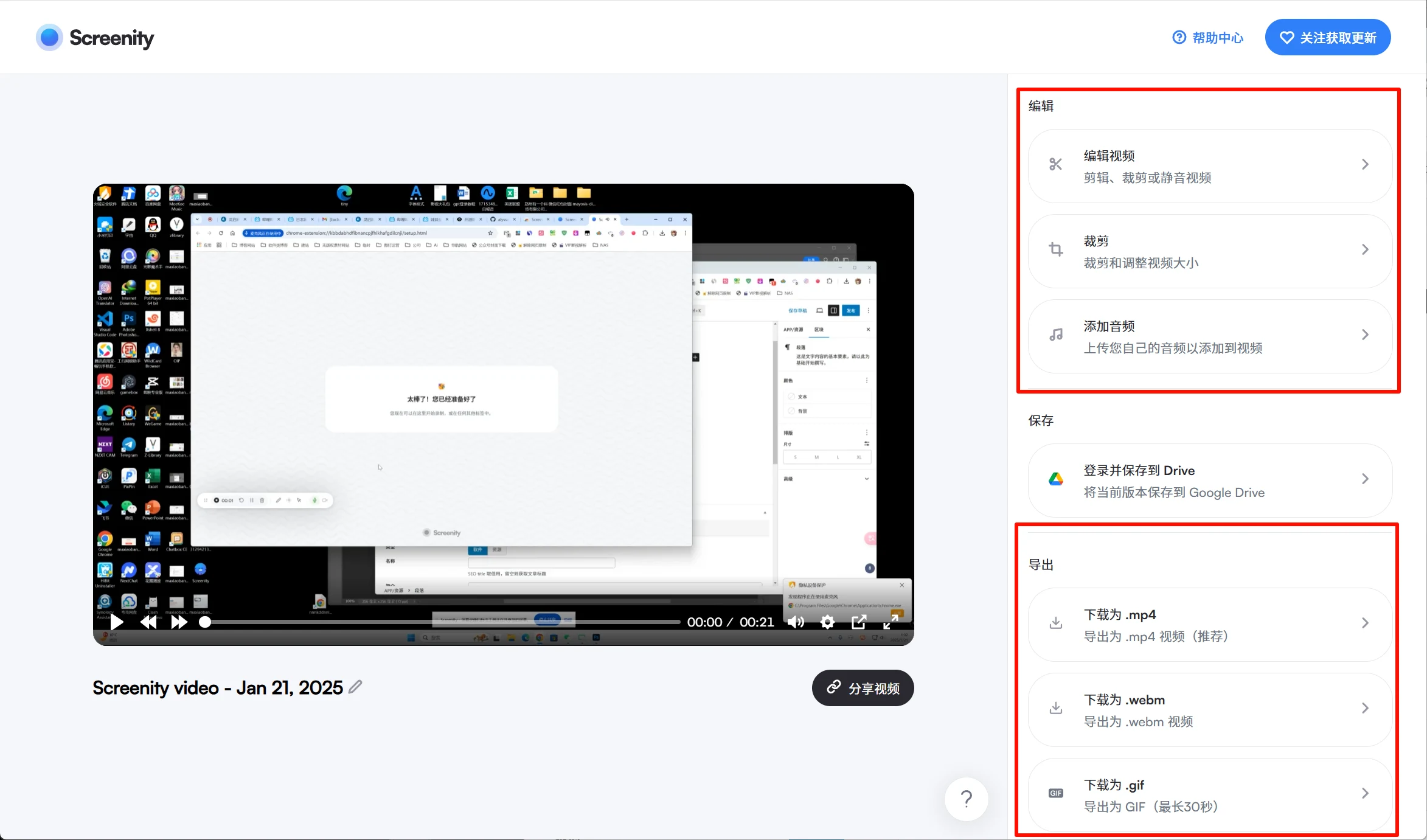
After recording, you can edit the video online, including trimming, cropping, audio editing, and replacement.
Supports exporting to mp4, gif, and webm, or directly saving the video to Google Drive to share with others.