
Cobalt - Latest Version
Free and open-source media downloader, supports YouTube, Bilibili, Xiaohongshu

A hotkey panel for recent files and reusable text on Windows, with workspaces and drag-and-drop.
1.81 MiB0 Already downloaded Mobile view
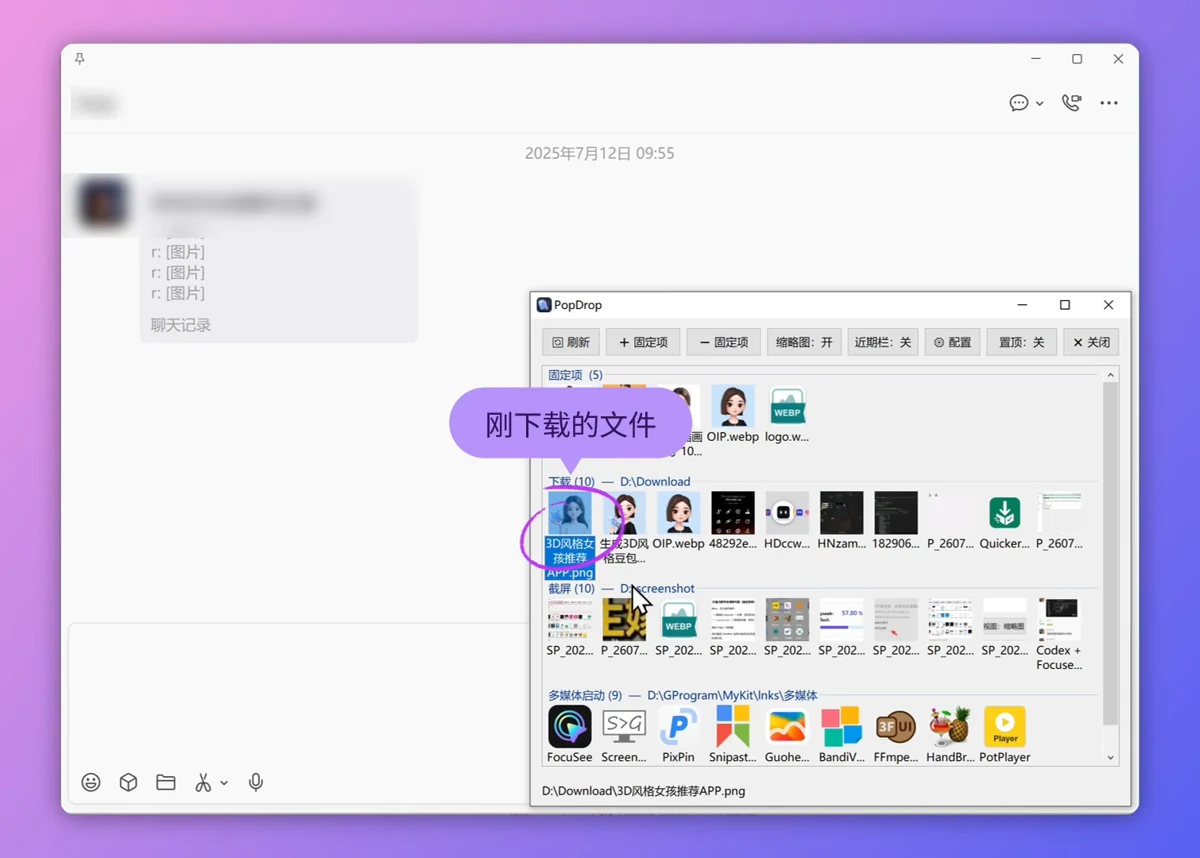
PopDrop is a Windows utility for accessing recent files and reusable text. A hotkey brings its panel above the current window, where you can find a file and drag it into a compatible chat, email or other application. The panel hides when you are finished.
It suits people who regularly send attachments, work with downloads or reuse prompts and replies. PopDrop is free to use on Windows 10 and Windows 11. This entry covers release v2.1.0, available as an official ZIP package.
Add Downloads, Documents, desktop or project folders as separate sources. Each source has its own section for locating recent files. Pin frequently used files and folders for quick access. Pinned items reference their original paths; unpinning them does not delete the originals.
Text workspaces display .md and .txt files as cards for prompts, replies and writing templates. Search with multiple keywords and press Enter to paste the selected text into the input used before opening PopDrop. This inserts text; it does not click the chat application's Send button.
Keep separate sources for everyday work and individual projects, and switch between workspaces with the top tabs. Double-press the main hotkey to open the default text workspace. Settings let you choose which workspace a single press opens and change conflicting hotkeys.
1. Download PopDrop_v2.1.0.zip from the official GitHub Releases page and extract the complete package into a permanent folder. Keep its files together.
2. Run PopDrop.exe and press the default F2 hotkey. Open PopDrop settings from the tray menu to add folders and workspaces.
3. Start with your Downloads or Documents folder. Drag a file into a compatible application, and pin items you need repeatedly.
4. For reusable text, create a text workspace and add folders containing .md or .txt files. Search for a card and insert its contents.
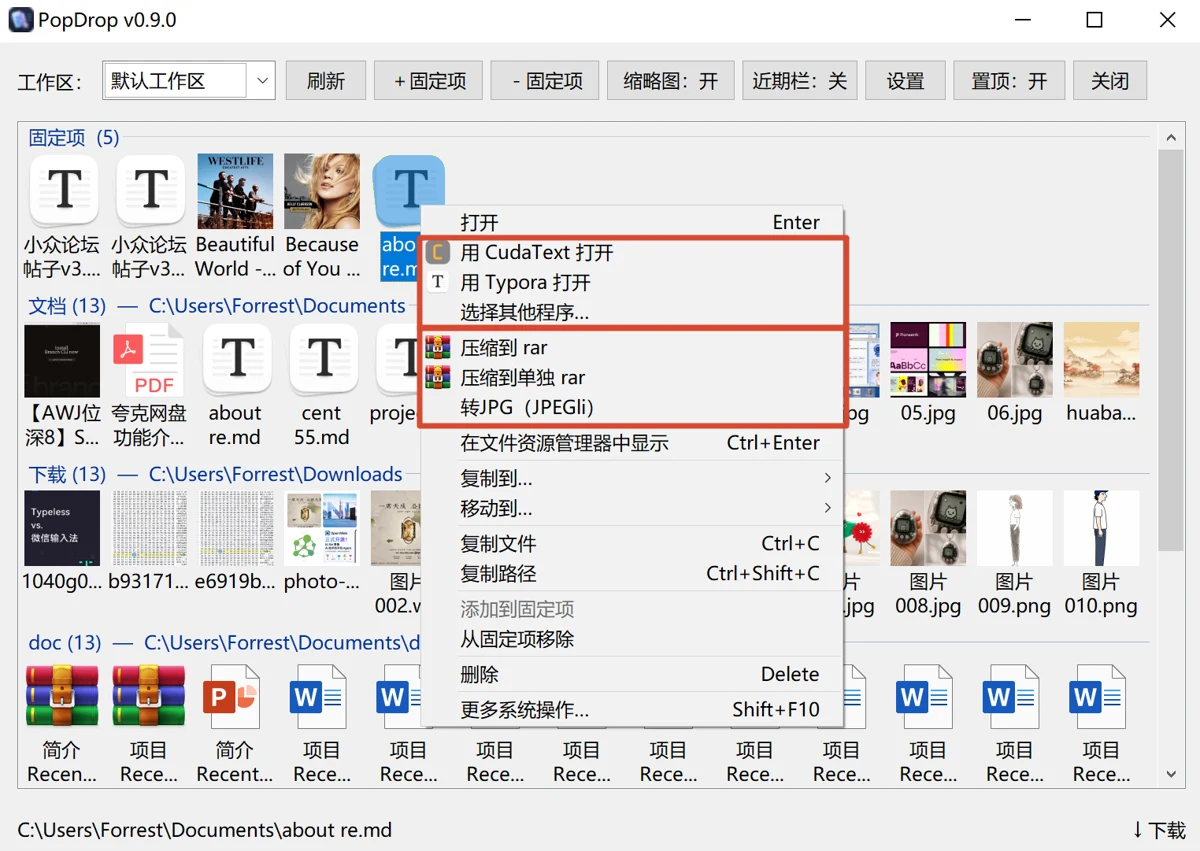
Retrieve a recently downloaded attachment for a colleague, insert a writing template or AI prompt, or keep separate source folders for different projects. A full file manager remains useful for browsing and organizing entire directory trees.
The author describes PopDrop as free to use, with optional donations that do not unlock features. Source code is public, but no explicit project-level license was found. Do not assume unrestricted redistribution or commercial modification rights.
Drag-and-drop may operate on real files. External files dropped into a regular source group are copied by default; dragging between regular groups inside PopDrop moves them by default. Check the destination and action indicator. Windows may block dragging between applications with different privilege levels. The author mentions possible antivirus false positives, but warnings still warrant checking the download source rather than disabling protection.
Version 2.1.0 was published on August 26, 2026. The official ZIP is approximately 1.81 MiB. It improves workspace switching and 1080p layout, adds a choice of workspace-opening behavior for the main hotkey, and refines file-dialog navigation and prepend-text delivery. Back up the application folder before upgrading.
PopDrop is most useful when the same files or snippets are needed repeatedly. Its file and text workspaces can reduce navigation overhead. People who only occasionally send an attachment may prefer their existing file manager.